World & game time
Game time, update passes, currencies, countries, regions, and cities.
The world continues running while you are away. Exchanges, hiring, construction, shipping, production, and customer demand update on the game clock.
The top bar shows the current game day, time, and speed multiplier. Game time is faster than wall-clock time and its speed can change, so use the in-game ETA shown on an order, shipment, build, or repair instead of converting “one day” in your head. Many systems settle in waves: a vacancy may wait for the next hiring pass, a customer report may change after the next demand pass, and a grant may complete when its conditions are checked.
Country, city, and site
- Country
- Home currency, exchange, national taxes, and the cities where the corporation begins.
- City
- Population, wealth, workers, local taxes, geographic traits, competition, and customer demand.
- Site
- Zoning, parcel size, location type, rent, and distance from supply.
A corporation has a home country and normally earns and spends in that market’s currency, but balances can exist in multiple currencies and the foreign-exchange market lets you convert between them. Prices are equally local: an exchange price is the current set of player and system orders in that country, not a universal catalogue price.
Cities supply both sides of a business. Their residents become workers and customers. Geographic traits then modify specific systems: a tourist destination can lift visits, infrastructure or terrain can alter freight cost, a skilled-workforce trait can improve production, and mineral or biome traits can make an industry possible. A large city offers a larger customer and labour pool; compare its costs and competition before committing.
Check location, currency, order depth, and ETA
Before committing cash, confirm the city, currency, order-book depth, and ETA. The lowest visible ask may cover only a few units, and a quoted duration belongs to the current game clock rather than the wall clock.
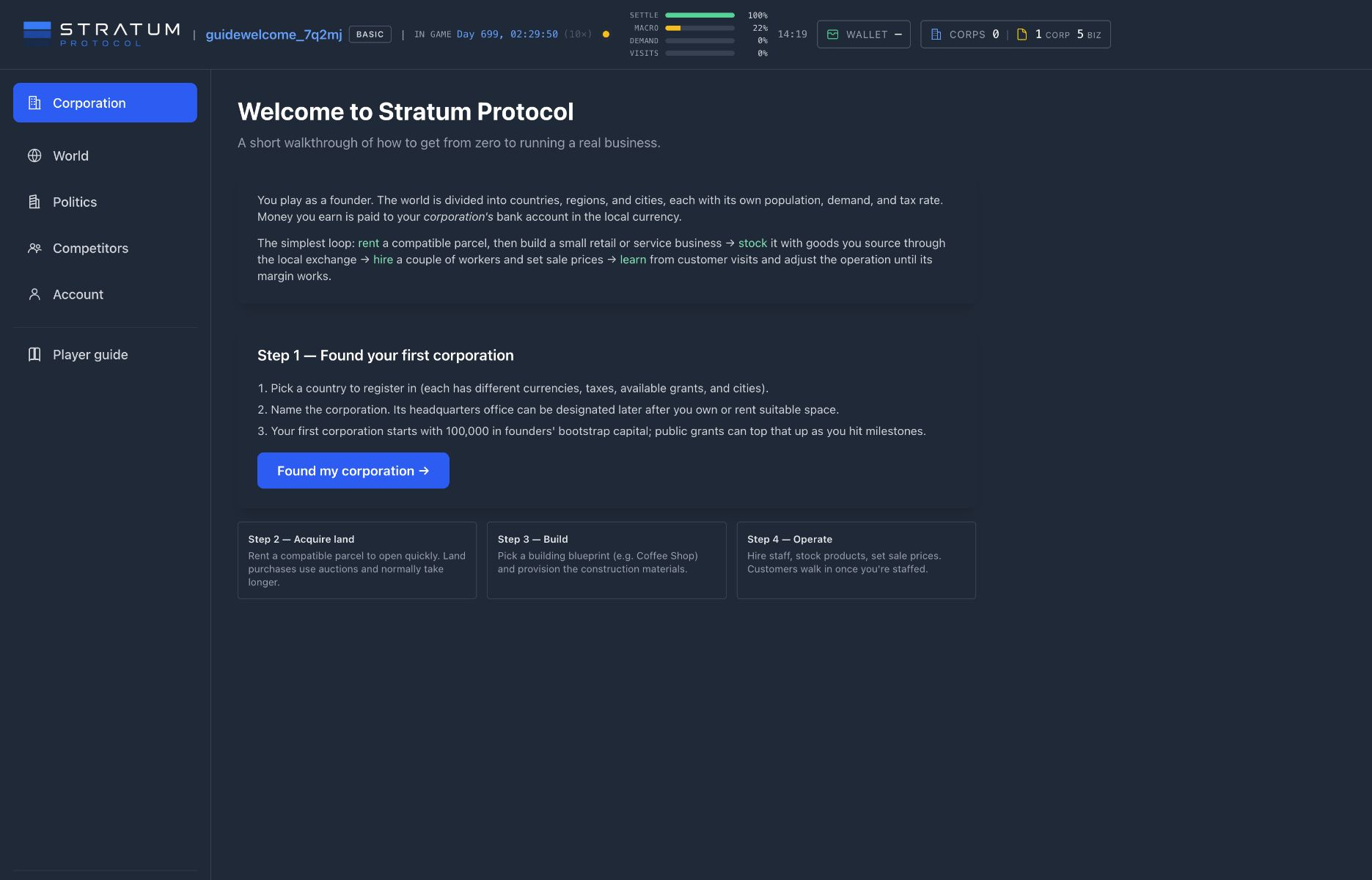
Dashboard & account tools
Switch the active corporation and find Wallet, licenses, Cart, notifications, News, settings, and subscription status.
The signed-in interface keeps the shared world, your player account, and one active corporation within reach. Learning which layer you are looking at prevents an expensive class of mistakes: personal cash is not corporation cash, an account license is not a corporation asset, and changing the active corporation changes the context of most operating pages.
Read the header as a status strip
The header’s In game clock shows the current game day and time beside the speed multiplier. The adjacent update state is different: between world passes it counts down to the Next update; while a pass is running it reports progress through settlement, macro events, demand, and visits. The clock tells you when obligations occur. The update state tells you when prices, demand, visitors, hiring, and other batched results are being refreshed. See World & game time for how to interpret their ETAs.
The Active corporation switcher sits above the main navigation. Choose another corporation there and the Corporation section points to that entity’s HQ, grants, finance, businesses, real estate, contracts, and permits. Exchange links are also scoped to the active corporation because its home market and currency matter. Always glance at the selected name before ordering, hiring, borrowing, or building.
Treat the left navigation as a map, not a sequence. Corporation contains the selected entity’s internal work; Exchange opens the markets in which it trades; World and Politics describe the environment around every operator; Competitors shows other companies; and Account returns to the player layer. Some advanced corporation links, including R&D, Office Market, and Brands, appear only after the active corporation has an operating establishment. A red attention count on Corporation points to buildings that need action, and its detail list links directly to the affected site. This is triage, not a substitute for reviewing that establishment’s staff, stock, equipment, and queues.
Account scope
Username, profile, subscription, personal Wallet, Cart, and Incorporation and Business License inventory belong to you and remain the same when you switch corporations.
Corporation scope
Cash, staff, buildings, inventory, contracts, tax, debt, and operating records belong to the selected corporation and are governed by your role there.
Wallet opens your personal balances by currency and your personal transaction history. It can transfer personal cash into a corporation in which you hold an active role. That player-facing transfer is one-way; the Wallet does not provide a matching withdraw-from-corporation action. A corporation’s cash is shown separately in its header and HQ records; switching corporations never moves money between them. The distinction matters when capitalizing a later corporation, as explained in Corporation, capital & licenses.
Licenses, Cart, and checkout
The yellow license readout reports available Incorporation and Business Licenses on the player account. An Incorporation License is consumed when you register a corporation. A Business License is consumed from the signed-in player who confirms a new building project. Neither license sits inside the corporation, uses its currency, nor appears in its operating inventory.
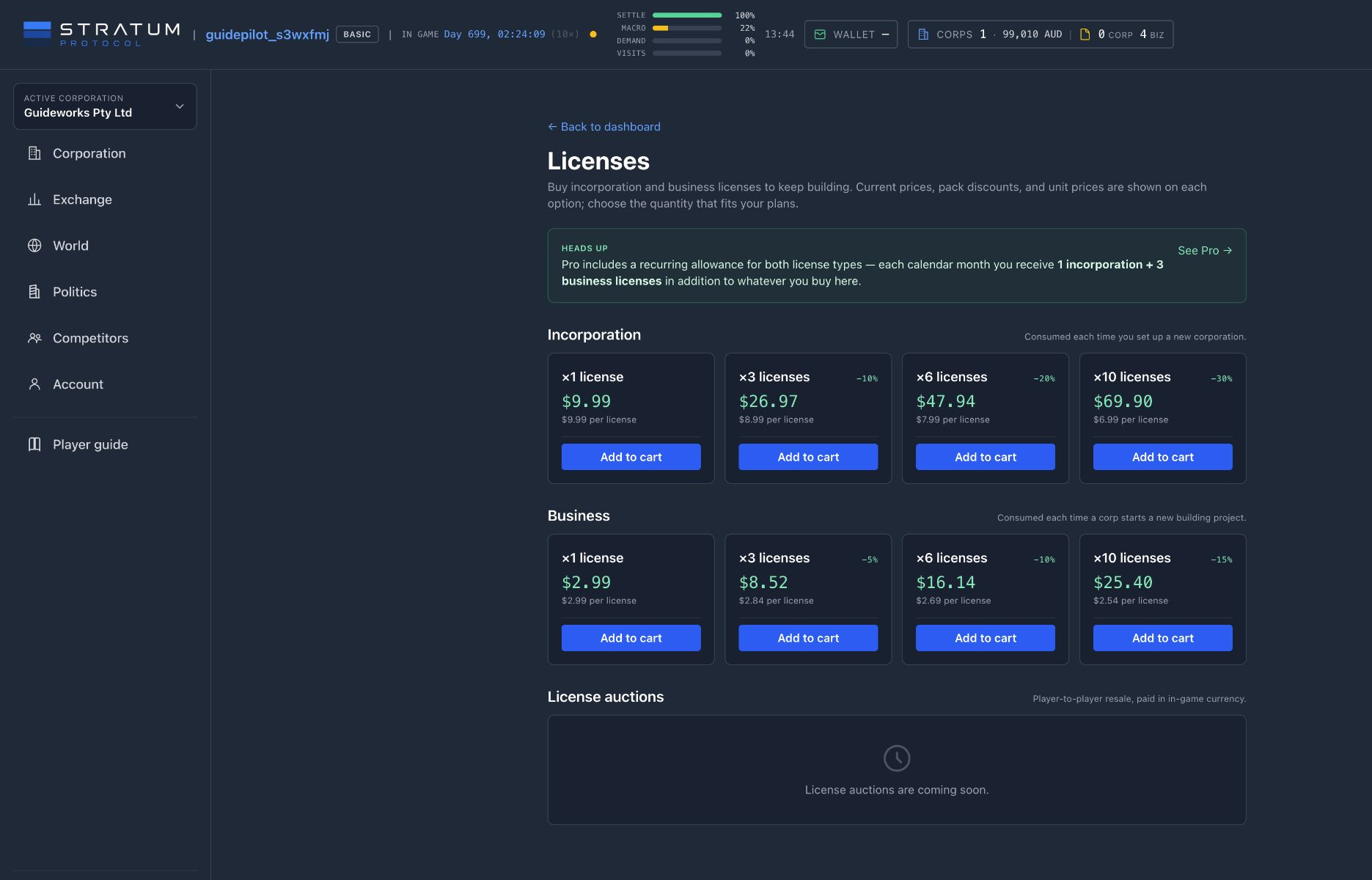
The Licenses marketplace offers manual packs of both types; larger quantities can carry a lower unit price. Add to cart does not grant anything yet. Open Cart to review the order, billing details, saved or new payment method, and total, then complete checkout. Fulfilled licenses are added to the account inventory and become available to any corporation you control.
Pro allowance uses calendar months
Pro adds one Incorporation License and three Business Licenses at each calendar-month allowance interval. The first allowance is added shortly after activation; later allowances arrive after a full real-world month. Manual packs are separate purchases and remain available whether the badge says Basic or Pro. The Pro & subscriptions chapter explains plan terms, renewal, and cancellation.
At the right of the header, Help opens the Player guide and What’s new, while the notification bell collects actionable events and links back to the relevant corporation or screen. The player button opens Account, Personal wallet, Invite a friend, Subscription & Pro, and Sign out. Active Pro status is integrated into that same button; warning colors call out renewal or payment issues.
On a smaller screen
Open the menu to find the Wallet, Cart, license counts, active-corporation switcher, and full navigation. Corporation pages also gain a compact horizontal strip for HQ, Finance, Buildings, Real Estate, and Contracts. The scope rules do not change when the chrome collapses.
Pro & subscriptions
Pro benefits, free expansion paths, license allowances, milestone slots, renewal, and cancellation.
Pro policy
Pro does not change economic rules
Pro is limited to capacity, convenience, market context, and cosmetics; it does not change economic rules. Its capacity benefits are explicit: monthly licenses, a wider buffer for Corporation Milestones, and doubled running-study capacity for employed HQ analysts. It does not apply special bonuses to demand, quality, production rates, pricing formulas, operating-cost formulas, market access, weekly-league scoring, or political power, and it cannot guarantee profit. Its automations execute ordinary purchases, transfers, listings, and repairs under the same cash, freight, storage, liquidity, and maintenance rules. Its auction alerts and land price history add timing and market context, not priority, reserved inventory, or different bidding rules.
Basic includes every business type and all core economic and political features. You can incorporate, build, hire, produce, serve customers, trade, ship, finance, compete, and participate in politics without Pro. Every new account starts with one Incorporation License and five Business Licenses, so a subscription is not required to use those features. That includes entering municipal land and extraction-permit auctions; Pro does not buy exclusive bidding access.
What paid Pro includes
Paid access is limited to the benefits listed here: licenses, wider active-milestone and running-study capacity, automations, automatic delivery for project-linked standing-bid fills, permit- and land-auction opening reminders, comparable land sale history, and visible account status. An Incorporation License lets the account register another corporation; a Business License lets the acting player start another ordinary building project. The Licenses page offers one-off packs, while Pro supplies a predictable recurring allowance. Pro’s six-slot milestone buffer lets a corporation pursue more published objectives concurrently, but does not make any target easier or reward larger. None of these benefits buys the land, materials, freight, builder, employees, stock, customer demand, or working capital needed to make an operation succeed.
Monthly expansion
One Incorporation License and three Business Licenses at each real-calendar allowance interval.
More research concurrency
Each staffed HQ Business Analyst can supervise two running market studies instead of one. Completed reports do not occupy those slots. Basic and Pro buy identical reports at identical in-game prices, durations, and validity periods; Pro does not create a slot without an employed analyst. See Marketing & analysis.
More milestone capacity
A corporation with a current Pro owner can carry six active Corporation Milestones instead of the Basic limit of three. Weekly leagues do not use those milestone slots, and Basic and Pro have identical scoring and prizes.
Operating convenience
Inbound, outbound, repair, and Auto Hire rules reduce repetitive work. Pro can also arrange freight automatically when a project-linked standing bid fills; Basic places the same bid and can route every fill manually. Automatic delivery does not improve price, order-book priority, liquidity, or ordinary freight and storage costs. See Procurement & freight, Automation, and Extraction permits for the exact boundaries.
Land-market context
Watch individual cities for new municipal and player land-auction alerts and inspect completed sales for parcels comparable by place, zoning, location type, and size. These tools help with timing and valuation research; they do not reserve a parcel, place a bid, or predict the winner. See Land: rent before you buy.
Account status
A visible Pro marker, plan management, renewal state, and payment warnings live in the player menu.
Business expansion remains earnable in-game
The weekly community competitions on the Grants page award Business Licenses to positive-score podium finishers. Each controlling player account can choose one of its corporations to enter one free global league per real-week cycle; its score begins at entry and measures only the relevant progress made before the deadline. First place receives three Business Licenses, second receives two, and third receives one. A league entry does not consume a milestone slot, and Pro provides no additional entry or scoring advantage. Weekly competitions do not award Incorporation Licenses. Podium finishers can use their awarded Business Licenses to open more businesses without purchasing licenses.
Paying is not the only way to receive Pro
The referral reward described below can start or extend a Pro term without a subscription purchase. Business Licenses earned from Weekly League podiums also remain normal account inventory; they are not temporary trial items.
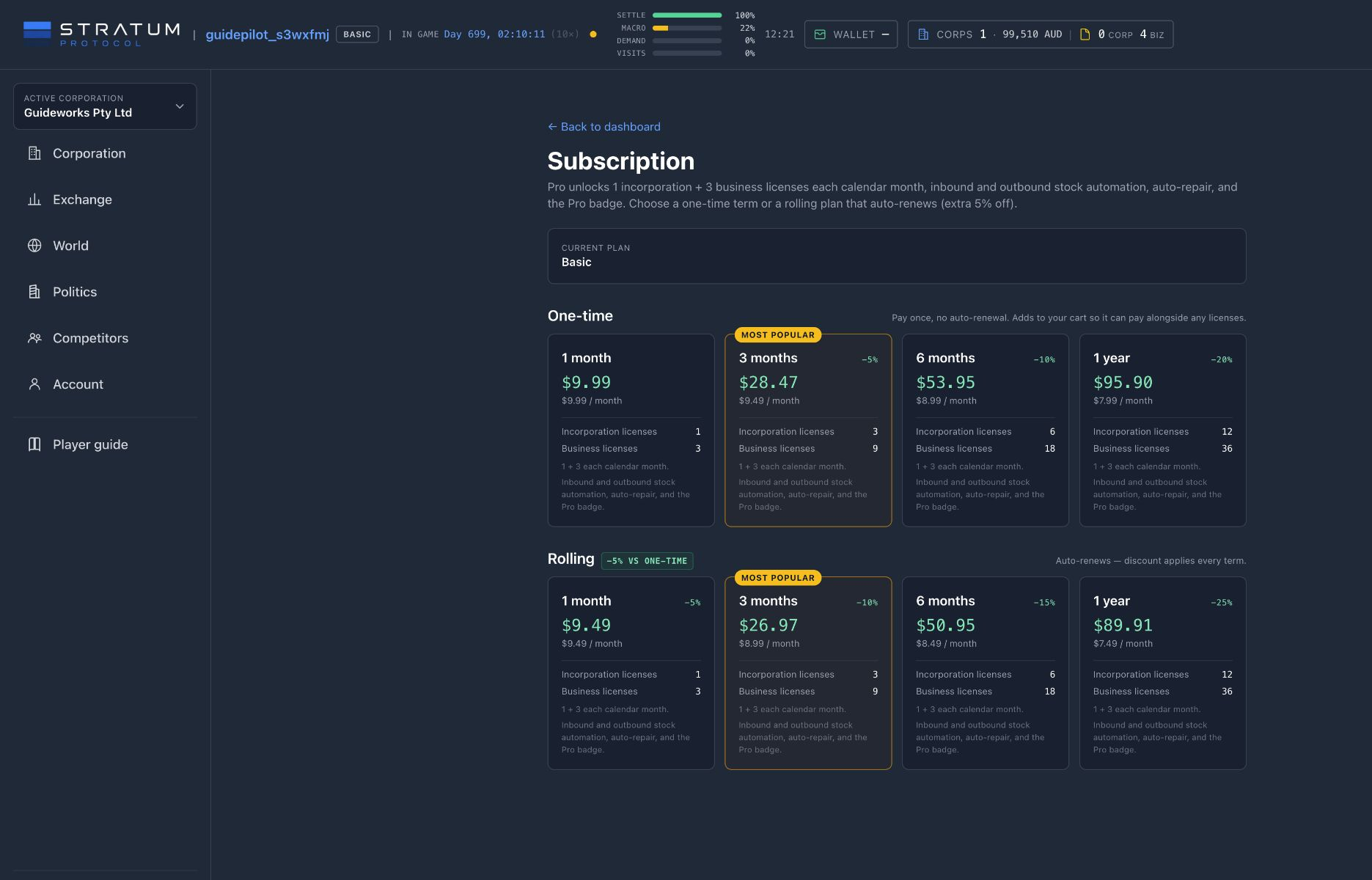
Allowances arrive over calendar time
Pro supplies one Incorporation License and three Business Licenses per calendar-month allowance interval. The first allowance is added shortly after activation; later allowances arrive after a full real-world month rather than on the accelerated game clock. A multi-month term therefore does not deliver every future license at checkout. Open the player menu and choose Subscription & Pro to see the current plan, expiry, and renewal state.
One-time and rolling plans end differently
A one-time plan remains active through its purchased term and then ends. A rolling plan renews automatically; turning off renewal preserves access through the period already paid for. If a renewal payment becomes past due, the player control calls out the problem while access remains available through that paid expiry and payment retries continue. The Subscription page shows current prices, term lengths, and discounts.
When Pro ends, unused licenses already delivered to the account remain available. The player marker returns to Basic, and saved automation rules and automatic delivery for linked standing bids pause instead of being erased. The bid can still match; completed fills remain owned and can be routed manually to their linked project. The corporation’s milestone-grant ceiling returns to three. Existing fourth-through-sixth active milestones are not canceled, but another milestone cannot be accepted until the active count falls below the current ceiling. Weekly-league entry and scoring are unchanged. Saved auction reminders pause, and comparable land price history becomes unavailable until Pro resumes; auction participation itself remains open. The Automation chapter explains how those rules resume.
A referral can add a month
Open the player menu and choose Invite a friend to copy your personal link or code. When the referred player completes their first eligible revenue-capable business—warehouses and real-estate projects do not qualify—the reward gives both players one calendar month of Pro. It extends an active term or starts a gifted term on a Basic account, alongside one Business License and 20,000 for each player in the domestic currency of their own first corporation.
Keep the distinction clear
A license creates permission to expand; it does not fund the expansion. A Pro term can make account growth more predictable and routine operations less repetitive, but the economic result still comes from player decisions, other players’ supply and demand, and the corporation’s own cash.
Corporation, capital & licenses
Incorporate, fund the company, preserve cash for operations, and use licenses to expand.
Your corporation is the operating entity behind the business. It holds cash and inventory, owns or leases assets, employs staff, enters contracts, pays tax, and receives revenue. Your player account sits above the corporation and holds account-level items such as Incorporation Licenses and Business Licenses.
Creating a corporation consumes one Incorporation License. A new account receives one, and its first corporation receives 100,000 in founders’ bootstrap capital in the corporation’s local currency. That endowment exists to start the operating loop; another corporation does not receive a second bootstrap payment and must be capitalized by an owner.
Later corporations start from the Corporations → Incorporate action and still consume an Incorporation License. Choose personal ownership to hold the shares yourself, or choose a corporation you control to create a subsidiary while you serve as its director. The selected owner transfers 10,000 in the new corporation’s domestic currency and must have at least 20,000 available—10,000 to invest and 10,000 left afterward. Check the owner and currency on the review step; this is capitalization from an existing balance, not another state endowment.
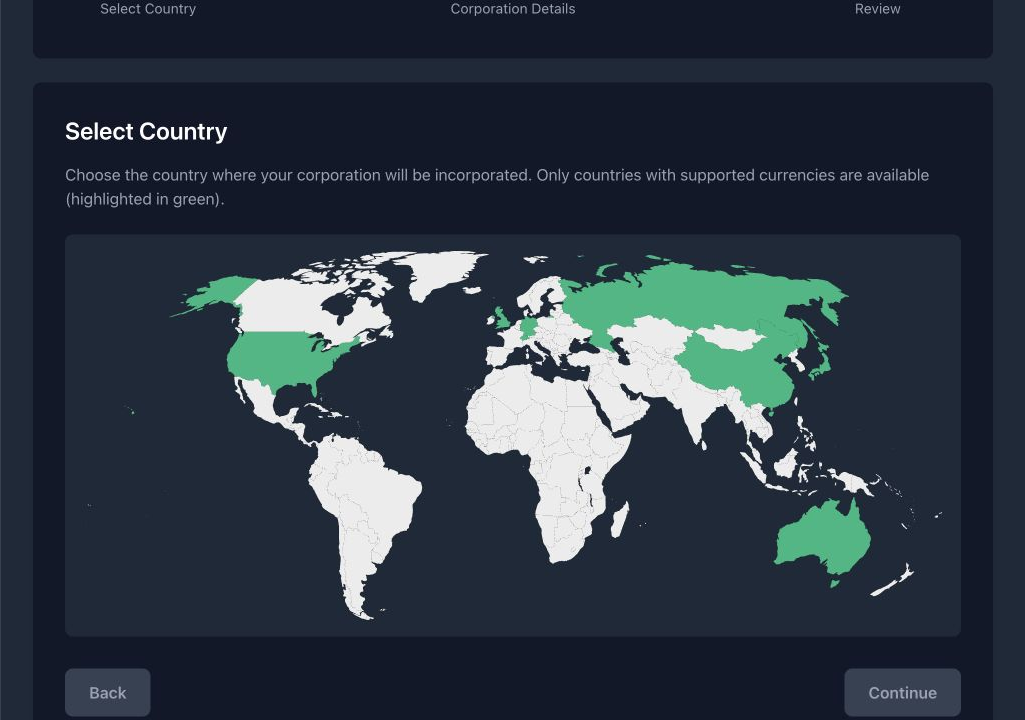
Country is the consequential choice. It establishes the corporation’s home currency, exchange, tax environment, and opening geography. Your name is cosmetic; your home country determines the market you enter. Registration also creates a small general warehouse and a default brand. Exchange purchases still remain at the exchange until you arrange freight to a destination.
Treat bootstrap capital as runway, not profit
A first opening can require land or rent, construction materials, freight, a builder, payroll, ingredients or shelf stock, repairs, and tax. Buying materials converts cash into inventory; that value still exists, but it cannot pay a wage while it is sitting in transit.
New accounts also start with five Business Licenses. Beginning a construction project uses one. Available licenses limit how many projects you can start; the cash balance determines whether you can finish and run them. Before starting a build, keep a reserve for the builder, opening payroll, recurring rent, freight, and working stock.
Basic includes the complete manual business loop. Pro & subscriptions explains the optional recurring license allowance and the game’s monetization boundaries; Automation explains its operating rules. Buying or earning licenses directly remains separate from subscribing.
The Corporations page is also your role inbox. Its All, Owner, Director, Officer, and Liquidated tabs separate companies by how you participate. An officer invitation appears above that list with its corporation and permission role; accepting adds the company to the relevant tab, while declining leaves it outside your operating list. Opening a corporation shows the exact permission area attached to your role. Economic ownership, directorship, and officer authority are related but not interchangeable.
After incorporation, the six-step Open your first business checklist tracks corporation creation, land, construction, completion, inventory, and first operating revenue. It updates automatically when you complete those actions elsewhere in the game.
Common mistake: building to the edge of the balance
A completed building does not create cash by itself. If there is nothing left for hires, stock, rent, or freight, the new asset can remain suspended while its bills continue.
Headquarters, control & records
HQ support, roles, permissions, transactions, statements, ownership, assets, settings, and contracts.
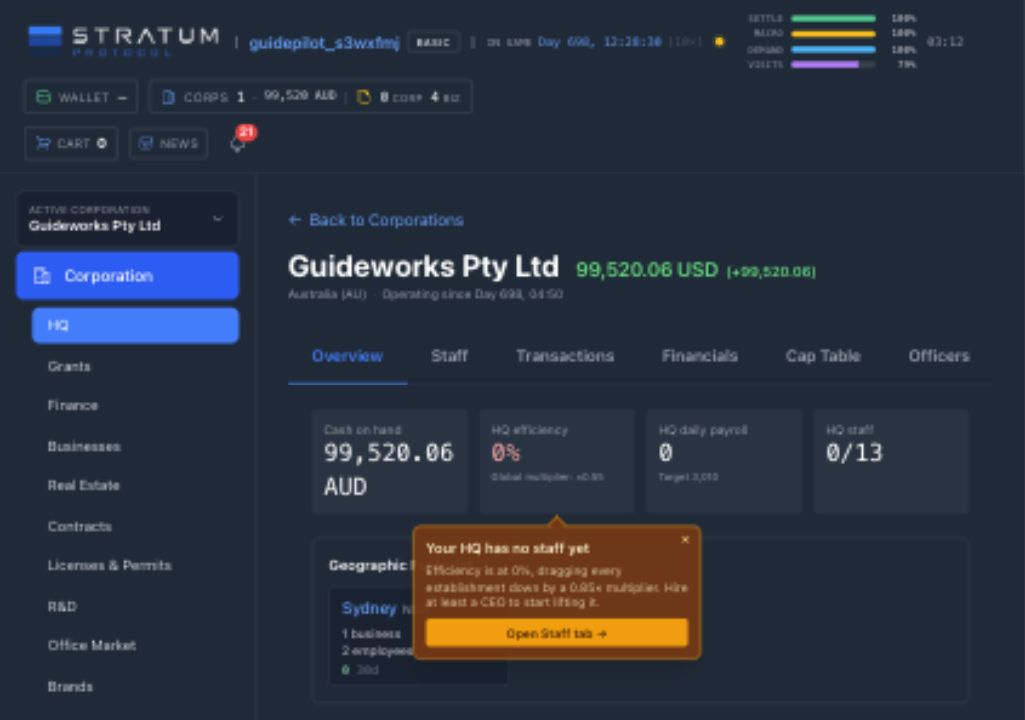
HQ shows a corporation’s operations, staff, finances, ownership, officers, and settings. Open Corporation, confirm the active corporation, then choose HQ. The name, home country, operating age, status, and home-currency balance at the top identify the legal entity whose records you are reading. The tabs beneath it answer different questions; no single tab is a complete picture.
Overview: position and operating health
Overview begins with cash on hand, HQ efficiency, HQ daily payroll, and filled versus available HQ seats. It then maps the corporation’s geographic footprint, names the owned or rented office designated as headquarters, and provides quick links to its buildings. Those building cards summarize status and recent operating signals, but the establishment page remains the detailed source for stock, stations, staff, production, and maintenance.
HQ efficiency is a corporation-wide multiplier layered over each establishment’s local efficiency. A completely empty player HQ applies a 0.55× multiplier; a fully staffed one reaches 1.10×. The Overview warning points to the most urgent vacancy, but the Staff tab shows the mechanism: executive seats, line roles, desired headcount, minimum and offered salary, filled headcount, and each role’s contribution to HQ efficiency. Operational role requirements grow with the number of businesses. You must designate an HQ office before its hiring queue can fill.
Transactions and Financials answer different questions
Transactions is the event ledger. Filter by source, target, transaction type, category, amount, or date to trace sales, payroll, tax, rent, procurement, freight, construction, loans, forex, escrow, grants, capital, and other movements. Follow a transaction thread when several entries belong to one commercial event. Use this view to answer “what moved, when, in which currency, and with whom?”
Financials is the accounting view. Its Income Statement recognizes revenue, cost of goods sold, operating expenses, other income, and net income; its Balance Sheet groups assets, liabilities, and equity in the home currency, with foreign cash balances disclosed separately. The current income column is cumulative, while the comparison is a frozen weekly snapshot. Cash timing can differ: buying materials reduces cash immediately, but the cost is recognized as goods are sold or as materials become part of a building. Read the transaction ledger for cash movement and Financials for economic performance, then use Loans, liquidity, tax & survival to plan liquidity.
Cap Table and Assets
Cap Table records every individual or corporation shareholder, shares held, total shares outstanding, and ownership percentage. Assets currently concentrates on subsidiary corporations and the parent’s stake in each. Economic ownership is not the same as permission to operate the company.
Officers and Settings
Officers lists owners, directors, officers, and pending invitations. An officer’s role grants finance, operations, trade, or combined day-to-day authority; governance remains owner-only. Only the owner can invite or remove officers. Settings is the reserved home for corporation-wide controls. Its current General panel contains a limited set of controls.
That separation is deliberate. A shareholder may have economic exposure without an active operating role, while an officer may act within a defined area without owning shares. Before delegating work, check the Officers role description rather than assuming a title grants every action. Sensitive governance—including officer management and restructuring or dissolving the corporation—stays with the owner.
Open the screen related to each record
Use HQ records to identify the event, actor, currency, and accounting effect, then open the related building, market, lease, loan, or project to review or act on it. The dedicated Contracts ledger article explains how commercial commitments and their delivery states fit beside these corporate records.
Milestones & weekly leagues
Choose corporation milestones, enter weekly leagues, track progress, and receive rewards automatically.
The Grants screen brings together two different ways to earn support: Corporation Milestones for carrying out a published business objective, and Weekly Leagues that rank corporations against one another. Both publish their measurement, availability window, and reward before you join, but they use separate participation rules.
Corporation Milestones
These are corporation-scoped, non-ranked objectives. Complete every required condition to receive the published reward; no other corporation can take the award away from you.
Weekly Leagues
Join one of the week’s open objectives and build the largest score before the real-week deadline. Entry is free, league progress starts when you join, and the podium earns Business Licenses.
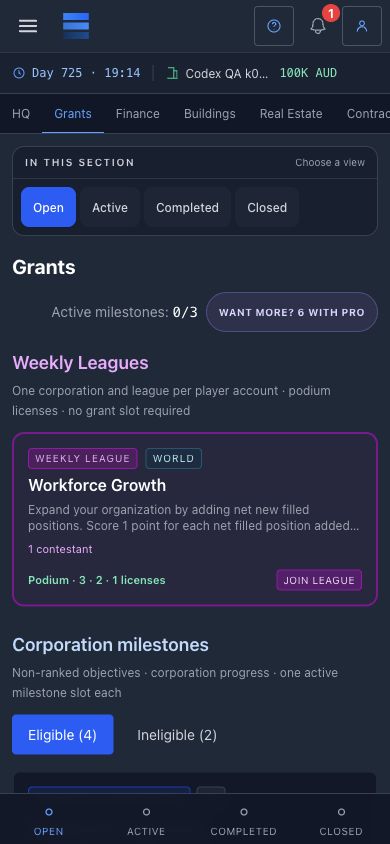
Cash is credited to the corporation in its local currency when a Corporation Milestone is completed. Weekly League podium rewards are Business Licenses. A Business License is issued to the controlling player, who can use it for expansion. A Basic corporation can carry at most three active Corporation Milestones; a corporation with a current Pro owner can carry six active Corporation Milestones. Favor milestones whose conditions overlap with work you already intend to do: an unrelated objective can tie up a slot and tempt the corporation into an uneconomic build. There is currently no player-facing cancellation action for an accepted milestone, so assume its slot remains occupied until it completes, expires, or closes for another reason.
How Corporation Milestones work
The milestone catalogue is filtered for the active corporation and its country. The Eligible view contains objectives that can be accepted now; Ineligible shows the published requirements that are not yet met. After acceptance, a milestone remains In progress until its objective is confirmed.
Current Corporation Milestones run on the published real-time Monday-to-Monday cycle. The card and detail panel show the closing time, and work completed after that deadline does not rescue an unfinished objective. Successful history is labelled Completed · reward paid; an unfinished time-limited objective is labelled Expired · no reward. The reward is processed automatically when completion is confirmed, so you do not need to claim it in a second step.
How weekly leagues work
Leagues run from Monday to Monday in real time and are global: Basic and Pro corporations see the same objectives, use the same scoring rules, and compete on the same leaderboard. The active-player population determines whether a cycle opens one, two, or three objectives, so the choice expands as the player base becomes more active. Each controlling player account may choose one of its corporations to enter one league in a cycle; owning or controlling several corporations does not create extra weekly entries.
Every league score measures new progress after joining. The current objective may rank net new filled positions, newly completed operating cities, newly completed industry categories, completed retail purchases, service orders, or hotel stays, or the quantity of a named resource produced. Existing scale therefore does not arrive as an inherited score: the relevant starting value is recorded at entry, and the leaderboard compares what each entrant adds before the deadline.
Production and customer-order objectives are capability-gated. They enter the weekly pool only when at least two different active players control corporations with completed facilities that can perform the measured work. This avoids publishing a specialist contest with no credible field. The leaderboard still shows an entrant that records no progress, but a zero score cannot receive a prize. Among positive scores, first place receives three Business Licenses, second place receives two, and third place receives one. Equal scores are ordered by earlier entry.
Weekly leagues do not use milestone slots
Joining a weekly league does not consume one of the three Basic or six Pro milestone slots. Pro does not add another entry, multiply a score, improve a rank, or change the prize. Positive-score podium finishers receive Business Licenses that they can use for expansion.
Read a milestone’s starting point
Every current Corporation Milestone measures new progress after acceptance. Event objectives count qualifying completions or output after that moment; workforce, city, and industry objectives record the corporation’s starting position and measure the net increase. The detail panel marks this as Counts from acceptance. Existing staff, facilities, cities, or industries establish capability and eligibility where relevant, but they are not credited again as fresh progress. Accept an aligned milestone before taking the intended action, then use its progress display to confirm that the activity is moving the published measure.
Before accepting a milestone
- • Is the corporation eligible in its country right now?
- • Does the condition advance the business plan you already chose?
- • Does progress start from acceptance, and can you finish before the deadline?
- • Is the reward worth the working capital and active slot it consumes?
Common mistake: doing the work before accepting
If a condition measures new progress from an acceptance baseline, the building or output you already created will not be counted as fresh progress. This applies to every weekly league and to milestones marked as counting from acceptance, so verify the start point before acting.
Daily rewards & streaks
Claim daily rewards, track the streak ladder, and see what resets after a missed day.
A streak counts the consecutive days you have claimed a daily reward. The counter sits in the dashboard header and highlights itself whenever today’s reward is still unclaimed; tapping it opens the reward panel, which also opens on its own the first time you arrive on a day with something waiting. Claiming is a deliberate action — nothing is credited to you in the background, and nothing expires unclaimed except the day itself.
Days are real days, not game days
Almost every duration in this game is measured in game time, which runs many times faster than the clock on your wall. Streaks are the deliberate exception. A streak day is a real calendar day in UTC, so the reward resets once every twenty-four hours of real time regardless of how fast the world is running. A long session does not advance your streak, and an admin retuning world speed cannot change how often you are rewarded.
What each day pays
The kind of reward attached to a streak day is fixed and visible in advance. The panel lists the upcoming reward types; only the amount is determined when you claim. Days marked with a ? are Joker slots, whose reward is selected when you claim them.
| Streak day | Reward |
|---|---|
| Most days | A cash grant, a production boost, or a Joker, on a repeating weekly pattern |
| 7 | Pro for one day |
| 14 | Pro for one week |
| 30 | A large cash grant and a stronger, longer production boost |
| 60 | Pro for one month |
| 90, then every 30 | A large cash grant and a stronger, longer production boost, repeating for as long as the streak holds |
Cash grants grow with the streak up to day 60 and then hold at that level, so the ladder rewards consistency without turning a very old streak into an unbounded income. Every payout is randomised within a band around its expected size, and a milestone day pays a multiple of an ordinary one.
Cash is also indexed to the local cost of doing business, so the same streak day is worth a comparable amount whichever currency you are paid in. The index uses the median wage from filled jobs in that currency and applies damping plus upper and lower caps. One salary cannot move it far, and values past the cap have no further effect.
Production boosts
A boost is a temporary multiplier on one corporation’s production output, running for a fixed window in real time. It is captured by each production run when the run starts, so a run already under way when the boost expires still finishes at the rate it began with. A run that outlasts the boost window captures a proportionally reduced effective multiplier rather than the full one — it gains the window’s worth of extra output, and no more. Because more output from the same inputs lowers your unit cost, a boost also shows up in reported profit — see Production lines.
Granted Pro
Pro won from a streak lasts for the stated term. It is not charged to a card and does not renew automatically. If you already have Pro, the granted term extends your current term. Pro & subscriptions covers what the tier unlocks.
How rewards are paid
Cash is paid to the corporation you are currently acting for, in that corporation’s local currency. It is booked as a grant, which means it appears in your records as non-income funding rather than as revenue — it will not inflate your reported profit and it is not taxed as trading income. The ladder unlocks once you have set up your first corporation, and it stays unlocked for good — selling or losing that company later does not lock it again. If you are not acting for a corporation when you claim, the money goes to your personal wallet instead. A production boost has nowhere to land without a corporation, so on those days it is converted to cash rather than being lost.
Missing one day can be forgiven; missing two cannot
Every seventh claimed day banks one streak freeze, up to two. A freeze covers exactly one missed day: claim again the day after next and the streak continues where it left off, spending one from the bank. Miss two days in a row and it resets to day one regardless of what you have banked — day one, not day zero, because the day you came back is itself a claimed day. Your longest streak is kept permanently, so a broken run is recorded rather than erased, but the milestones must be earned again from the beginning. A day covered by a freeze counts toward your streak and toward your longest run, so a milestone means that many days of showing up rather than that many days without a gap.
Streak rewards supplement business income, and every ladder benefit is also available elsewhere through play. Milestones provide those benefits sooner. Read Milestones & weekly leagues for the objective-driven rewards that sit beside them.
World map & economy explorer
Compare countries, cities, currencies, commodity prices, and trade flows.
World lists supported countries and links to their regions and cities. Economy compares money, employment, trade, prices, and local business conditions. Use the relevant market or building page to confirm an available offer or a site’s current operating state.
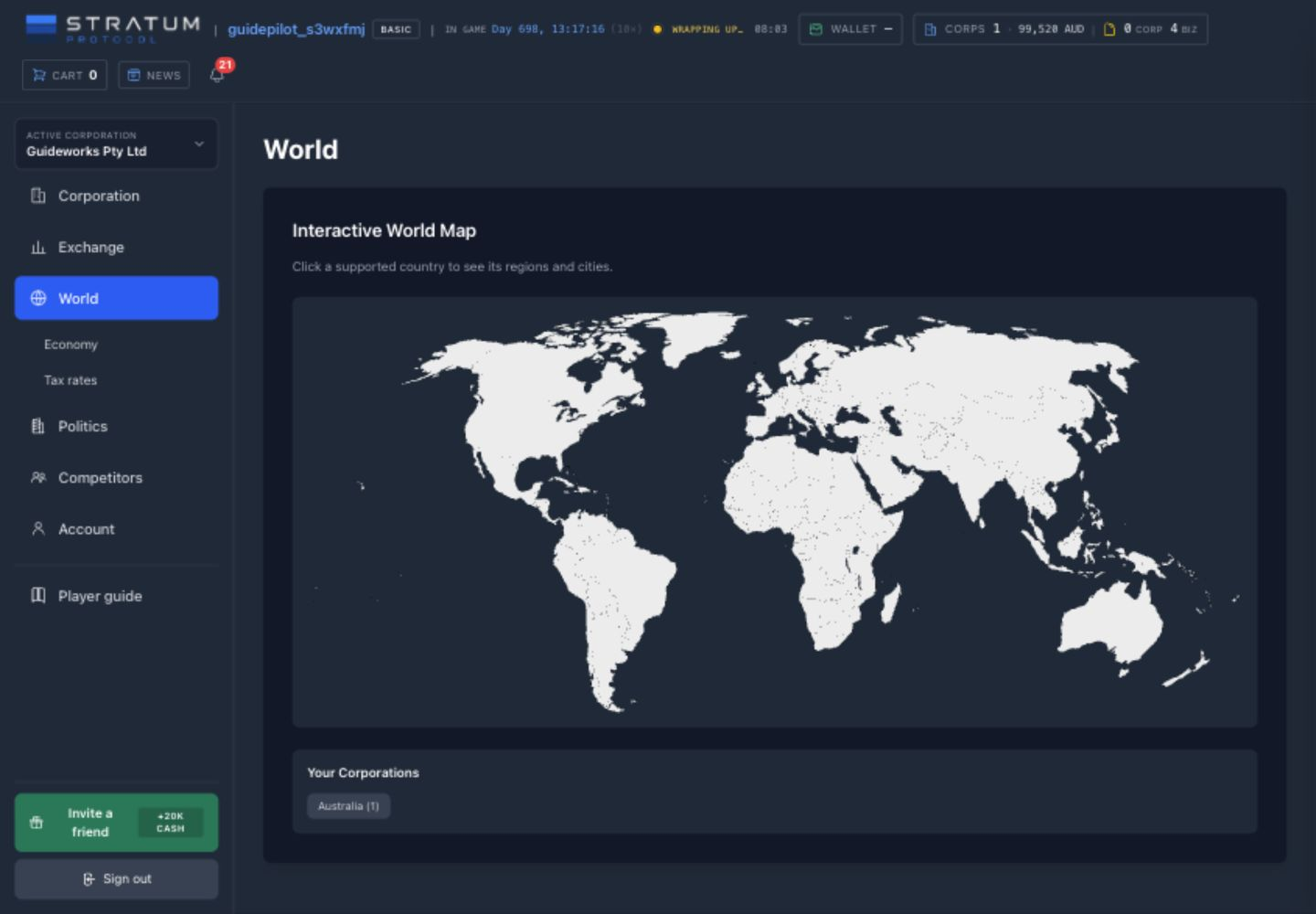
Start with geography when the question is “where?” A country establishes the relevant currency, national exchange, national tax environment, and governing party. A region groups cities and carries traits that matter to extraction permits and transport. A city supplies customers, workers, property, local taxation, competitors, and location-specific traits. The map does not imply that every white landmass is playable or that every city suits every blueprint: click through to the supported country data, then test the particular city.
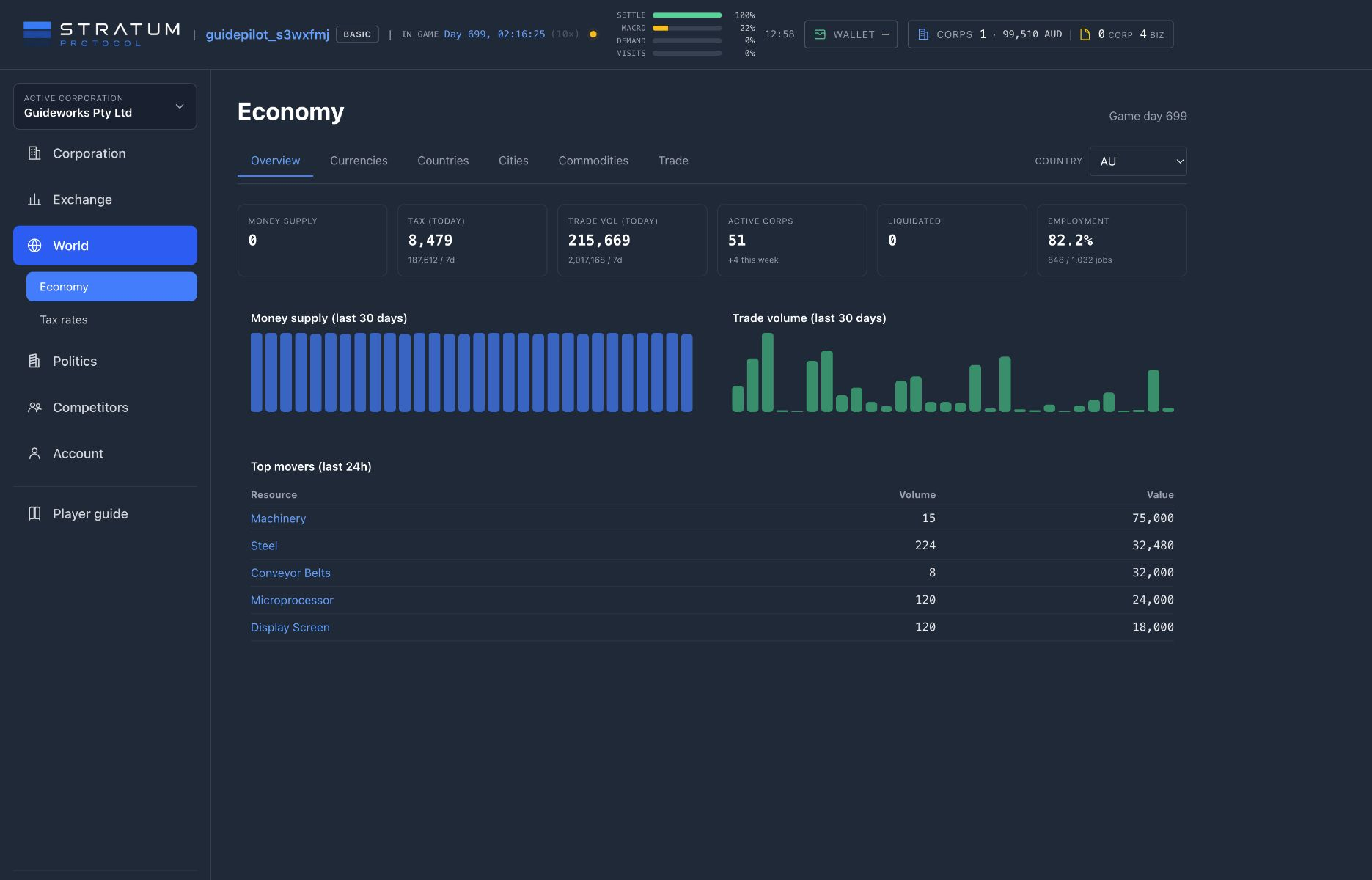
What Economy Overview shows
Economy Overview is scoped by the country selector. Its headline cards put current money supply, tax collected, trade volume, active and liquidated corporations, and employment in one frame. The trend panels add recent snapshots, while Top movers highlights resources with notable traded value. Together they answer whether activity is expanding, which goods are moving, and whether the labor market looks tight. They do not tell you that a specific order is still available or that a new shop will capture a fixed share of that activity.
Currencies and Countries
Currencies separates money held by corporations, players, and governments and shows a basket-price indicator. Countries compares business activity, employment, tax, cities, leading corporations, and the governing party. These are context for capital allocation, not promises of liquidity.
Commodities and Trade
Commodities summarizes observed price and volume and identifies major producers or consumers. Trade estimates recent cross-border flows from shipping contracts. Open the Commodity Exchange for an actionable order book and freight choices.
The city page is the location due-diligence room
City detail turns a map label into an operating decision. Overview collects population, wealth, employment, and local traits. Businesses and Suppliers reveal who already operates there and which inputs may be nearby. Population and Citizens describe the demand and labor base. Housing, Real Estate, and City Buildings expose the physical market. Taxation shows the rates effective in that city, including local overrides that a country-level Tax Rates screen cannot show. Compare these panels together: a large customer base can still be a poor choice when land, wages, tax, freight, or competition erase the margin.
Treat the Trade view as directional intelligence rather than customs-grade accounting. Its totals are approximated from recent shipping contracts, and the corporation arranging a shipment is not necessarily the physical origin of the goods. Likewise, time labels across Economy do not all describe one clock: some are game-day snapshots, while recent exchange activity can use elapsed real time. Preserve the label when comparing figures instead of silently converting every “day” into the same period.
Research a location
Choose a country, compare its cities, inspect the target commodity’s observed activity, then open the exchange and local real-estate market. Finish with a landed-cost and staffing estimate before spending.
Common mistake: treating activity as available supply
A top mover, a historical price, or a large trade total describes what happened. It does not reserve inventory, land, labor, office space, or freight for your corporation. Confirm depth, capacity, currency, and ETA on the operational screen before spending.
Competitors & public intelligence
See which corporations operate where and compare public figures for retail sales, establishment staffing, and buildings.
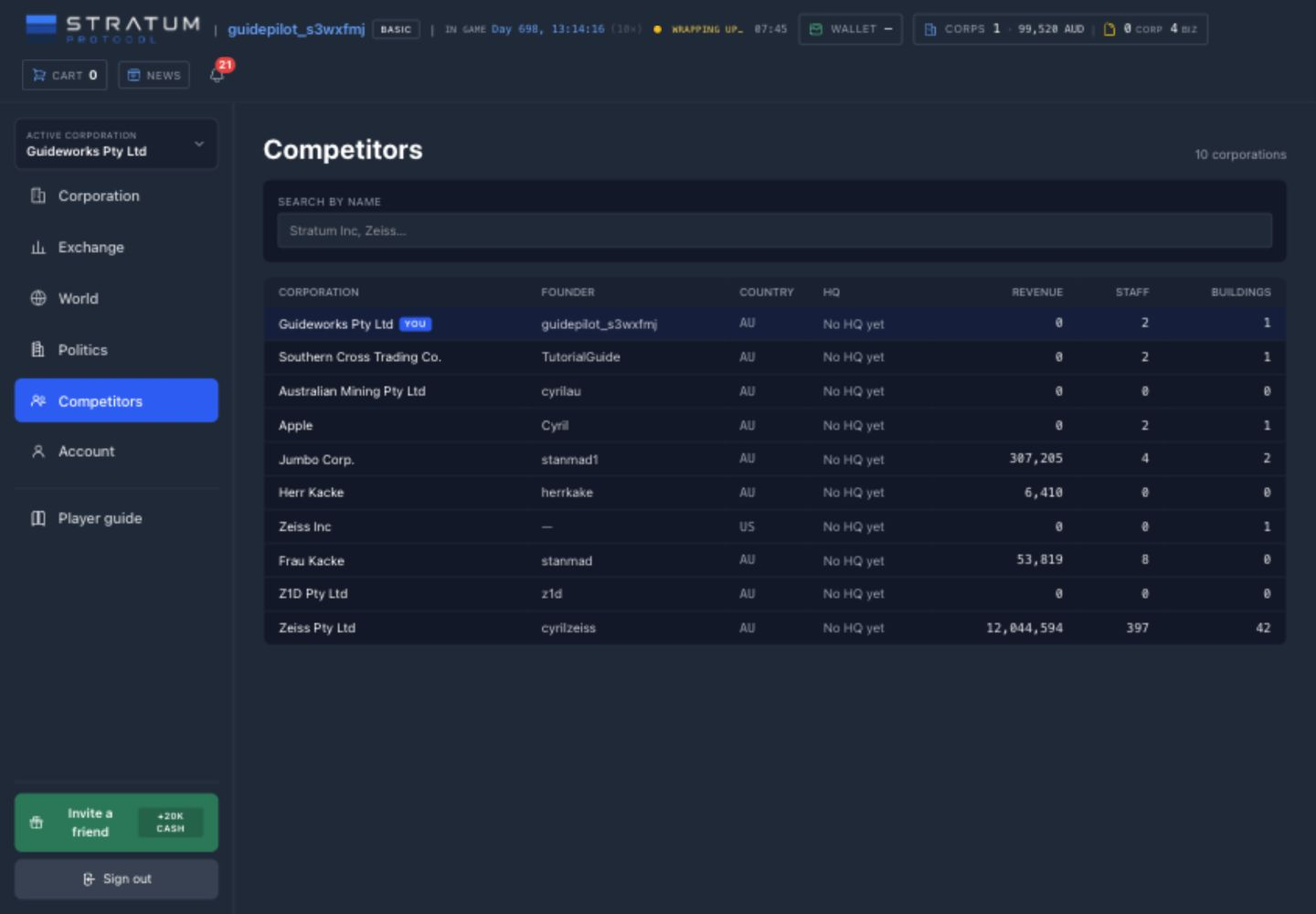
Competitors lists player-founded corporations, including your own. Use it to find who operates in a country and build a shortlist for further market research. Complete rankings, credit reports, and valuations are outside its scope. The columns are compact indicators with the definitions below.
Begin with identity and geography
Corporation and founder names help connect activity seen elsewhere: an exchange seller, a carrier, a landlord, a deal publisher, or a political sponsor may recur across the economy. Country identifies the corporation’s home jurisdiction and currency context. HQ names its designated headquarters city; No HQ yet means no office has been assigned as headquarters, not necessarily that the corporation has no projects or cash. Your own corporations carry a You badge so you can compare their directory footprint with the surrounding field.
Revenue is retail-only
The current figure sums recorded retail sales. It excludes other possible income such as services, hotels, freight, construction, rents, and negotiated supply. Read it as a retail-sales signal, never as total corporation revenue.
Staff is establishment staff
The count adds filled positions attached to business establishments. It excludes HQ employees, researchers, and political functionaries, so two labor-intensive strategies may appear very different for purely structural reasons.
Buildings includes the pipeline
The total includes planned, in-progress, completed, and moving-out projects. It is not a count of open, productive sites, and a high number can include unfinished commitments or operations already being exited.
These definitions make ratios tempting but dangerous. Retail revenue per listed building can be informative for two similar retail operators, yet meaningless when one corporation owns factories, offices, warehouses, hotels, or projects under construction. Staff per building can reflect automation, sector mix, vacant roles, or simply non-completed projects. Use a surprising row as a question—“where does this company compete?”—rather than as the answer.
The age and direction of the signals matter too. Revenue accumulates from recorded retail sales, while a building can enter the count as soon as it is planned. A young expansion program may therefore show several buildings before any of them generates a sale; an older retailer may show substantial revenue beside a modest current footprint. The directory does not normalize either number by age.
Turn the directory into market research
After identifying a corporation, trace only public evidence relevant to your decision. Compare its cities with the Economy and Real Estate screens. Look for its asks and bids on the Commodity Exchange, its supply or procurement publications in Deals Market, business listings, freight rates, brands, or political involvement where those are visible. A public corporation profile can disclose incorporation details, officers, ownership, and subsidiaries, but it does not expose private cash, inventory, payroll, margins, or future plans.
Use search to narrow the directory to a known corporation or naming pattern. Do not treat row order as rank, and do not assume the visible set proves that no other relevant operator exists in the country. Cross-check the local city, exchange, deal, property, and carrier screens that matter to the decision.
Compare corporations with similar business models
Choose a peer with the same country and business model, then compare product price, quality, brand, location, exchange depth, and delivery promise. Those operating choices explain competition more faithfully than one aggregate row.
Common mistake: calling the largest number the strongest company
The directory omits debt, cash, non-retail revenue, inventory, profitability, quality, utilization, and many kinds of staff. Use it to find competitors; use live markets and local operating evidence to decide how to compete.
Land, rentals & zoning
Rent a site, check zoning and leases, or bid at a land auction.
Most physical buildings need a parcel with compatible zoning and enough usable area. Zoning decides which blueprints are allowed: a customer-facing venue may need commercial land, while factories, warehouses, farms, housing, and extraction sites use different zones. A few non-physical project types can be landless, so follow the requirement shown by the blueprint rather than assuming every project uses a parcel.
Rent the first site; buy when ownership solves a problem
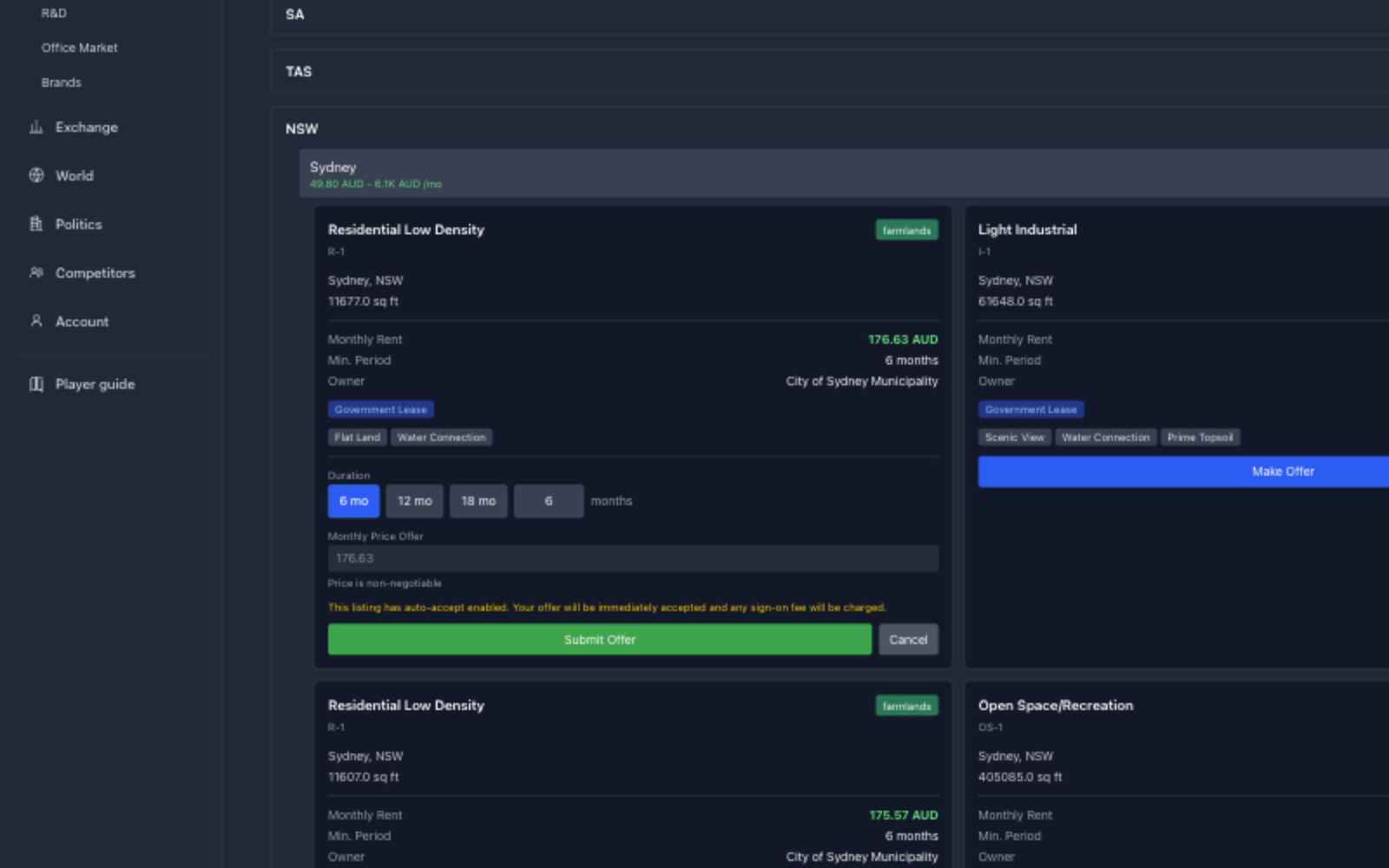
Renting is the normal route into a first business. It preserves cash for materials, freight, the builder, payroll, and opening stock, and an auto-accept listing can secure a compatible parcel immediately. Government rental stock normally uses fixed terms and auto-accept; private listings may do the same or invite a negotiated offer. Use the badges and terms shown on the listing.
Every city draws from one finite parcel stock
Municipal parcels are divided between land available to rent, active sale auctions, and a reserve for future releases. A parcel cannot be offered for rent and sale at the same time, but an uncommitted parcel can be reassigned between those routes. The city capacity summary shows what can be rented now, what is at auction, what remains in reserve, and when the next sale release is due. A developed city can run out of space, so check capacity before basing a business plan on a particular location.
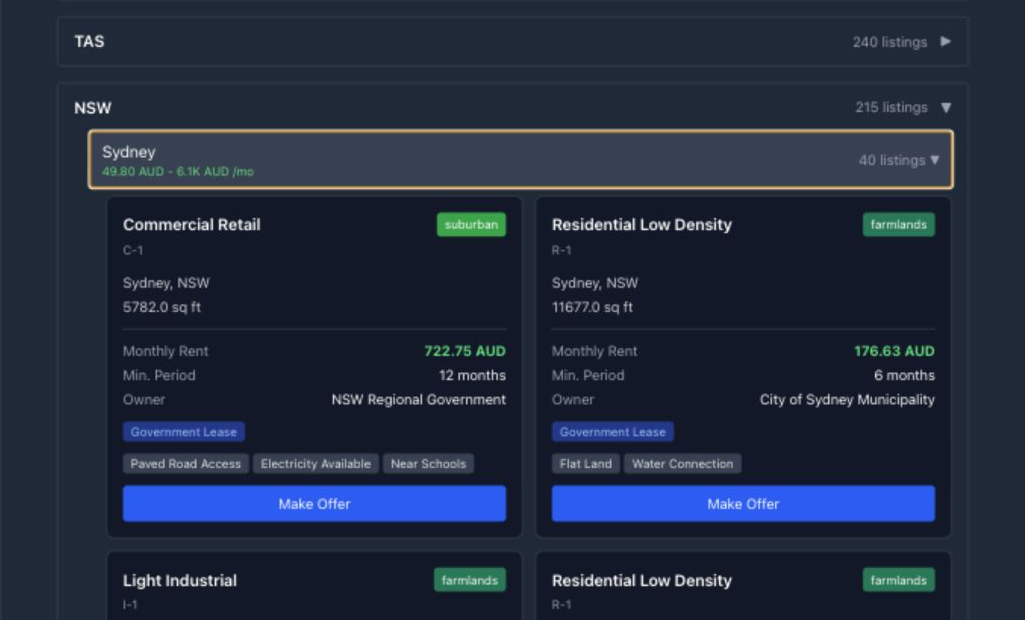
Review the complete lease offer: duration, monthly rent, minimum term, any sign-on fee, and the amount due when the agreement begins. An auto-accept listing can conclude immediately; a negotiated offer may take longer or be rejected. Acceptance collects the sign-on charge and first month shown by the agreement. Later rent accrues proportionally as game time passes; unpaid arrears have a two-game-day grace period before the agreement defaults and terminates, forcing any business on the parcel into its move-out window. Reserve rent alongside payroll and stock rather than treating it as a distant monthly bill. Once a terminated municipal lease has completed that move-out and the parcel is physically vacant, the land returns to the city’s available stock rather than disappearing from the world.
The same Rent area also supports the landlord side. Owners use My Listings to publish, pause, or close a parcel listing. Offers lets a tenant withdraw a sent proposal and lets a landlord accept or reject one it received. Agreements separates tenant and landlord commitments and exposes the agreement and payment history to both sides. The current early-termination action belongs to the tenant; a landlord cannot use that screen to end an otherwise active lease. Pausing or closing a public listing does not erase an accepted lease; the agreement terms remain in force.
Buying is the slower ownership route. Available parcels are sold through land auctions: place a bid, wait for the offer to close, and finish ahead of any competing bidder before the parcel becomes yours. The route does not provide instant possession. Ownership removes the landlord and recurring lease payment but still carries property costs and ties the operation to that site. It is usually a later move when long-term control or expansion space matters more than opening quickly. In the Sale area, Available is the auction catalogue, Activity tracks your bids and results, and Owned is the resulting parcel portfolio. An unused parcel in that portfolio can be offered back to the player market as an auction. Choose a reserve price and a one-to-seven-game-day duration; the listing appears alongside municipal auctions and the highest secured eligible bid wins. A parcel cannot be listed while it contains a planned or operating building, carries an active lease, or is advertised for rent. You may cancel before anyone bids. Once a secured bid exists, the auction is binding; if the auction closes without an eligible winner, the parcel simply remains yours.
Pro Only: auction alerts and comparable history
Pro players can watch a city for an alert when municipal or player-owned land is listed for auction and can open Price history on a parcel to review comparable completed sales. These are planning conveniences, not auction priority: Basic and Pro corporations enter the same auctions under the same rules, and an alert never reserves land or places a bid. Historical prices provide context, not a guarantee of the next closing price.
How location affects the business
Parcel location affects customer visibility and service pricing. City population and wealth shape the addressable market; the local labour pool affects hiring; traits alter systems such as visits, production, wages, or shipping; and route distance changes landed inventory cost. A central site can justify its expense for retail or hospitality, while a cheaper industrial or remote site may be more sensible for production.
Plot-feature badges are mechanics, not flavour text. Utilities can improve compatible production or service throughput; road and rail access can lower inbound freight costs; soil conditions affect farming and forestry; nearby amenities and environmental conditions change customer appeal; and terrain or regulatory work changes the build time of a new standalone project. The same feature may help one business and do nothing for another, so tap or hover over its badge to see the exact percentage and target business types. Applicable parcel and city contributions combine once within a safety cap. Construction effects are fixed when a new project commits to its site, while operating effects remain live.
Compare parcels in this order
- 1Blueprint compatibility: zoning, area, and any required trait.
- 2Operating fit: customers, workers, input routes, taxes, and competition.
- 3Total commitment: the lease’s full terms or the auction bid, wait, and ownership costs.
Common mistake: choosing the cheapest compatible square metres
A remote low-rent parcel can be excellent for a factory and poor for a café. Compare rent with customer access, hiring, and freight before choosing.
Once the lease is active—or an auction has transferred ownership—the parcel can support a project. Next, choose a blueprint whose operating requirements the location can support.
Blueprints & project planning
Check a blueprint’s site, license, materials, construction, staff, input, and upkeep requirements.
A blueprint defines the project category, zoning, required land area, declared construction time, materials, base staffing, production or service facilities, expansion capacity, and any geographic requirement. Check all of those fields before committing; the material total is only one part of the project.
Traits are rules, not flavour text
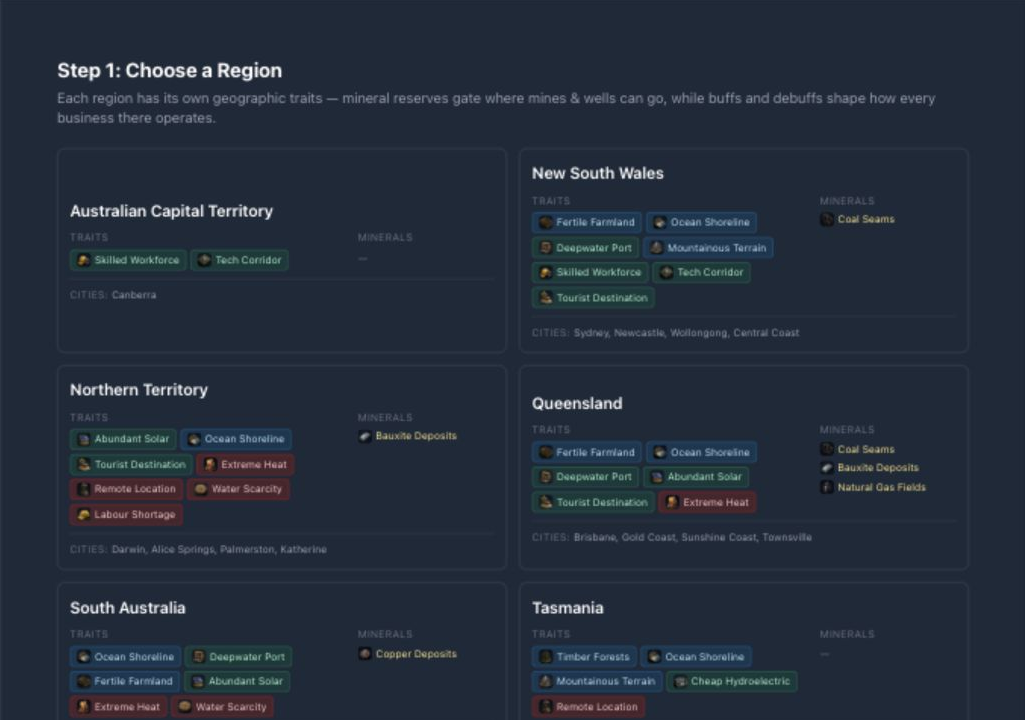
Traits that affect the same system stack within a bounded range. Tourist activity can lift visits, a skilled workforce can raise production efficiency, and infrastructure or terrain can change freight cost. Mineral and biome traits can gate the corresponding primary industry entirely. A mineral extraction project also needs a current-week permit for its region. The permit is regional rather than resource-specific, is consumed when the project is created, and does not replace the matching city trait.
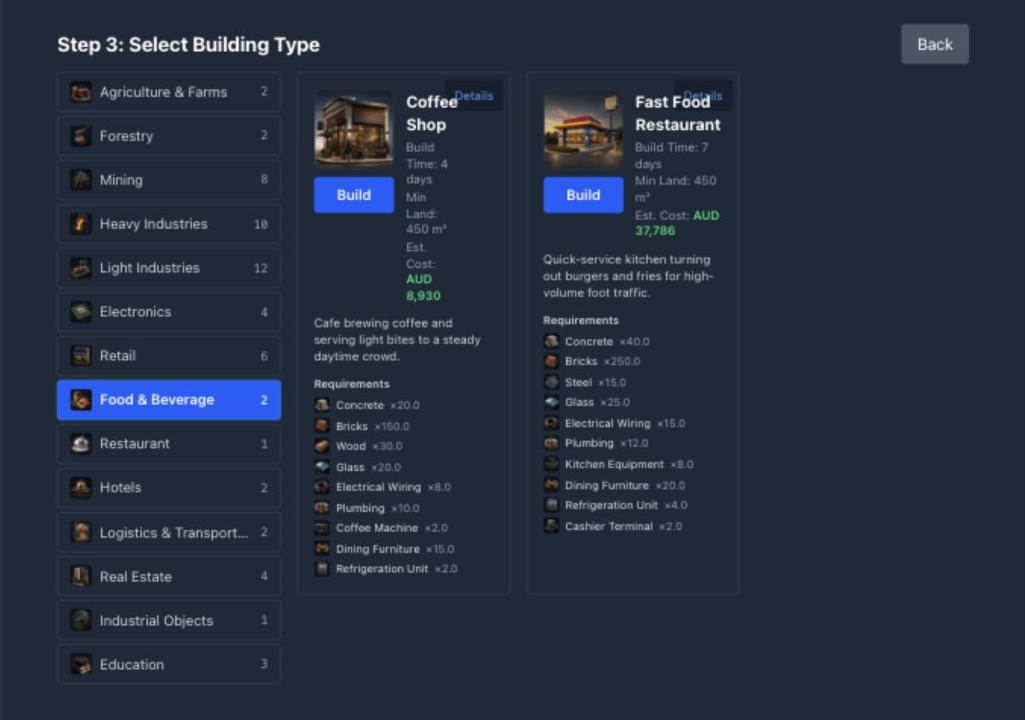
Choose the operating model before the shell
The blueprint determines which products, recipes, facilities, expansion slots, and operating tabs the finished establishment receives. The easiest shell to construct is not necessarily the easiest business to operate profitably.
Store
Choose among the blueprint’s allowed shelf products, then manage exact-site stock, brand, price, staffing, and local demand. Despite its name, a Gas Station follows this retail loop.
Food, drink & restaurants
Enable recipes, deliver every ingredient, set service prices, staff the venue, and control queues and equipment. Here, a service station means an embedded recipe-serving facility, not the Gas Station blueprint.
Hotel
Set room prices, staff the front desk, maintain physical rooms, and balance transient guests with longer-stay local lodgers drawing from the same capacity.
Producer or extractor
Factories, farms, forestry sites, processors, and mines use recipes, production lines, storage, maintenance, and a route to market. Mineral extraction adds the trait and permit gates above.
Construction Yard
Compete for local build contracts through rates, crew efficiency, queue capacity, delivery history, and builder-owned tools and fuel.
Distribution Center
Operate a carrier through freight rates, depots, Delivery Vans, gasoline, and available load capacity. An ordinary Warehouse stores and moves inventory but does not create a carrier.
University
Build a university shell, add faculties within its slot limit, set tuition and seats, and hire the academic and support staff each faculty needs to compete for regional students.
The opening cost is quoted before you commit
Material quantities are physical requirements, not a budget. The estimate includes available land or lease costs, construction materials at current order-book depth, and minimum opening payroll. Review the itemized costs and cash runway before construction. Each currency has its own subtotal.
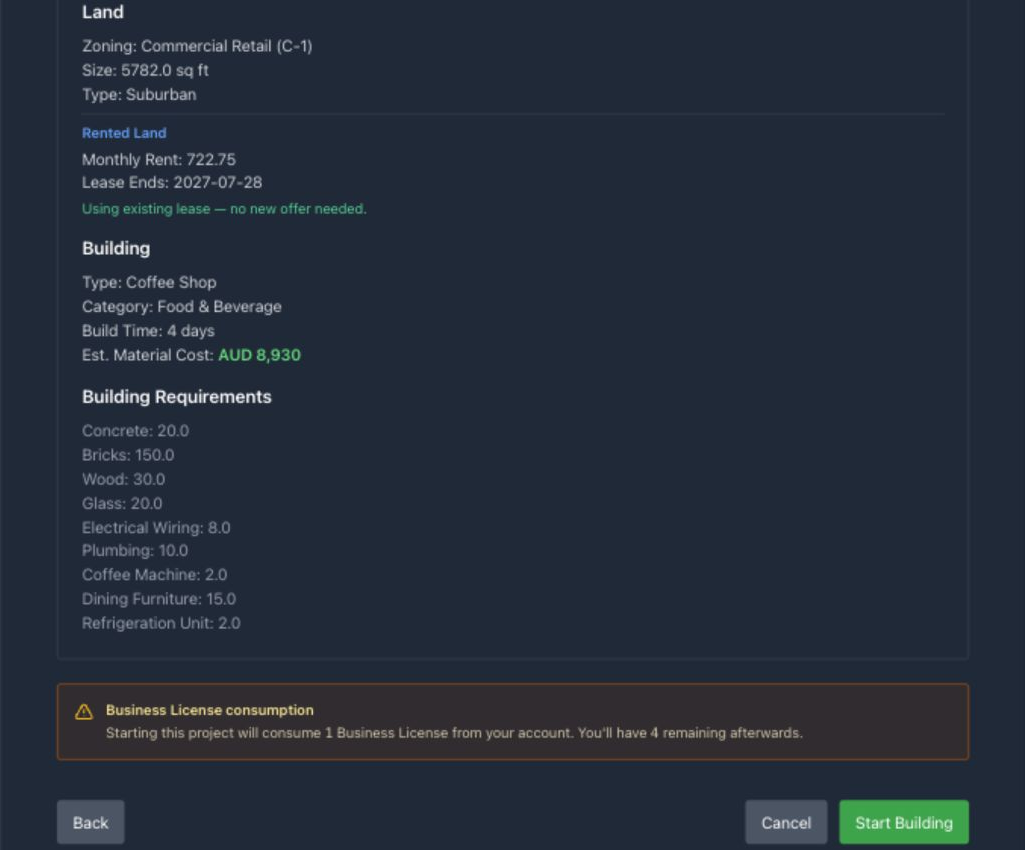
Parcel area can matter beyond initial placement. For expandable production buildings, space beyond the shell can cap the number of additional lines you can install later. If expansion is part of the plan, a barely sufficient parcel may be cheaper now and restrictive later.
Common mistake: treating “starter-friendly” as automatic revenue
A Coffee Shop can enter trade quickly once it is staffed and stocked, but it still needs effective staff, working recipes, ingredients or shelf inventory, functioning equipment, and prices customers accept.
Confirming the summary creates a planned project and commits the site and license. The shell still cannot hire a builder until its physical material bill has been sourced and delivered— the procurement chain covered in Procurement, freight & delivery. The intervening permit chapter applies only when the chosen blueprint extracts a regulated regional resource.
Extraction permit auctions
Bid for a regional extraction permit, keep enough cash in escrow, and use it before expiry.
Mining and other resource extraction are possible only where both requirements are met: the chosen city has the mineable-resource geography required by its mine, well, or quarry blueprint, and the corporation has secured a current extraction permit for that region. The permit must be won before the project can be created. It belongs to the bidding corporation, is bought with in-game cash, authorizes one qualifying project, and expires if it is not used in the current game week.
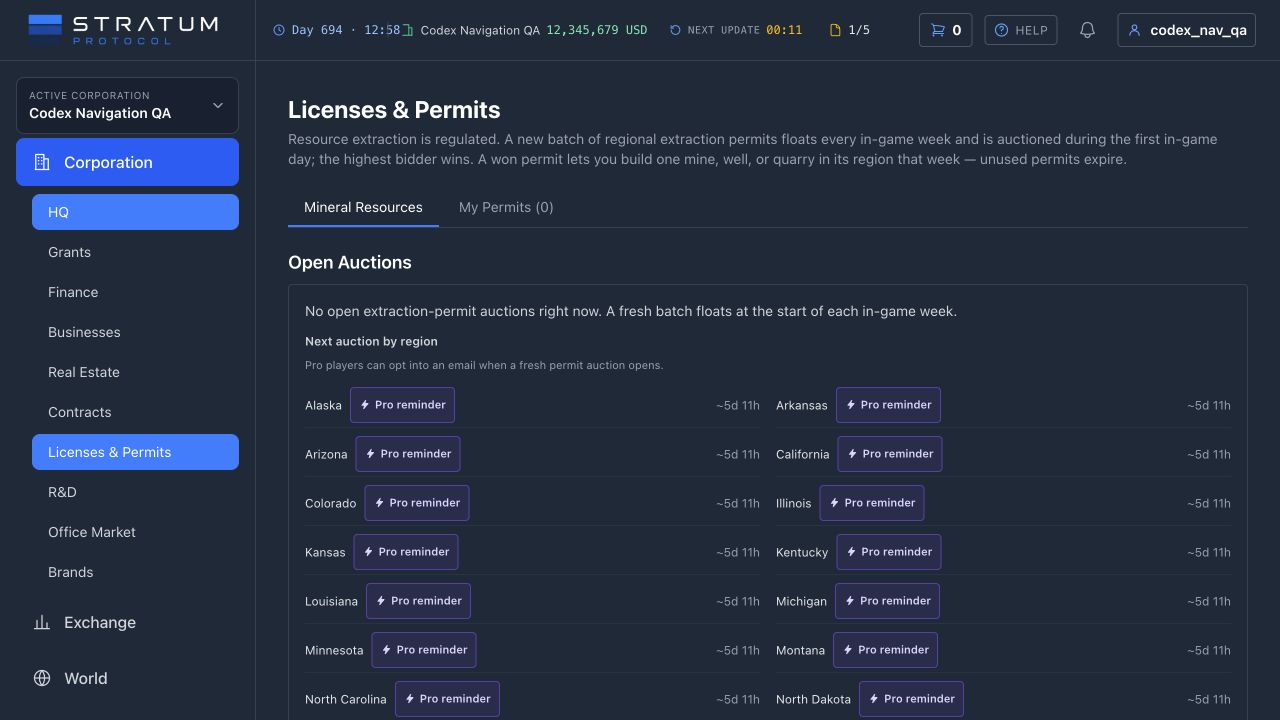
The auction follows the game week
A new batch normally opens at the start of each in-game week in regions with the relevant mineral geography. Bidding remains open through the first game day, then the highest bidder wins. The number offered and opening reserve can vary by region and government policy, and a government can hold a future auction. An empty Open Auctions panel therefore does not mean permits have been removed; check the next-auction schedule, regional filter, notifications, and previous results.
Pro Only: auction-opening reminders
A Pro player can select Notify me beside a mineable region while waiting for the next batch. When a new auction opens, an email is sent so the player can return to the permit screen. The reminder is a convenience for the short auction window: it does not reserve a permit, place a bid, change the close time, or improve the corporation’s auction priority. Saved reminders pause when Pro is inactive and can be removed from the same screen.
Choose the corporation and region before bidding. The permit is regional rather than tied to one named resource, but it does not override geography: the eventual city must still possess the trait required by the mine, well, or quarry blueprint. It also does not provide land, materials, freight, a builder, or a Business License. Confirm that the rest of the project is feasible within the same week before paying for the right to start it.
Bid
An authorized corporation trade role submits the offer. The bid must clear the reserve, current high bid, and required increment.
Secure
Cash is held in escrow. Raising your own leading bid locks only the additional amount, preventing the same corporation from funding its full bid twice.
Settle
At close, the winner’s escrow pays the municipal government. Losing bidders receive their secured cash back, and the winning permit appears under My Permits.
Because the full leading bid is cash-secured, budget as though that money is unavailable until the auction settles. Being outbid can release cash later, but it cannot pay a supplier, payroll, or freight while held. Previous Auction Results provides a useful regional price history, not a guarantee: the next batch size, bidders, reserve, and urgency can all change. Set a maximum from the project’s expected margin rather than chasing the last bid.
Winning starts a deadline, not a business
A won permit is valid only for its corporation, region, and current game week. Open Businesses, choose the extraction blueprint, select a geographically valid city and site, and complete the project summary while the permit remains live. Creating the planned extraction project consumes the permit and a Business License from the signed-in player who confirms it at that point—before material provisioning and builder hire. One permit authorizes one project; another site requires another permit.
After settlement, check My Permits for the current status. It shows whether the right is usable, consumed, or expired and which project consumed it. A separate one-time expiry email is sent around two game days before an unused winning permit reaches week end. That asset-protection reminder is available on Basic as well as Pro; it does not extend the deadline or refund the winning bid.
Once consumed, the project follows the ordinary construction system. The corporation still has to secure suitable land or a lease, buy every required material, arrange delivery, and pay an eligible same-city builder. The permit does not reserve a parcel or extend its own validity because materials are on the way. If the project record is not created before week end, the unused permit expires and its auction payment is not returned.
Prepare before the auction opens
Pick the blueprint and region, inspect valid cities and land, price the material basket and freight, reserve a Business License, and define a maximum bid. Winning should trigger a prepared build, not a week of discovering prerequisites.
Common mistake: confusing permits with account licenses
The navigation label combines Licenses & Permits, but this corporation page auctions extraction rights. Account licenses are acquired and counted separately. An extraction build needs both the current regional permit and an available Business License.
Procurement, freight & delivery
Buy materials and stock, choose a carrier, account for freight and storage, and track delivery.
Construction work cannot start until every required material is physically at the site. Steel, concrete, timber, glass, and other inputs can come from the exchange or the corporation’s own inventory, but they still have to be assigned to freight and delivered. An exchange purchase creates a supply obligation; the goods do not become usable project inventory merely because the trade matched.
The best ask is not the cost of a large order
Provision & Ship All previews the remaining requirements against the local sell order book, walking from cheaper available units into higher price levels. If the cheapest ask contains ten units and the project needs one hundred, the average price will include the deeper orders too. A thin order book can leave part of a requirement unresolved, and fair-price protection can decline an extreme ask rather than silently emptying the corporation’s account.
System supply is limited
Exchanges begin with finite system sell orders so a new economy can move. Those orders do not automatically replenish after they fill. If fairly priced depth is exhausted, source the material from your own inventory or place a standing bid for the unresolved quantity and wait for new player supply. Bulk provisioning can complete some lines and report others as skipped; its name is not a promise that every requirement will fill.
Standing bids are available to Basic and Pro
When a supply window finds no seller—or only enough depth for part of the request—choose Place a standing bid for the full quantity you still need. Visible asks at or below your limit can execute immediately; only the unfilled remainder stays in the order book. This project-linked limit buy reserves its maximum purchase value, can fill in parts, and releases the unused reserve when cancelled.
Basic and Pro bids use the same order book with the same price, priority, and liquidity rules. With Basic, fills wait at the exchange until you arrange freight to the linked project. Active Pro can enable Deliver fills to this project to arrange each fill automatically, but the route, carrier, destination storage, freight cash, and optional freight ceiling must still work. A blocked automatic delivery does not reverse the trade: the corporation still owns the fill and can route it manually to that project. See Pro & subscriptions.
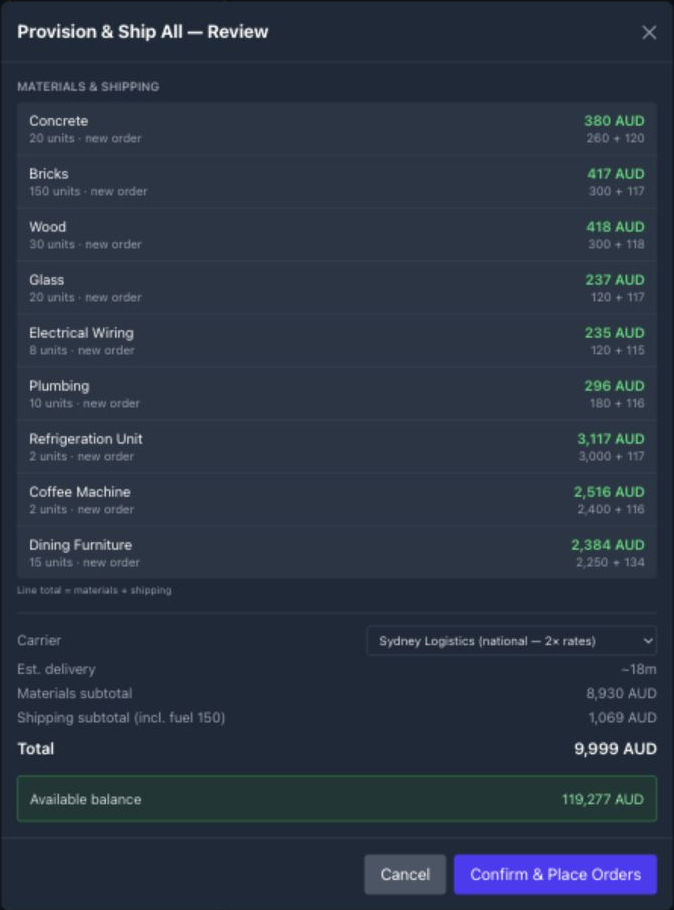
Freight is a separate economic decision. Quotes account for route distance, cargo weight and volume, the carrier’s rate card, gasoline, available vehicle capacity, and the number of waves needed to move the load. Equipment condition and delivery-speed upgrades can change the ETA. If you do not choose a carrier, fulfillment uses the cheapest available quote; use the picker to compare price and time when a slow delivery would hold up the entire project. The destination must also have room for the incoming volume.
Auto Provision books a complete route
Auto Provision and Provision & Ship All use the same routing network as the manual carrier picker. Unless you override the strategy, they select the cheapest feasible continuous itinerary—even when that itinerary combines road, air, and sea legs operated by different carriers. For each material line that can be filled, the market purchase and every freight leg are booked atomically. If stock, capacity, a transfer node, a carrier, or any leg becomes unavailable before confirmation completes, that line is rolled back and reported as failed rather than leaving paid goods without a complete shipment.
Bought
A trade matched and cash was committed. The goods may still be at the exchange.
In transit
A carrier has the shipment. It helps the forecast, but not the on-site requirement.
Delivered
The project can count the quantity. Only delivered stock can unlock construction.
Carrier ownership changes what happens after booking. Each player-operated leg waits for the capacity it needs: a road depot and vehicle, an airport and aircraft, or a seaport and vessel, together with the relevant fuel and departure slot. A connected itinerary can therefore wait at a transfer node even after an earlier leg has arrived. System carriers in a normally seeded world provide a more expensive backstop without depending on your own fleet. Neither option turns exchange stock into delivered inventory before the final leg actually arrives.
Use an individual Provision action when one scarce or unusually expensive input deserves closer inspection. After confirming, watch the on-site, en-route, and remaining quantities instead of buying the same apparent shortfall again while a shipment is moving.
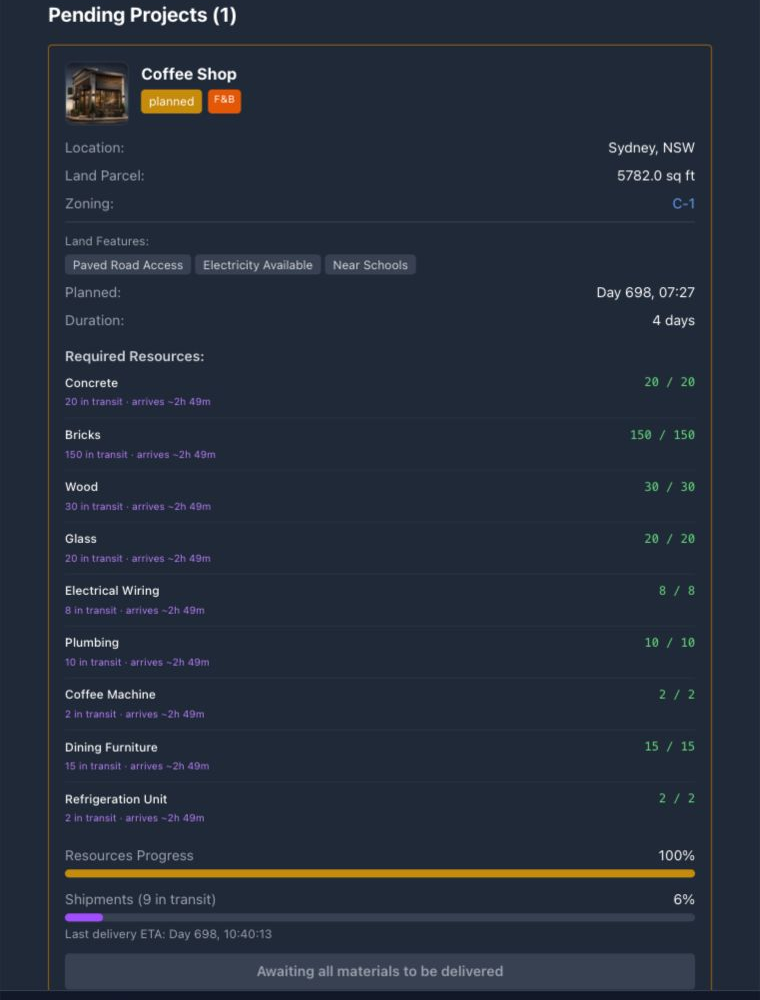
Common mistake: budgeting for the goods but not their movement
Keep enough cash for material depth, freight, and the builder that follows. The final pallet is not useful if it cannot be transported, and construction remains locked until every required unit has arrived.
When every material reads as delivered—not merely bought or in transit—the project is ready to enter the local builder market.
Builders, queues & completion
Compare builder prices and ETAs, track the queue, and see what becomes available when construction finishes.
Once every blueprint material is on site, the project can hire a construction company. Builders are local to the project’s city. Public Works ensures the city has a builder that can quote, while player-operated Construction Yards can compete on price, speed, and delivery history. The backstop is an option, not a promise of the cheapest or fastest slot.
01
Planned
Site and license committed
02
Supplied
Every material is on site
03
Queued
Builder hired and paid
04
Building
Slot and supplies active
05
Complete
Operating tabs unlock
Supplied is a condition, not a project status. Delivering the final pallet unlocks builder hiring; it does not start the build clock by itself. The clock starts when the selected builder has capacity, holds its own auxiliary supplies, and moves the queued order into active construction.
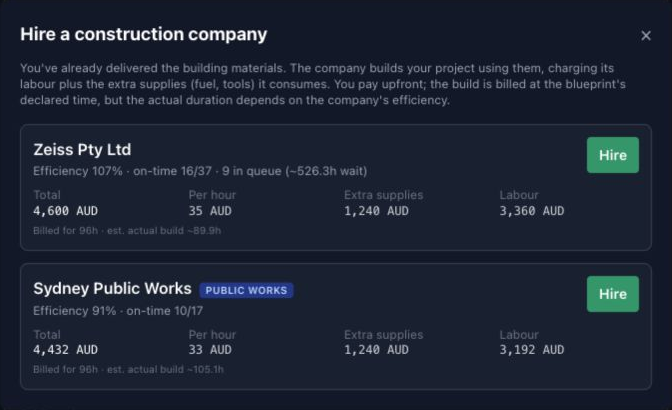
Read the quote as a service contract, not a second purchase of the concrete and steel you already supplied. It covers the builder’s labour and its own auxiliary inputs such as tools and fuel. Billing uses the blueprint’s declared workload; the builder’s effective efficiency changes how quickly it completes that workload.
What determines the finish
- • Queue: how much contracted work is ahead of you and how many jobs the builder can run together.
- • Efficiency: the operating performance of the yard and crew that will do the work.
- • Builder supplies: player yards must keep their own tools and fuel available before a queued job can begin.
- • Current game speed: the interface converts the game-duration into a live ETA.
A player yard controls its future labour rate and earns by keeping an efficient crew, useful concurrency, and tools and fuel physically stocked at its yards. Public Works can replenish its auxiliary supply from fairly priced exchange depth, but it can still wait when that supply is unavailable. The system builder widens access; it does not remove queues or market scarcity.
The full quote is charged when you place the order. The project then waits for a build slot, with the selected builder’s queue and supply state visible as blockers. A cheap builder with a long queue can deliver later than a more expensive company with spare capacity; a strong delivery record can be worth paying for when lease costs accrue and capital is tied up.
A queued contract is still flexible before work starts. You can cancel it for a refund or reassign the project to another eligible builder; reassignment refunds the old order and prices the new one. Once construction is actively under way, that choice is locked and progress follows the live completion estimate.
Completion creates
The completed establishment and required vacancies, plus any blueprint-specific starting facilities: an embedded service station for service venues, physical rooms for hotels, and a carrier with its first depot for a Distribution Center.
The player still opens
Hire and retain staff, supply inventory or ingredients, choose prices and recipes, maintain equipment, fund working capital, and win demand. A completed shell does not guarantee revenue.
Later additions reuse the same physical logic. Extra production lines and depots, and faculty installations inside a university, still need materials, freight, and a builder before they fold into the parent business.
Common mistake: comparing builders on sticker price alone
Include the queue and build duration in the decision. Waiting has a cost when rent is due and working capital is tied up in a project that cannot yet trade.
Completion changes the question from “when will it be built?” to “what is preventing it from operating?” Start with staff coverage and facility condition.
Business portfolio & building pages
Use the Buildings list and each business page to manage operations.
The Buildings page is the operating portfolio for the active corporation. It brings finished businesses, builds in progress, projects waiting for materials or a builder, and sites that are moving out into one place. Start here when the question is “which location needs attention?”; open an individual establishment when the question becomes “which control should I change?”
Read the portfolio before opening a building
The Operating grid can be filtered by category and sorted by status, revenue per day, maintenance condition, or available storage. Each card identifies the building, city, location type, land where relevant, operating status, and any lease-renewal or internal construction alert. Its revenue, profit, and sales figures summarize the last completed game day. Efficiency, storage utilization, and maintenance fitness then explain whether those results are likely to continue. These are triage signals, not a valuation: one profitable day can hide an empty input bin, a nearly full warehouse, or equipment approaching failure.
Operating
Finished sites earning, producing, storing, teaching, housing, or serving customers.
Active
Construction underway, with progress and expected completion.
Pending
Planned sites still being provisioned, quoted, or queued with a builder.
Moving Out
A terminated land lease with a deadline to rescue or liquidate inventory.
Status matters. A planned project has not become a business merely because its card exists. Materials shown in transit are not on site, and a hired builder can remain queued while the customer is short on building materials, the builder lacks fuel or tools, or all build slots are occupied. During construction, the establishment page shows only its progress banner. Stations, staff, products, suppliers, transactions, and shipments unlock after completion. A finished site can still show as suspended when a critical operating role is unfilled.
Manage an individual business
Open an Operating card to see the category, location, operating age, today’s profit, and the running revenue, expense, and net-profit bar. Efficiency combines local staffing and employee effectiveness with HQ support; hover or inspect the value before assuming the building itself is the only problem. The Overview gathers installed upgrades, a plain-language What’s wrong here? diagnosis, and on-site storage including scheduled arrivals. A clear status means only that no current blocker was detected; it does not assess pricing or the rest of the operating plan.
Retail, restaurant, and food-and-beverage sites add customer diagnostics: visitors, transactions, average check, revenue, conversion, visitor feedback, local demand, fulfilled demand, and market share. Use the feedback to identify a likely cause, then check pricing, stock, ingredients, and queue settings in Products, Local Market, Suppliers, or Storage. Transactions records money; Shipments records physical movement. They answer different questions and should be checked together.
Tabs follow the business model
Goods and customer businesses
Producers use Production, Inventory, Suppliers, Staff, Transactions, and Shipments. Stores and dining venues use Products, Local Market, Suppliers, and Storage, with service stations managed alongside their sale offer. Hotels add Rooms; room condition, occupancy, rates, and amenities belong there.
Specialized operating assets
A Construction Yard replaces Production with its Build Queue and hourly rate. A Distribution Center adds Logistics for depots, vans, fuel, rates, and deliveries. Office property adds Tenants; universities add Faculties, enrollment, tuition, seats, and faculty-specific staffing.
Staff, Transactions, and Shipments remain common controls because every sector ultimately consumes labor, cash, or physical capacity. Set desired headcount and salaries on Staff, verify that hiring actually fills critical roles, and watch maintenance as equipment wears. A production line cannot run without inputs, a dining station needs ingredients, hotel rooms need repairs, and a carrier needs fuel. Owning the site generates no income until its operating requirements are met.
Daily checks
Scan portfolio alerts and worst storage or maintenance first. Open the affected site, resolve hard blockers in Overview, confirm stock and scheduled shipments, then inspect the type-specific revenue control. Finish by comparing Transactions with the operating result. This sequence prevents a price change from masking a supply, staffing, or capacity failure.
Automation Pro Only
Set restocking, transfer, and repair thresholds. Market supply, freight, storage, cash, and maintenance still apply.
Automation repeats operating decisions you have already defined. An automated purchase still needs market liquidity and cash, a transfer still needs freight and destination capacity, and a repair still uses corporation cash and stays within the rule’s per-cycle limit. Use automation after you know the stock, price, staffing, maintenance, and routing settings the business needs. The following chapters explain those settings.
Inbound
Protect a minimum stock target with an internal transfer or exchange purchase.
Outbound
Move or list only the quantity above the stock floor the business must retain.
Repair
Service eligible equipment after a wear threshold, within a firm per-cycle budget.
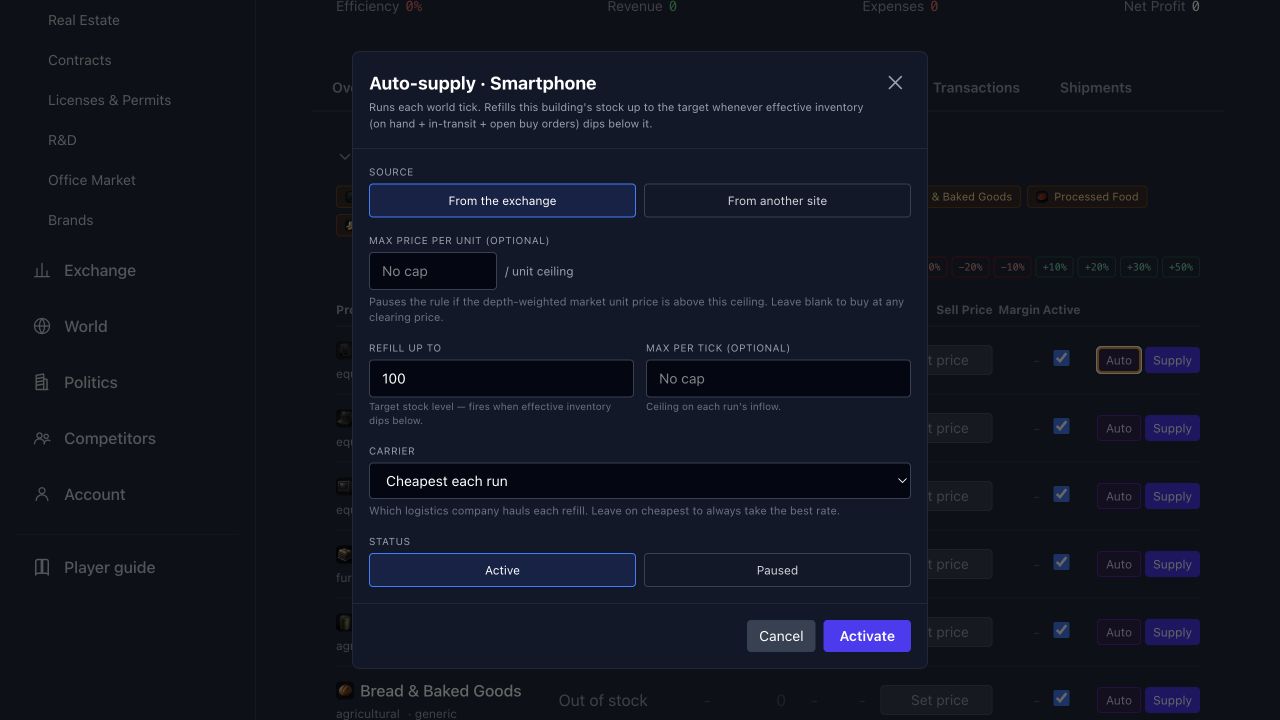
Inbound rules protect a stock target
Auto-supply can pull a resource from another completed business or warehouse owned by the corporation, or buy it from the local exchange. The rule acts only when effective stock—on hand plus stock already incoming or represented by an open buy—falls below the target. You can cap the quantity per cycle, set a maximum exchange unit price, and choose a carrier. The rule still needs a real source, market liquidity, destination capacity, and enough cash for goods and freight.
Outbound rules preserve a floor
Auto-transfer and auto-sell act only on stock above the quantity you choose to retain. Excess can move to another owned business or warehouse, or be listed on the local exchange. A minimum batch lets that excess accumulate before either action starts, reducing the cost of small shipments, while the per-cycle cap still limits each batch. New auto-sell rules suggest a minimum price 25% above the combined recorded basis and estimated shipping, then set the maximum 50% above that floor; both remain editable saved guardrails. Auto-sell follows the live market or local reference within those boundaries and pays the normal cost of shipping stock to the exchange. If an internal destination is full, the rule pauses and can notify the owner instead of discarding inventory.
Auto-repair spends within a maintenance policy
A building-level repair rule combines a minimum wear threshold with a maximum budget per cycle. It can service production lines, service stations, unoccupied hotel rooms, and delivery depots, as well as a residential building’s shared condition. Eligible assets are considered in changing order, so a limited budget does not permanently favor the same one. The budget is a ceiling, not a promise that every worn asset will be repaired, and the corporation must still be able to pay each underlying repair.
Auto Hire keeps the staff plan at full strength
The Staff tab of every business carries an Auto Hire toggle. Switching it on immediately raises every active position’s hire target to its full requirement and lifts posted salaries to the role’s floor where a lower offer would never fill. From then on, any expansion that adds seats — a new service station, a folded faculty, a raised requirement — starts hiring without another visit to the tab. Positions you have deactivated stay off, and payroll still bills normally for every seat that fills.
Controls live on the affected establishment tabs
Look for Auto controls beside recipe inputs, stored inventory, Distribution Center fuel, repairable assets, and the Staff tab’s hiring controls. Recurring production jobs and negotiated supply deals remain separate core-game systems; they do not use these stock or repair rules.
Inactive access pauses rules without deleting them
A corporation’s saved automations run while at least one of its current human owners has active Pro, directly or through an owning corporation in a subsidiary chain. If that entitlement ends, the world update skips the rules but keeps their targets, limits, and destinations intact. Rules that remain marked Active resume from their saved configuration when the corporation regains entitlement; rules paused manually or after an error remain paused. Creating, editing, or deleting a rule requires that same corporation-level Pro entitlement plus the acting operator’s operations permission.
Basic Manager limits
Basic Manager is included with Basic. For one corporation and one site you choose, it can take at most three actions in a game day: repair the most worn piece of equipment, restock the production input closest to running out, and raise one critical staffing target. You set spending, price, wage, cash-reserve, and runway limits below.
- Every action is checked against caps you set: the most it may spend at once and in a game day, the highest unit price and wage it may accept, the cash it must leave untouched, and the runway it must preserve.
- A refusal is recorded with its reason, on the corporation’s settings tab, so a quiet day is never confused with a day it was blocked.
- It creates no rental agreements and no supply deals, and it pauses itself while the corporation is in financial distress.
Pro adds more automation rules, more sites, more conditions, carrier selection, and coordination across a portfolio.
Common mistake: automating an untested rule
A rule can repeat a purchase, transfer, listing, or repair decision; it cannot make that decision economical. Establish the stock target, delivered cost, storage headroom, price boundary, and maintenance reserve manually first. Otherwise the rule may repeat an unprofitable decision.
Staffing, payroll & efficiency
See how staffing, pay, HQ support, and equipment condition affect output.
Completion creates the establishment and its required positions, then posts vacancies at the blueprint’s minimum salary. It does not guarantee an instant crew. Hiring runs in waves and draws from the city’s unemployed residents. Population, available candidates, and the offered salary all affect whether a seat fills; a weak offer can stall in a tight labour market.
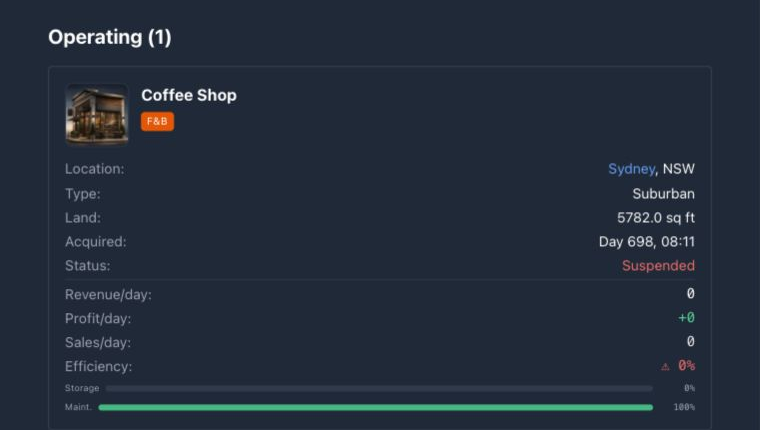
Efficiency is weighted, not a simple headcount
Roles contribute different shares of the establishment’s potential. A missing manager can matter more than one missing general seat, and a role marked critical marks the establishment Suspended and explicitly prevents new production tasks from starting. Retail and service activity also apply their own efficiency, stock, station, and availability checks. Filled seats contribute according to the effectiveness of the employees in them, then the direct owner’s Headquarters multiplier is applied.
Coverage
Which weighted and critical positions are filled.
Effectiveness
Employee happiness, pay, experience, and tenure turn a filled seat into useful output.
HQ support
An adequately staffed HQ helps every directly owned operation; an empty one can drag all of them down.
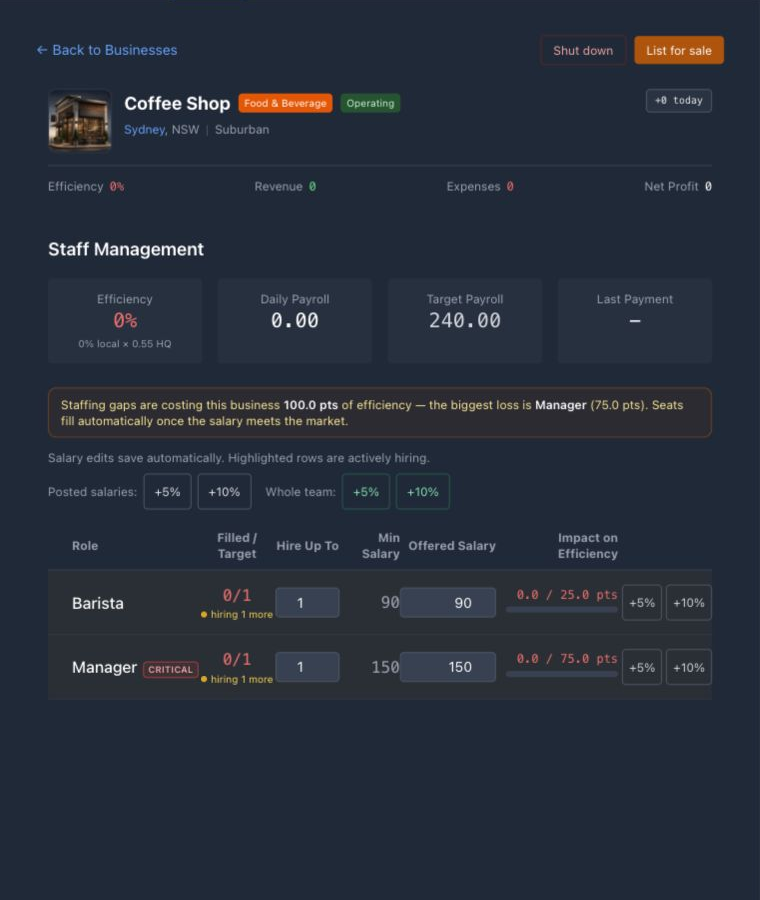
The salary posted on a position attracts future hires. The salaries of people already employed are personal pay decisions. Raises, reliable payroll, experience, housing, and general happiness affect effectiveness and retention; chronically unhappy workers may leave. Payroll is therefore a productive input, but paying above the market only makes sense when the added hiring speed or output is worth the cost.
The Staff view separates local efficiency from the HQ multiplier and shows each role’s current contribution against its potential. Use that gap to prioritize: fill a critical vacancy first, then improve the role with the largest lost contribution. As the portfolio grows, HQ staffing requirements grow too, so opening several sites without strengthening management can reduce performance across the corporation.
Universities turn staff and seats into tuition and talent
A university shell does not teach on its own. Add faculties within the shell’s slot limit; each faculty follows the familiar materials, freight, and builder flow, then folds into the university rather than becoming a separate establishment. It needs no additional parcel or Business License, but it expands the university’s staffing requirement.
Set tuition and student capacity for each faculty. Staff is hired into a shared university pool, then allocated faculty by faculty, so one discipline can remain closed when its critical academic role is uncovered even if the campus employs people elsewhere. Regional students compare tuition and operating quality, receive a home-city preference, and must be able to afford the term; open seats and applicants therefore create an opportunity, not automatic enrollment. State universities provide subsidized competition in larger cities, while smaller cities may have no public baseline.
The shared R&D talent pool is refreshed once per game day and draws primarily from university graduates. Only citizens without a current job can be listed or hired, and unhired listings rotate after several game days. Building and operating more university capacity therefore has an economy-wide effect beyond tuition: successful faculties graduate more people who can become future researchers, without reserving those candidates for the university’s owner.
If a completed building says “Suspended”
Check critical roles and staff efficiency first. Then use the relevant operating tab: production explicitly blocks new tasks without its critical crew, while retail and service activity also evaluate their own stock, station, queue, and availability conditions. Treat the label as a warning to investigate, not as a complete diagnosis by itself.
Once the business can operate, staff efficiency becomes only one part of the revenue chain. The next chapter summarizes the requirements of each business sector; the following inventory and customer chapter covers stock, prices, service capacity, and demand.
Business models by sector
Compare the operating requirements of stores, restaurants, hotels, factories, extraction sites, property, schools, builders, warehouses, and carriers.
Blueprints cover stores, producers, service businesses, carriers, property, and universities. Each uses a different combination of stock, pricing, staff, logistics, maintenance, and capacity. Revenue depends on customer demand or contracts as well as those operating inputs.
| Model | What earns | What the operator must supply |
|---|---|---|
| Store | Margin on local baskets | Branded or generic stock, shelf prices, staff, storage |
| Dining venue | Meals, drinks, and other services | Station equipment, ingredients, price, crew, queue capacity |
| Hotel | Occupied room-nights and amenities | Usable rooms, room rates, service inputs, staff, maintenance |
| Producer | Inventory created by a recipe | Inputs, production slots, staff, storage, routes to buyers |
| Construction Yard | Labour on customer builds | Crew, fuel and tools, competitive rate, build capacity |
| Distribution Center | Freight services | Depots, vans, fuel, rates, maintenance |
| Property or warehouse | Rent or storage utility | Usable capacity, upkeep, pricing or internal allocation |
| University | Tuition from occupied faculty seats | Built faculties, staff, tuition, capacity, competitive quality |
Stores: assortment, price, and conversion
Retailers resell physical inventory to local shoppers. Activate each product and set its shelf price, then keep that exact product and brand in Storage. Foot traffic is distributed across local alternatives using location, price, quality, brand, stock, and buyer preference; a visit is not automatically a purchase. Products and Local Market show stock, units sold, competitors, fulfilled demand, and market share. A wide assortment can improve baskets, but every added line creates another replenishment obligation.
Restaurants and F&B: sell a service, not loose ingredients
Dining businesses combine retail-like products with service stations. A station offers recipes at an effective price, consumes ingredients when it serves a customer, requires allocated staff, and has finite queue throughput. City diners arrive independently of shelf demand, so an empty-looking shop can still refuse customers for missing ingredients, price, staffing, equipment, or queue space. Install only the stations whose inputs you can replenish reliably, and read visitor feedback before adding another menu.
Hotels: monetize physical rooms over time
Hotels compete for population- and tourism-driven guests, then place accepted bookings into actual rooms. Set rates by room tier and use amenities or dining stations to strengthen the offer. Revenue accrues through the stay; unavailable or worn rooms cannot carry the same load, and refurbishment takes rooms offline. The binding constraint may be demand, price, clean room capacity, service inputs, or staff—not simply the number printed on the blueprint.
Factories, farms, forestry, processing, and extraction
Production businesses turn a recipe and time into inventory. Queue a recipe, choose a stack and brand where applicable, and put all required inputs on site; a task consumes its inputs when it starts. Installed lines run concurrently, staffing and HQ affect output, worn lines yield less, and a finished run waits if its outputs would overflow storage. Farms, forestry, and extraction sit upstream and may have simpler or input-free recipes, but they still need staff, usable lines, storage, and a buyer. Extraction also begins with the correct land and a current permit when the project is created.
Construction Yards and Distribution Centers
A Construction Yard sells build labor. Its hourly rate shapes customer quotes, its concurrent slots limit active jobs, and player-owned yards must stock their own fuel and tools before a ready order can begin. A Distribution Center becomes a carrier: depots provide concurrent delivery bays, vans determine usable load capacity, fuel powers dispatch, owner-set rates win or lose freight, and wear slows or breaks depots. Adding a later depot expands an existing carrier; it does not create a separate shipping company.
Warehouses, property, and universities
A warehouse buffers exchange purchases, production output, and transfers; unused space has no automatic customer revenue. Residential property sets rent and receives occupants from local housing demand, with wear reducing realized rent. Office property lists usable space for corporations and researchers. Universities build faculties into limited slots, set tuition and seat capacity, and compete for regional students through staffing, effective quality, price, and proximity. Enrollment earns tuition; empty or understaffed faculties do not.
Choose a sector you can supply and operate
Before choosing, check the source of revenue, required capacity and staff, inputs, storage, transport, suppliers or buyers, and working cash. Confirm that the missing requirements are available in the locations where the business will operate.
Inventory, services & customers
Manage stock and prices, and read customer demand and refusal reasons.
Customer-facing businesses include shelf retailers, recipe-serving venues, and hotels. Service station is the game’s name for an embedded facility that prepares a recipe on demand; it is not a standalone business type. Shelf products sell physical units directly, while hotel rooms add a capacity-and-occupancy loop. Each model needs different stock, pricing, and diagnostics.
Restaurants and service stations: ingredients become time
Enable the recipes you want to offer, keep every required ingredient at the establishment, and set an override only when you want to depart from the reference price. The benchmark considers ingredient cost, labour time, location, city wealth, necessity, and margin; it is a reference rather than a guaranteed sale price because visitors have different budgets and tolerance for discretionary spending.
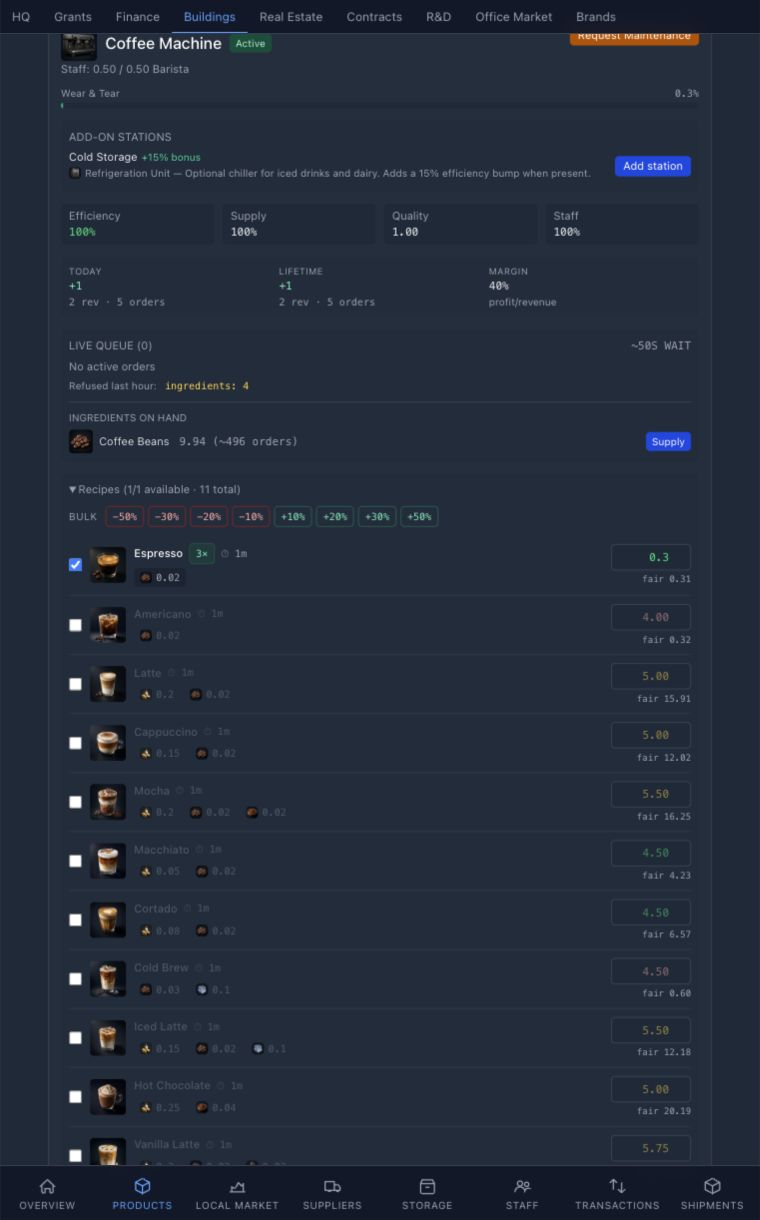
Two names that look alike but operate differently
A Gas Station blueprint is a store that shelves Gasoline. A lowercase service station is a facility inside food, restaurant, or hotel businesses. Food-and-beverage built-ins are physical equipment that can wear; the restaurant and hotel core stations are intrinsic, though their prices, staff, queues, and any recipe inputs still matter.
A station’s effective capacity combines supply, input quality, allocated staff, equipment, and any required child units. Customers consider availability, price, and expected wait before joining. Slow processing creates a longer queue, which can make later visitors refuse even when the ingredients are present. For ordinary service orders, inputs are consumed and revenue is booked when the order completes.
Restaurants and food-and-beverage venues receive their own population-driven dining traffic during world updates; they do not need shelf-product demand to generate diners. Efficiency helps divide that traffic between venues, then recipe availability, price, household budget, and queue length decide whether a visit becomes an order.
Shelf retail: attract customers and complete sales
A shelf product must be allowed by the blueprint, active, priced, and stocked at that exact site. Location, establishment efficiency, traits, quality, brand strength, and price competitiveness affect how customer demand is divided. Quality and brand can support a premium; a high price can reduce both visibility and conversion. Compare the sell price with the delivered unit cost, including freight, because revenue can rise while margin disappears.
The Market value is the current shelf benchmark charged by an off-screen local supplier, not a guaranteed buy order or inventory your corporation can purchase. That virtual generic retailer is normally stocked and competes for the demand player stores do not win. A player takes share by combining availability, price, location, efficiency, quality, brand, traits, and upgrades.
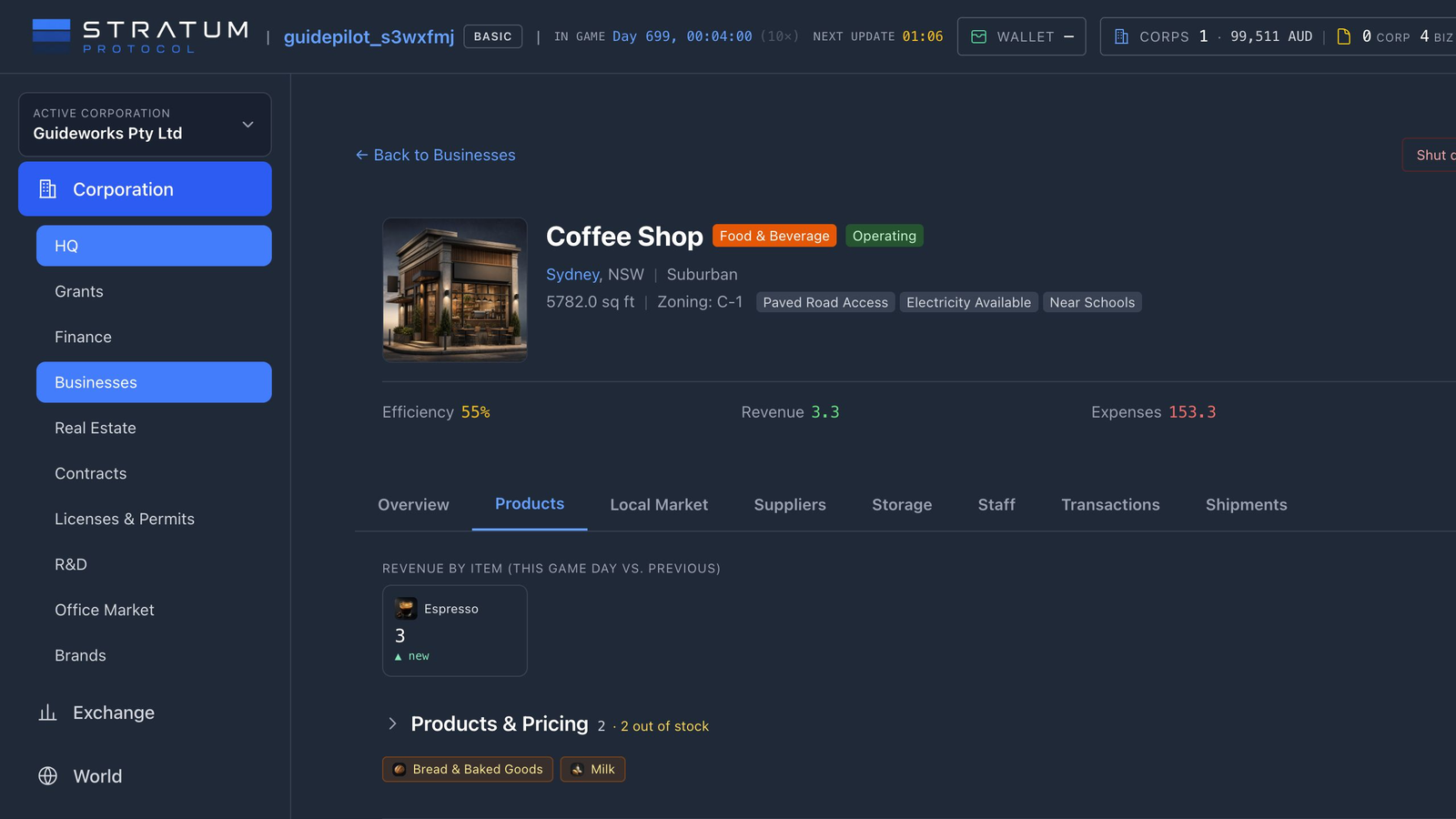
Hotels: one room pool, two sources of occupancy
Hotels receive a transient guest stream shaped by population and tourism, while unhoused local citizens who can afford a room may also lodge for longer when permanent housing is unavailable. Both groups draw from the same physical rooms. Set room prices, staff the front desk, and keep rooms operational; a full, broken, or under-maintenance room cannot accept another guest.
Room condition affects yield. Wear discounts revenue before a room eventually breaks, and an occupied room cannot be refurbished. Hotel income is also an exception to the ordinary service-order rule above: stay revenue accrues during occupancy rather than waiting entirely for checkout.
When demand is recalculated
The world update shown in the top bar recalculates shelf demand by city. Population, necessity, prosperity, local prices relative to the city’s learned reference, recent unmet demand, available substitutes, and natural variation all matter. Restaurants and hotels use separate visitor streams suited to dining and lodging. A quiet wave can therefore be normal, and a small niche can still produce occasional visits over time.
Demand creates opportunities for visits, not guaranteed transactions. A product must be active, priced, and stocked before a store can win meaningful share. Visitors can still browse, reject a price, lack household cash, encounter missing stock or ingredients, or refuse a long queue. Recent unmet demand can carry into later waves, but missed demand is not preserved forever.
Use refusal reasons to adjust the business
- Out of stock / missing input
- Replenish sooner or reduce the menu.
- Queue too long
- Improve staffing, equipment, or throughput.
- Price too high
- Test a smaller margin against the local reference.
- Insufficient funds / browsing
- Some demand will not convert; judge the pattern, not one visit.
Read each diagnostic in its own time window. Today’s Performance accumulates across the current game day, Visitor Feedback is labeled for the last hour, Market Position summarizes today, and Daily Trend spans the last seven days. The top-bar Next update countdown becomes the Settle, Logistics, Macro, Demand, and Visits progress display while the world is recalculating.
Change one setting at a time and observe several demand updates. Use persistent refusal patterns to adjust stock, price, staffing, equipment, or capacity. Compare the resulting profit after stock, wages, freight, tax, and maintenance.
If the business makes rather than shelves its goods, customer demand is only the final step. First the production queue has to turn physical inputs, staff time, and line capacity into saleable inventory.
Production, equipment & upkeep
Queue production, supply inputs, manage equipment wear, and keep staff and storage available.
Factories, farms, forestry sites, mines and wells, processors, electronics plants, and manufacturers turn recipes into outputs; some extraction recipes need no material input. The Production tab appears when the blueprint has recipes. Work is queued against physical lines: one active task occupies one line, so additional lines create parallel capacity rather than making one task happen instantly. Each installed line also brings another copy of the blueprint’s base storage module, providing matching on-site room for the added throughput.
Extraction is production with an entry gate
A mine, well, or quarry first needs a city with the blueprint’s matching mineral trait and a current-week extraction permit for that region. One regional permit authorizes one mineral extraction build and is consumed by the project; it is not tied to a specific resource and is not a recurring production input. Once built, the site uses the normal staffing, line, storage, maintenance, and delivery requirements.
01 · QUEUE
Choose a recipe, run count, brand, and whether the work should recur.
02 · ACTIVATE
A free healthy line consumes the full input requirement when the task starts.
03 · COMPLETE
The run records any production levy and credits output only when time and storage allow.
Queueing a task does not reserve or consume its inputs. Activation requires a free operational line and enough on-site inventory, then consumes the full recipe quantity for the selected stack. A stack of several runs uses several times the inputs up front and occupies the line for the combined duration. If the first queued job is short on inputs, it can be skipped so a later funded job uses the line instead.
Critical staff must be present before a new task can start. Once it is active, its output quantity reflects establishment staffing and HQ efficiency, geographic traits, active production upgrades, and the condition of the assigned line. Ingredient quality and the corporation’s applicable research help determine output quality. This is why two factories running the same recipe can produce different quantities and grades.
A task can be “due” and still wait
Completion needs positive operating efficiency and enough destination storage for the output. If the warehouse is full, the run remains blocked instead of deleting product. Check staff, storage, and line condition before assuming the timer is wrong.
Wear turns capacity into a maintenance decision
Lines accumulate wear while they work. Rising wear reduces output and accelerates further deterioration; at full wear the line breaks and cannot accept work until repaired. A line under maintenance is also offline. Plan repair windows and spare capacity instead of running every line to failure at the same time.
Recurring work returns to the queue and can keep idle lines busy, but automation does not create inputs or storage. It can repeatedly expose the same shortage. Cancelling a queued task costs no materials because none were consumed; cancelling shortly after activation can return everything, while later cancellation returns only the unprocessed share.
An extra line is a construction decision, not an instant toggle. It uses a reduced version of the blueprint’s material bill, must be supplied and built, and is limited by the spare area on the parcel. Completion expands required staffing, concurrent work capacity, and base storage by the blueprint’s per-line amount. Review the desired hiring counts instead of assuming the added seats will recruit themselves; specialized storage upgrades remain separate building-wide additions.
Common mistake: solving a throughput problem with a longer queue
Adding queued runs does not increase capacity. Check inputs, critical staff, line count, line wear, effective efficiency, and output storage before scheduling more runs.
Completed output is inventory, not revenue. Move it to the right establishment or exchange, activate it on a permitted shelf, list it on the order book, commit it through a supply agreement, or transfer it within the corporation. The next chapter explains carrier and Distribution Center freight; the later market chapters cover commodity orders and supply deals as separate commercial commitments.
Distribution centers & logistics
Run depots and road, air, or sea fleets, or compare outside carriers by route, price, and time.
A commodity fill, internal transfer, construction purchase, or customer order can settle before the goods reach their destination. Until delivery, the goods remain at an exchange, warehouse, or business. Contracts shows the movement status, while Distribution Centers and outside carriers provide the capacity to move ready for pickup goods into destination inventory.
The orderer chooses the delivery strategy
Every quote is for a complete route, which may use one mode or several. The default Cheapest strategy compares every available plan and selects the lowest customer quote. Choose Road only when the cargo must remain on the land network, or Fastest when an earlier arrival is worth the additional cost. The carrier picker shows the mode, route, hubs, ETA, and price before you confirm.
Distribution Centers create Shipping Companies and depots
Completing a corporation’s first Distribution Center creates its Shipping Company, initial rate card, and first depot. Later Distribution Centers add depots to the same carrier. An ordinary Warehouse holds and transfers stock but does not create freight service. A carrier earns revenue only when its price, equipment, fuel, route, and available capacity can actually dispatch work.
The building reports revenue when the carrier completes freight for another corporation. Moving your own corporation’s goods with its own carrier is an internal haul: it still consumes fuel, vehicle capacity, time, and depot condition, but it is not a sale to yourself and therefore does not create freight revenue. Cash received for genuine third-party freight, net of any refunds, contributes to the carrier corporation’s weekly taxable profit; the resulting corporate-tax assessment is recorded in the corporation ledger rather than charged as a second service levy on each delivery.
Rate card
The commercial price offered for eligible routes. A low rate can attract work faster than capacity can serve it.
Depot
The route anchor whose condition and capacity affect dispatch and ETA.
Road fleet
Delivery Vans provide load capacity; gasoline is a physical, market-priced operating input.
Air fleet
Carrier-owned aircraft provide payload, range, and speed; flights incur Jet Fuel and airport fees.
Sea fleet
Carrier-owned vessels move much larger loads more slowly; Marine Fuel, berth access, and seaport fees shape their economics.
Road routes require a continuous land connection
Delivery Vans can only serve an origin and destination when a continuous land connection exists and the route is within the road fleet’s reach. Crossing an ocean, jumping between disconnected land masses, or exceeding that reach is not a road route simply because the two cities have a map distance. When road service cannot connect the full journey, a connected carrier network may quote road–air–road, road–sea–road, or a longer mixed itinerary instead. Distribution Centers, airports, and seaports serve as transfer points. The cargo is collected at the origin and follows the ordered route legs until it reaches the destination.
A connected route can use several carriers
Automatic routing can assign the best eligible shipping company to each leg. One carrier may collect the order by road, a second may own the vessel or aircraft stationed at the transfer node, and another may complete the final road delivery. The preview names every carrier, leg, transfer node, ETA, and charge before booking. Choosing a specific carrier limits the route to that carrier; choosing Use connected route leaves those leg assignments to the selected strategy.
Construction city cards show whether cargo airports and seaports are operational, planned, or absent. Those signals matter before you choose a location: a remote business without a usable land connection or reachable public transport node may be cheap to build but impossible or expensive to supply. A coastal trait alone is not a seaport and a nearby airport alone is not a route—the quote must include a feasible road, air, or sea leg backed by available carrier capacity.
Airports are shared; aircraft are not
Cargo airports belong to the municipal government and are shared network nodes. A Shipping Company can offer an air leg only when it owns a compatible aircraft at every airport from which one of its flights must depart. Owning an aircraft elsewhere does not provide capacity at this airport, and carriers never borrow one another’s fleets. Order aircraft from the corporation’s Logistics workspace and choose the exact municipal airport that will receive each airframe before confirming. The selected airport must be operational, support the aircraft’s runway class, and have enough unreserved hangar capacity. Once fulfilled, the aircraft belongs to the carrier but remains based at that airport. Municipal ownership never gives the government control of the plane, and carrier access never gives the player control of the airport. Because this is shared civic infrastructure, it cannot be listed for sale, shut down, or demolished like an ordinary private business.
Rebasing takes time and fuel
A ready aircraft can be assigned a new operating base from the Logistics workspace. The transfer runs as an empty ferry flight: the route must be within range, the departure airport must sell enough Jet Fuel, both airports must provide compatible runway capacity, and the destination must have hangar room. The move takes game time and pays normal municipal takeoff and landing charges. If departure fuel is temporarily unavailable, the ferry flight waits rather than disappearing or departing unfuelled. Once it arrives, the aircraft remains at the new base and can serve departures from there. Vessels rebase in the same way between directly connected, compatible seaports. Their empty repositioning voyages consume Marine Fuel and berth time, pay municipal port departure and arrival fees, and leave the vessel based at the destination seaport.
Runways limit movements
Each takeoff and landing occupies a runway slot. Congestion can delay both loaded and returning aircraft.
Hangars limit stationed fleet
Aircraft size and airport tier determine how many airframes can be based at a node.
Municipalities charge movements
The carrier pays the airport for every takeoff and landing, including the return flight, in the airport’s local currency.
Airports store and sell their own Jet Fuel
Each airport owns a dedicated operational Jet Fuel supply stored separately from ordinary building inventory. Installed fuel tanks set its maximum capacity, and a flight can only buy from the airport where it departs. The municipality automatically compares same-currency exchange stock and chooses the feasible offer with the lowest landed unit cost—commodity price plus the freight required to reach the airport. A nearby exchange can therefore beat a cheaper but distant offer. A newly commissioned tank begins empty: its first litres must be bought from finite exchange stock and physically delivered before flights can depart.
Tanks set the ceiling
Every airport tier starts with fuel storage. Municipal upgrades can install more capacity without turning the airport into a generic warehouse.
The airport sets its rate
The posted price is weighted landed cost plus the municipality’s configurable markup, initially 25%.
Empty means suspended
A flight that cannot buy its required litres enters a visible fuel hold and retries automatically after replenishment arrives.
The carrier pays for the exact departure fuel in that airport’s local currency. This applies to loaded flights, empty returns, and player-requested ferry flights. International operation therefore requires usable cash in more than one currency: the outbound aircraft buys at its origin, while its return buys at the destination. Airport operators can inspect stock, inbound replenishment, capacity, landed basis, markup, and the current posted rate from the airport business page; carriers see the sell rate and availability without seeing the municipality’s private cost basis.
Seaports are shared; vessels are stationed precisely
Municipal seaports are the sea-network counterpart to airports. Berths limit simultaneous arrivals and departures, while public anchorage determines how many vessels of each size can be based there. A carrier can offer a sea leg only when it owns a compatible vessel at that exact departure seaport. Order a vessel from the Sea freight view in Logistics and choose its municipal seaport before confirming; an open order reserves the required anchorage and a fill commissions only whole vessels. Vessels remain carrier property even though the municipality owns and operates the port.
Berths limit movements
Busy berths can hold a loaded vessel before departure or make an arriving vessel wait for a slot.
Anchorage limits stationed fleet
Vessel size consumes anchorage units, including space reserved for open orders and incoming moves.
Marine Fuel is local
The municipality buys finite fuel at landed cost, adds its configurable markup—initially 25%—and charges carriers in the seaport’s local currency.
Marine Fuel lives in dedicated municipal bunker tanks rather than generic airport or business inventory. The seaport procures it from the feasible exchange offer with the lowest landed cost, including shipping and taxes. If the port cannot sell enough fuel for a voyage, the affected movement enters a visible fuel hold and retries automatically after replenishment arrives. Carriers can see stock, posted rate, and capacity; only the municipal operator sees and configures the underlying markup, reorder point, and target stock.
Pending cargo competes for loads and departure slots
New jobs begin pending until an eligible depot has free van-load capacity and enough fuel. Compatible cargo on the same route can share a vehicle. A shipment larger than the available load travels in waves, so the first departure does not mean the whole order arrives together. Adding demand without vans, fuel, or depot headroom grows a queue rather than throughput.
Air and sea cargo are pooled before departure in the same spirit. Each carrier sets a mode-specific target load and maximum wait: a higher target uses an aircraft or vessel more efficiently, while a shorter wait protects delivery time. If the target is not reached, the maximum wait eventually releases the available cargo. Aircraft burn most of their trip fuel regardless of payload; ships are slower but spread their operating cost across much larger loads.
Large international flows prefer major hubs and heavy freighters where the carrier has the necessary fleet. Smaller aircraft can then distribute pooled cargo to regional or remote airports; major ports and high-capacity vessels play the same trunk role for slower bulk freight. The shipment panel follows every road, air, and sea leg, its assigned carrier, and its current movement state. Use the corporation-wide Logistics workspace to move between Overview, Road, Air, and Sea operations; order equipment to an exact node; review open orders; inspect bases, fuel, and infrastructure constraints; and tune mode-specific dispatch policies. Open vehicle orders reserve stationing capacity and commission only whole vehicles acquired through the market. A failed or cancelled order cannot create a vehicle. Aircraft return to their departure base after an ordinary cargo trip; that empty return still consumes fuel, runway capacity, time, and airport fees. A player-requested rebase changes the aircraft’s base after the ferry flight arrives.
The Logistics workspace also summarizes every Distribution Center and links directly to its local page. The Distribution Center page exposes staffing because the site is still a business, but carrier dispatch is governed by the operational depot, vehicles, fuel, route, and free loads rather than establishment headcount alone. Air routes additionally depend on suitable aircraft, Jet Fuel, hangar room, and runway access; sea routes depend on vessels, Marine Fuel, anchorage, and berth access. Transport crew is contracted per movement; the aircraft type’s crew requirement is included in its airport operating charges rather than filled from the Distribution Center’s employee roster. Diagnose the freight system from its own controls instead of hiring extra Distribution Center employees for a mechanical capacity problem.
Compare price, ETA, route, and queue
Compare the quoted end-to-end price with the ETA, route, and present queue. Cheapest is the default for manual and automatic procurement, not fastest. Road only excludes air and sea legs while still allowing a continuous connected-road hand-off; Air preferred or Sea preferred chooses that mode when a complete feasible route exists; and Fastest chooses the earliest end-to-end arrival regardless of mode. A low-cost pooled sea route is sensible for a stocked buffer; paying for air speed can be rational when a builder, line, recipe, or shelf is already idle.
Customer quote and carrier costs are different views
The quote shows each carrier invoice in the currency of the country where that leg begins. A Swiss carrier flying Sydney to Perth is therefore paid in AUD; its registration never introduces a CHF invoice. International itineraries can draw from several local wallets. A separate reference value in the quote currency lets routes be compared and becomes the freight portion of delivered inventory basis. Rate-card freight and same-currency fuel pass-through make up the carrier invoice. Fuel at a node using another currency, plus airport or seaport movement, handling, and contracted-crew charges, remains itemized as the responsible carrier’s operating-cost exposure. Unlike currencies are never silently added.
Aviation is a player-produced supply chain
Oil refineries can produce Jet Fuel, while industrial facilities produce Aircraft Engines, Avionics Suites, and Airport Ground Equipment. The Cargo Aircraft Assembly Plant combines aviation components with industrial materials to build Light Feeder, Medium Jet, and Heavy Jet Freighters. Light aircraft serve short fields and remote spokes, medium aircraft cover regional routes, and heavy freighters carry trunk traffic between capable hubs. Runway class, range, stationed fleet, and hangar footprint determine which aircraft can operate each leg.
Exact recipes, inputs, outputs, facilities, and cycle times are listed in the current production definitions. Use the Manufacturer’s Guide for the current resource routes, or open the Cargo Aircraft Assembly Plant entry to compare its freighter recipes.
Maritime transport is player-produced too
Oil refineries produce Marine Fuel, industrial facilities make Marine Engines, navigation systems, and port cargo equipment, and the Commercial Shipyard combines those components with structural materials. Feeder Cargo Vessels serve smaller coastal nodes, Container Ships provide high-volume scheduled freight, and Bulk Freighters move the largest commodity loads through capable ports. Their recipes and the municipal port blueprints are data-driven, so the Commercial Shipyard entry is the current authority for inputs and production times.
Player and public carriers play different roles
Player carriers compete through rate and operational execution. Public or system operators can provide a route where available, and the orderer still pays their quoted price. Their availability does not guarantee a cheap shipment. They follow the same aircraft-location, fuel, airport-capacity, and movement-fee rules. Use the carrier picker to inspect current options; a connected route can combine them with private carriers on different legs. Do not hard-code a business plan around one provider remaining the cheapest or fastest forever.
Depot wear increases delivery time, and full wear can take the location offline. A Pro-only, budgeted depot auto-repair rule can reduce repetitive checks; do not assume a matching Basic repair control exists for every carrier asset. Whether automated or not, maintenance competes with vans, fuel, and expansion for the same cash.
Common mistake: optimizing the freight rate alone
A carrier can win every quote and still lose money if road, jet, and marine fuel; airport and seaport movement fees; empty returns; delayed waves; wear; and capital tied up in vehicles exceed freight revenue. Measure contribution per completed load and on-time completion, not just jobs accepted.
The Automation chapter explains how stock and repair rules can reduce repetitive work. The market chapters then distinguish commodity orders, contract fulfillment, and negotiated deals, including when payment and delivery are complete.
Commodity orders & settlement
Place commodity bids and asks, manage escrow and exchange inventory, then arrange freight after a fill.
Open Exchange → Commodity when you need the live spot market rather than a negotiated supply agreement. First confirm the corporation and exchange selectors at the top of the page. The corporation determines who pays or sells; the exchange determines the local currency, order book, and the physical location where a completed trade leaves the goods.
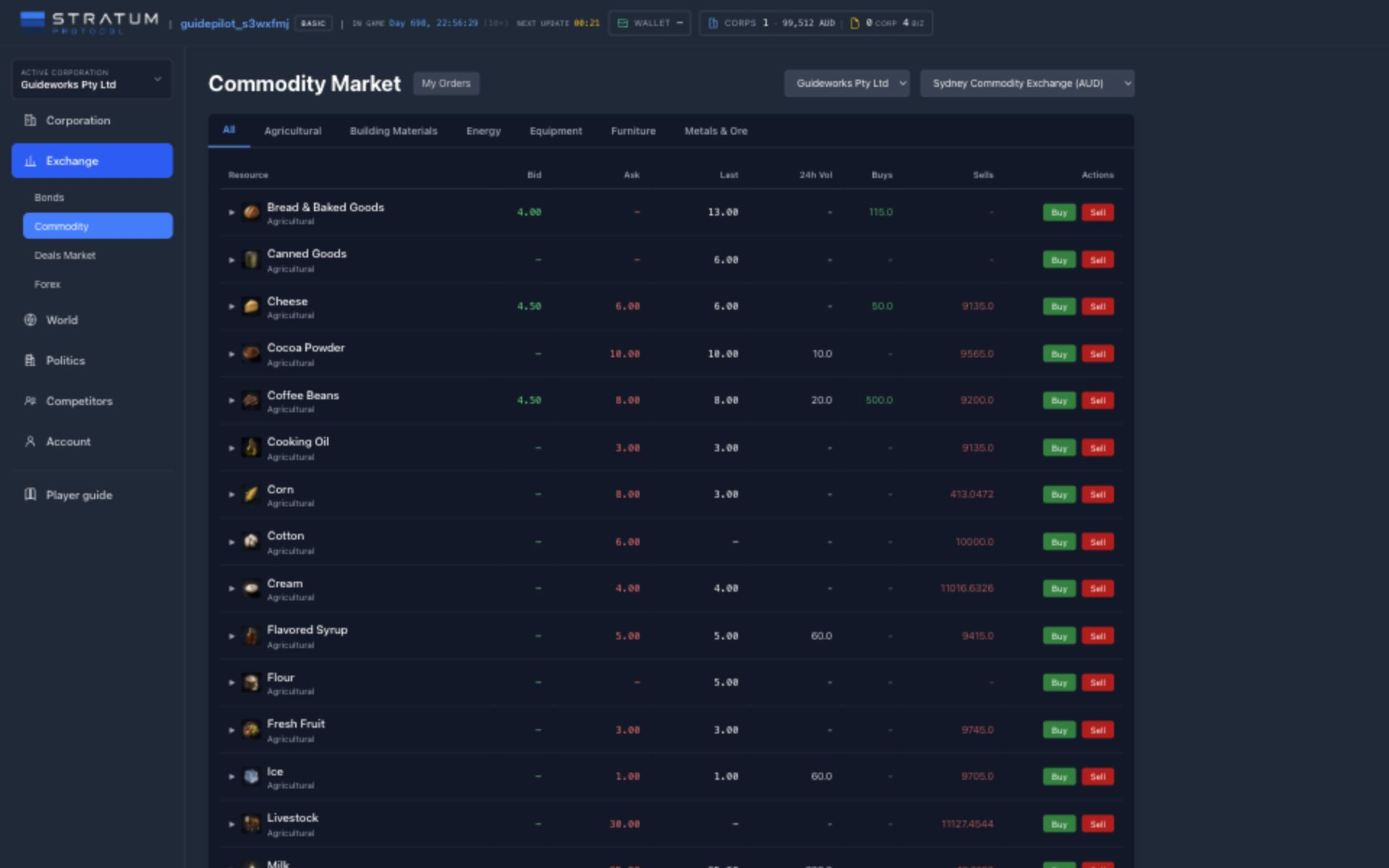
Read the row from price to depth
- Bid and ask
- Bid is the highest price currently offered by a buyer. Ask is the lowest price currently offered by a seller. Their difference is the spread; neither says how many units exist at that price.
- Last and 24h volume
- Last is the most recent execution, not a quote that must still be available. Volume shows recent activity, while Buys and Sells show open quantity waiting on each side.
Select a category to shorten the list, then expand the resource row. The depth panel shows price levels and available quantity on both sides, including quality or brand information where an order carries it. Price history shows what actually traded over the selected period. For a large purchase, calculate the blended cost across every ask you expect to consume; multiplying the best ask by the whole quantity usually understates the bill.
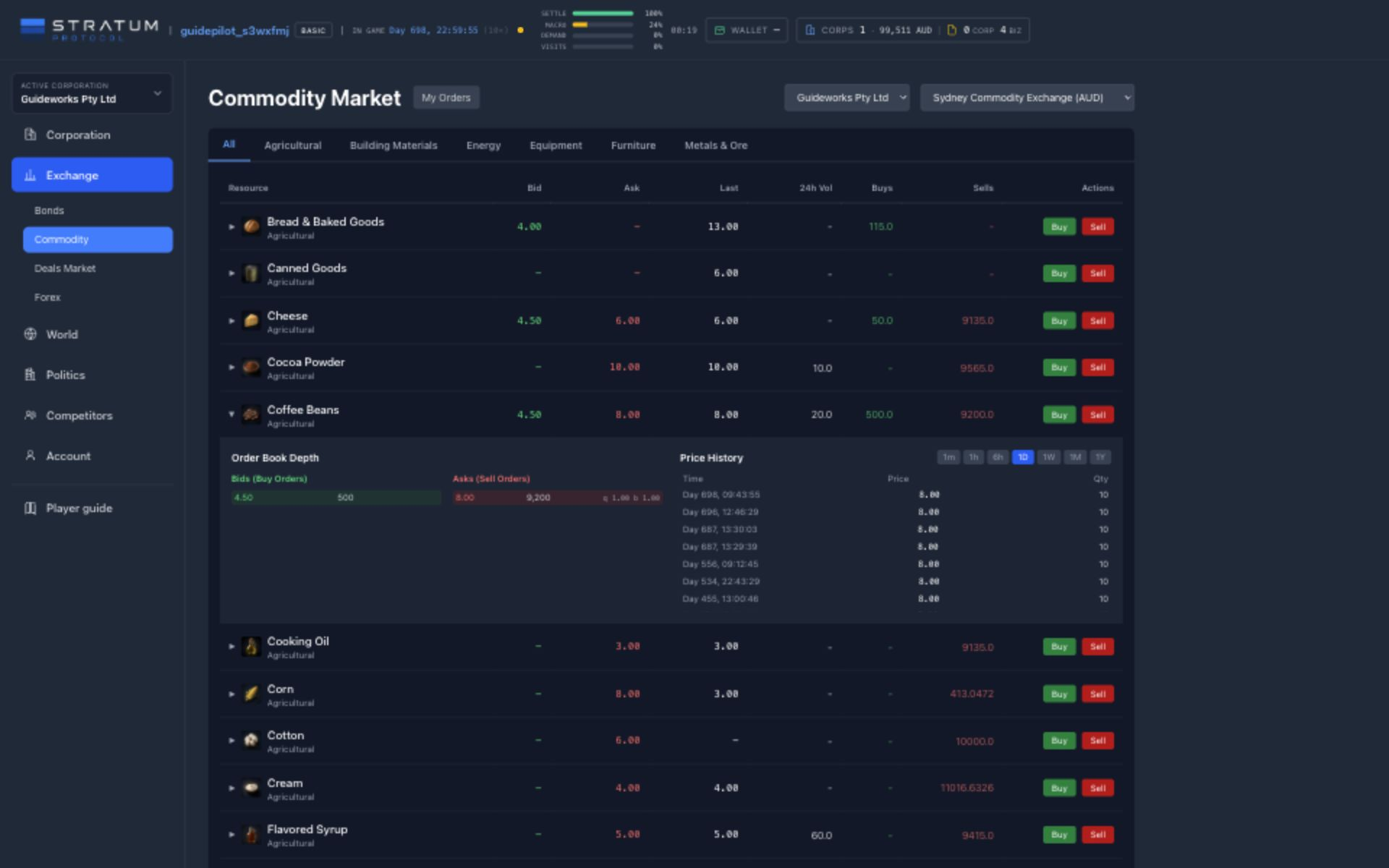
Choose a limit or market order
A limit order states the worst unit price you will accept. It can fill immediately, fill partly, or rest on the book. A market order seeks available liquidity now. In its normal mode, any unfilled remainder can become a resting limit at the best price reached; the greedy option instead keeps consuming available liquidity to pursue the full quantity, including worse levels. Review the on-screen estimate before submitting either.
A buy can also set minimum quality and minimum brand level. Those filters protect a production or retail requirement, but they reduce eligible supply and can leave an otherwise affordable order unfilled. A sell order exposes the quality and brand of the offered stock. When selling from a business rather than exchange inventory, the goods must first move to the exchange; cancelling later may require choosing where the remaining stock should return.
A trade fill is ownership, not delivery
Limit buys and ordinary best-level market buys reserve cash so the order can settle. A greedy market buy is the exception: it settles each immediate fill directly instead of pre-funding an unknown sweep, so keep the full depth-weighted cost spendable. When a match executes, the corporation owns the goods at the exchange and the resulting supply contract becomes ready for pickup. For an ordinary fill, choose a destination and carrier in Contracts. A project-linked standing bid already fixes its destination: Basic still arranges freight manually, while active Pro can arrange it automatically under the same routing and cost rules. See Procurement & freight. Only delivered inventory can supply a construction site, recipe, shelf, or production line.
My Orders is the operational follow-up: inspect open, partial, completed, or cancelled orders; cancel a stale bid to release its unused cash; and manage stock left by a sell order. Early exchanges may contain finite system supply that helps the world start trading, but it is not an automatically replenishing catalogue. Durable liquidity ultimately comes from players producing, transporting, and offering goods.
Before pressing Buy
Confirm the acting corporation, exchange currency, required quality, depth-weighted goods cost, destination storage, freight quote, and delivery ETA. The order modal previews up to twenty visible resting orders, not a guaranteed final fill, so leave cash headroom for a changing book. The cheapest goods can still be the expensive choice after the last mile.
Contracts ledger & fulfillment
Track purchases, shipping, leases, offices, and construction contracts.
Contracts lists the selected corporation’s market orders, land agreements, office rentals, shipments, construction jobs, and ownership transfers. These items may begin on another screen, but they appear here with their current status and any remaining delivery, payment, occupancy, or construction work.
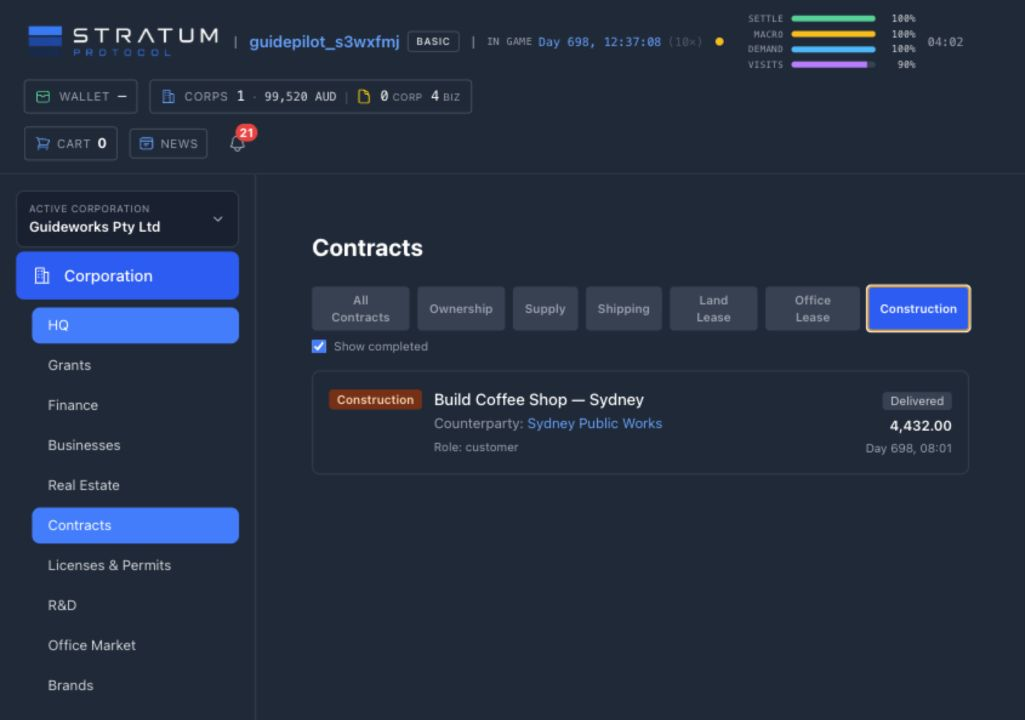
Filter by the obligation, then read its role
All Contracts mixes records with very different meanings. Ownership records a transfer of an asset. Supply records title to exchange-purchased goods and the work needed to move them. Shipping follows freight in transit. Land Lease and Office Lease record continuing rights to use space. Construction records the customer, builder, price, queue, and completion state. Filter first because a status such as Active has a different meaning in each category.
Open work
The default view emphasizes obligations that may still require delivery, payment, occupancy, construction, or monitoring. Status labels include Ready for pickup, Pickup arranged, In transit, Pending, Active, Queued, and Under construction.
History
Show completed brings back Delivered, Executed, Expired, Terminated, and Cancelled records. Keep these visible when reconciling a transaction, investigating a delay, or comparing a promise with its eventual result.
A filled commodity order still needs fulfillment
When a buy order matches on the Commodity Exchange, payment and title settle at the exchange. The resulting Supply contract is Ready for pickup; the inventory is not yet usable at a factory, storefront, warehouse, or construction project. For an ordinary fill, expand the contract, choose an eligible destination and carrier, and select a quantity that fits both the outstanding balance and the destination’s capacity. A fill from a project-linked standing bid is reserved for that chosen project: Basic can route it manually, while active Pro can arrange delivery automatically. See Procurement & freight.
An ordinary supply contract can be divided across several shipments. That is useful when stock is needed at more than one site or one destination cannot accept the full amount. A contract claimed by a project-linked standing bid remains restricted to that project, although its quantity can still travel in more than one shipment. The detail view separates outstanding quantity, already shipped quantity, and shipment history. Several actionable supply contracts can also be selected for bulk arrangement when they share a practical destination and carrier. Check each resulting shipment rather than assuming a bulk action makes every route identical.
Cash, title, freight, and arrival are four moments
The transaction ledger proves money moved. The supply contract proves ownership at the exchange. The shipping contract proves freight was arranged. Destination inventory proves the goods arrived. Reconcile all four before promising the stock to production or a build.
Deals Market agreements are tracked separately
Do not confuse this ledger’s spot Supply records with recurring Supply or Procurement deals published in Deals Market. A negotiated deal attempts direct scheduled settlement between its chosen source and destination. When the buyer chose a business destination, that establishment’s Supply Deals area is the current agreement view. Supplier-side agreements and agreements delivered to general warehouse stock have no equivalent general viewer, and they are not included in Contracts, so those parties must track due dates, stock, cash, and outcomes directly. These deals do not create the same Ready-for-pickup contract that follows an exchange fill. Contracts remains the home for spot fulfillment, leases, shipments, construction, and ownership records.
For leases and construction, pair the ledger with the operating screen. A lease marked Active still needs enough cash for future rent. A construction record marked Delivered proves the builder finished its obligation, but the establishment can still need staff, inputs, equipment, or product configuration. A shipment marked In transit is not available inventory. Check the related operating screen for the remaining requirements.
Common mistake: hiding completed records too early
When cash, stock, or timing looks wrong, enable Show completed and follow the entire chain. A cancelled order, delivered shipment, terminated lease, or completed build may explain a present balance long after it is hidden from the default list.
Supply deals & business market
Create or accept supply and procurement deals, recurring or one-time, and assess businesses listed for sale.
The Deals Market is where corporations publish commercial intentions that are more structured than a spot order. Its Supply Contracts tab carries one-time and recurring agreements for goods. Its Businesses tab carries listings for entire operating establishments. Both are player-to-player markets, so an empty or thin page is information about current player supply, not a missing system vendor.
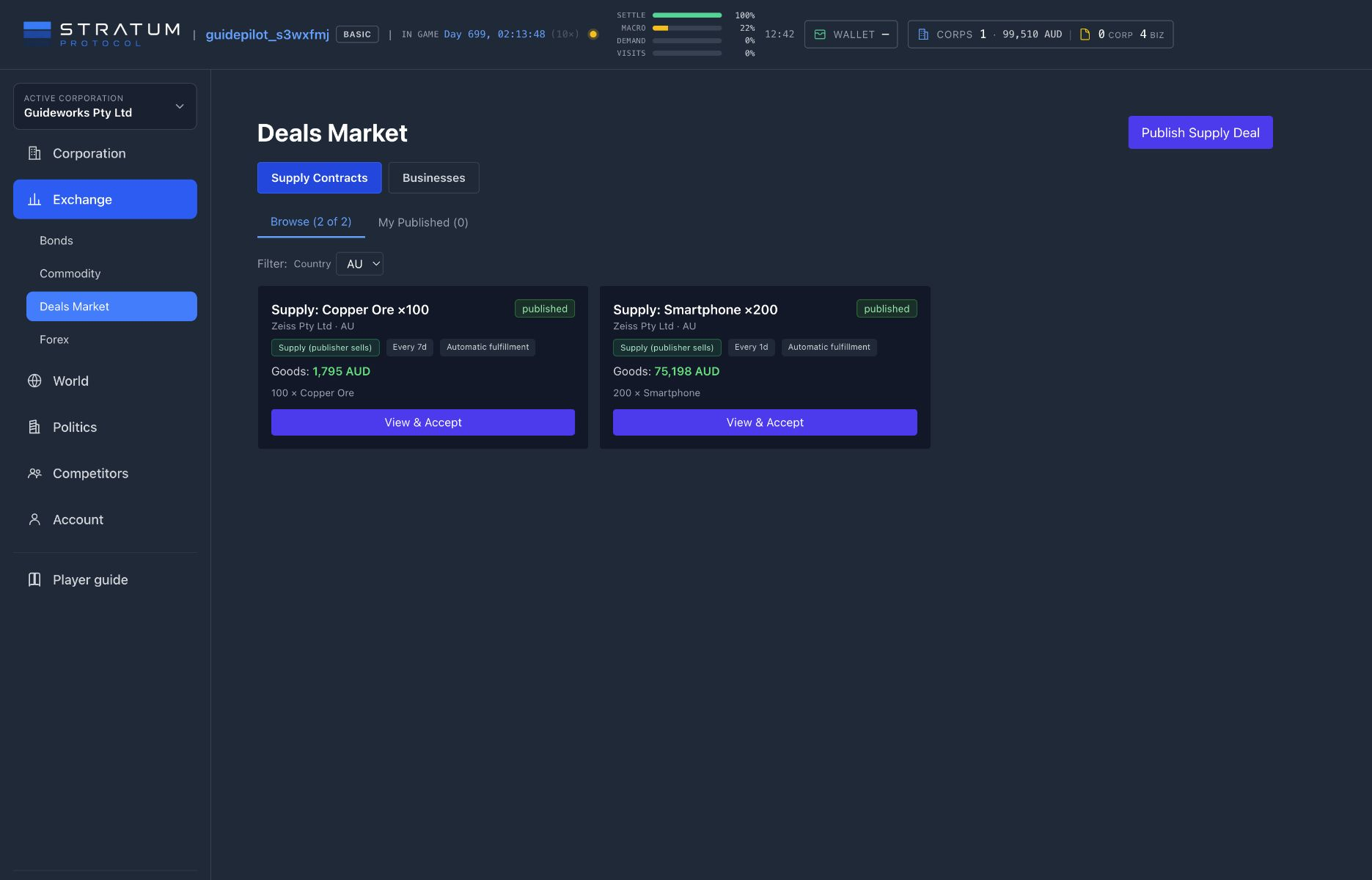
Direction changes who owes the goods
Supply · publisher sells
The publisher promises the listed goods. It may name a source warehouse or leave the source open, in which case settlement searches its eligible inventory. The accepting corporation is the buyer and chooses a business destination or general warehouse.
Procurement · publisher buys
The publisher wants to receive the listed goods. An accepting corporation becomes the supplier and can name a source warehouse or let settlement search its eligible inventory.
A publication can contain several line items, use one local currency, and run once or at a chosen interval. A recurring agreement can have a fixed number of deliveries or remain open-ended. Review the goods total, quantities, cadence, source and destination, and any breach-penalty clauses together. A low unit price is not attractive if the cadence exceeds the seller’s output or the buyer’s storage.
Fulfillment is part of the agreement
Current deal fulfillment moves inventory automatically and directly at each attempt. The publisher can prefer a carrier and set the maximum freight amount charged to the buyer; that cap limits the charged freight rather than blocking a physically more expensive movement. Older records may display “Manual shipping.” Those deals are still fulfilled automatically; there is no separate manual-dispatch step. Fulfillment still depends on physical stock, enough money for goods and charged freight, and—when the destination is a business—available storage there. General-warehouse delivery currently has no equivalent destination-capacity gate. A recurring deal schedules repeat attempts, each subject to the same inventory and capacity requirements.
Set the interval from production and replenishment time
Set the interval from sustainable production and replenishment time, not from the best day you have seen. The buyer should hold enough buffer for a late settlement; the seller should protect enough stock to avoid promising the same units elsewhere.
At each due date the agreement attempts to settle against current stock, funds, and freight. A business destination that would overflow defers an occurrence; delivery or payment failures are recorded, and two consecutive failures end a recurring agreement. A one-time agreement reaches its terminal occurrence even if that attempt fails, so it is especially important to verify both sides beforehand. The current agreement view is attached to the buyer’s destination establishment. A supplier using general warehouse stock does not get an equivalent supplier-side screen, and the general Contracts ledger does not include these agreements. Suppliers using general warehouse stock must track source stock, due dates, and outcomes themselves.
Business listings transfer an operation
The Businesses tab is not a market for an empty blueprint. A listing offers an existing establishment under stated terms. The listing shows the schematic, location, seller, price or auction terms, and bids; it does not disclose condition, staffing, inventory, equipment, liabilities, recent performance, or the underlying lease record. Treat those fields as unresolved buyer risk rather than assuming the asking price describes a turnkey operation.
Finalization changes the construction project’s corporation, so project-linked facilities and staff positions remain at the site. The handover is not fully self-contained: inventory balances at the project can remain recorded to the seller’s legal subject, and a rented site’s separate lease record does not automatically follow the project. Reconcile both records with the seller. Visible stock or occupancy does not establish that ownership transferred. Customer demand, maintenance, working-capital needs, and site constraints do not disappear.
Common mistake: using a deal as a substitute for planning
Before accepting, simulate one full occurrence: who supplies, who pays, which warehouse participates, how freight is selected, how much storage remains, and what happens if demand or output is weaker than expected. A contract makes the commitment repeatable, not safe.
Office market & tenancy
Rent office capacity, compare public and private listings, and track billing, capacity, and default.
A headquarters requires owned or rented office space. Choose one completed owned office or active rental as the primary HQ: it establishes the corporation’s legal address, hiring city, and HQ payroll jurisdiction. Every valid office the corporation controls in that same city then forms one HQ campus, so several owned buildings and rented suites can satisfy the space requirement together. Every ten square metres of usable office area provides one seat. Without a valid primary office, HQ efficiency falls to zero and affected research iterations pause.

Build one city campus around the corporation it must support
The HQ staffing requirement begins with thirteen core roles, then adds exactly one HQ position for every standalone business whose construction is in progress or complete. A new business therefore brings an ongoing management requirement as well as its local workforce. The HQ page shows the required team, the people actually employed, and the office seats available to them.
Capacity is based on occupied seats. Every filled HQ position consumes one seat from the campus total; an unfilled required position does not. Each R&D researcher keeps a seat in the specific office where that researcher is assigned, so those project-level seats are reserved before the remaining same-city space is pooled for HQ. Existing teams are not dismissed merely because the campus becomes overcrowded, but net-new HQ and R&D hiring is blocked until you add enough space. Check the campus total and its per-building reservations before starting another business or research program.
The Office Market is scoped to the selected corporation and its country, rather than being a global catalogue. Confirm the corporation that will become the tenant and pay the rent, then compare city, owner, available seats, daily asking price, daily cost per seat, and the local municipal benchmark. Location also determines the city from which HQ hiring draws and where HQ and research payroll are recognized, so the cheapest address is not always the best fit. Renting another suite in the primary HQ city adds it to the campus immediately; a rental in a different city remains separate and does not increase the current HQ capacity.
Moving headquarters selects a new primary office and moves the legal address, hiring pool, payroll jurisdiction, and campus boundary together. Only controlled offices in the destination city count after the move. Offices and rentals in the former city remain under the corporation’s control, but no longer support its HQ, so secure enough destination capacity before confirming a cross-city move.
When the rental begins
The agreement fixes its space and daily rent when accepted. It has no security deposit or fixed term. Later edits to the public listing do not silently rewrite the active tenant’s agreed rate or allocated space.
While the office is occupied
Rent accrues through the game clock and is charged in prorated batches against the tenant corporation. My Rentals shows the landlord, city, campus contribution, agreed price, and status. You cannot voluntarily end a lease while doing so would strand current HQ or research occupants across the resulting campus; move them or secure replacement capacity first. If it is the primary office, designate a valid replacement before ending it.
Municipal office listings
Municipal operators automatically maintain office availability so a tight private market does not permanently prevent corporations from establishing an HQ. Their open listings are economy-priced rather than subsidized and adjust with local wages and occupancy. Open municipal offers can therefore be repriced as the city changes, while the area and daily rate of an accepted rental remain the contractual snapshot shown under My Rentals.
An office bill competes with research payroll, HQ payroll, debt, taxes, and every other recurring charge in the same currency. If rent remains unpaid for two game days, the rental defaults and its capacity is released. That can leave researchers without a valid office or an HQ relocation plan without its expected premises. Keep several game days of office and payroll cost in reserve rather than treating the small daily number as immaterial.
Owned offices can become a landlord business
A corporation with a completed office building can offer unused space to other corporations. The owner chooses how much capacity to offer and sets the daily asking rate, then uses the building’s tenant view to manage occupancy. Player-owned supply is identified on the market, where its per-seat price can be compared directly with the municipal benchmark. Space committed to tenants cannot also seat the owner’s HQ or researchers, so preserve enough room for your own plans.
Player landlords choose their own asking rate and compete against the municipal benchmark. A lower rate can fill a building, while a higher rate protects flexibility but earns nothing while vacant. Repricing or withdrawing an open offer changes only what may be rented next; accepted agreements keep their rate and area. Judge the business by occupied rent after construction, land or lease, upkeep, and opportunity cost—not by the advertised daily rate alone.
Plan the next seat before the next expansion
Start with the thirteen-person core, add one HQ seat for every standalone business in progress or completed, then add the R&D researchers reserved in their assigned offices. Compare that occupancy with all valid owned and rented seats in the primary HQ city. Keep a rent-and-payroll buffer, but expand only when the next hire needs the capacity; an empty seat produces neither management nor research by itself.
Common mistake: counting every office the corporation controls
Only offices in the primary HQ’s exact city form its campus. A remote suite may support a later move, but it does not solve today’s capacity shortage. Within the campus, HQ staff and researchers consume the same finite area even though researchers retain project-specific seats. Verify the city, assignments, occupancy, and recurring rent before expanding.
R&D teams, programs & quality
Set up an office, hire researchers, run iterations, and apply completed product or technology research.
When physical capacity is no longer the main constraint, R&D can improve product quality or advance a technology program. Research requires suitable office space, assigned specialists, payroll, and time. A program makes no progress until those requirements are met.
Research needs an office and an assigned team
A corporation must own or rent suitable office space, hire individual researchers into that office, create a program, and explicitly assign researchers to it. A person sitting in the same office does not automatically contribute to every program. If no one is assigned, the iteration clock is pinned and the program makes no progress.
The talent market begins at universities
The shared researcher pool is replenished once per game day, primarily from citizens who graduated from an in-game university. Only unemployed citizens can appear in the pool or accept an R&D job, and unhired listings rotate after several game days so the available specializations and salary expectations keep changing. A graduation makes someone eligible; it does not reserve that person for the university’s operator or guarantee that they will be listed immediately.
Building faculties, keeping them operational, and graduating students therefore expands the world’s future researcher supply. Hiring is only the first step: place the researcher in suitable office capacity, assign them to the intended program, and fund their daily payroll while the iteration runs.
1
Office
Own or rent capacity
2
Team
Hire and assign researchers
3
Program
Choose product or technology
4
Iteration
Wait for staffed progress
Team specialization, skill, individual traits, events, and HQ support shape the gain from an iteration. A longer program can produce a larger step with diminishing returns, while a mismatched or ineffective team reduces progress. Product research raises its target’s quality; technology programs advance toward unlocks that can apply broader quality gains. Neither directly builds shopper-facing brand awareness.
Better output quality begins with the ingredients and production conditions, then gains the corporation’s relevant research advantage. In the market and at retail, quality can attract buyers and widen the price they tolerate. That advantage still needs stock, delivery, competitive positioning, and enough demand to monetize it.
Technology Tree and Applied Research
The Technology Tree shows prerequisites, specialization, iteration requirements, and the quality effect a completed technology applies. Applied Quality Research shows the quality bonus earned for each resource. Product programs improve a specific product; technology programs improve a broader group when completed. Completed research currently improves quality. If a screen shows a research-to-brand bonus, it came from older research; new campaigns do not receive it.
Quality can support price; it does not erase price
Stronger quality can attract buyers and support a premium, but customers and market orders still compare affordability, alternatives, minimum filters, stock, and delivery. Measure contribution margin after researcher payroll and office cost instead of celebrating a higher quality score in isolation.
Common mistake: funding a program without staffing it
Office capacity, a research program, and hired researchers are separate requirements. Verify the researchers are assigned to the intended program and that HQ/payroll can support them.
Extra volume or margin from the quality gain must cover research payroll and office costs. The next article covers the separate shopper-facing brand and advertising system.
Brands, campaigns & awareness
Create brands, run campaigns, and compare campaign cost with sales.
A brand is a name and reputation level assigned to products from one corporation. Every corporation receives an automatically created brand with the corporation’s name, and you can create additional brands for other product lines. Shoppers consider brand level alongside product quality and price. A brand does not create stock, quality, or customers, so the branded product must still be available where demand can buy it.
Brand level begins at the generic baseline
New and default brands begin at 1.0×, the generic baseline—not zero. Production uses one of the corporation’s brands when it creates brand-capable output, falling back to the default brand if no valid choice is supplied. Brand level is stored on the brand, not on each inventory lot. A store uses the brand’s level when it evaluates a branded product. Quality and brand work together in customer price tolerance, but neither guarantees a sale at an arbitrary price.
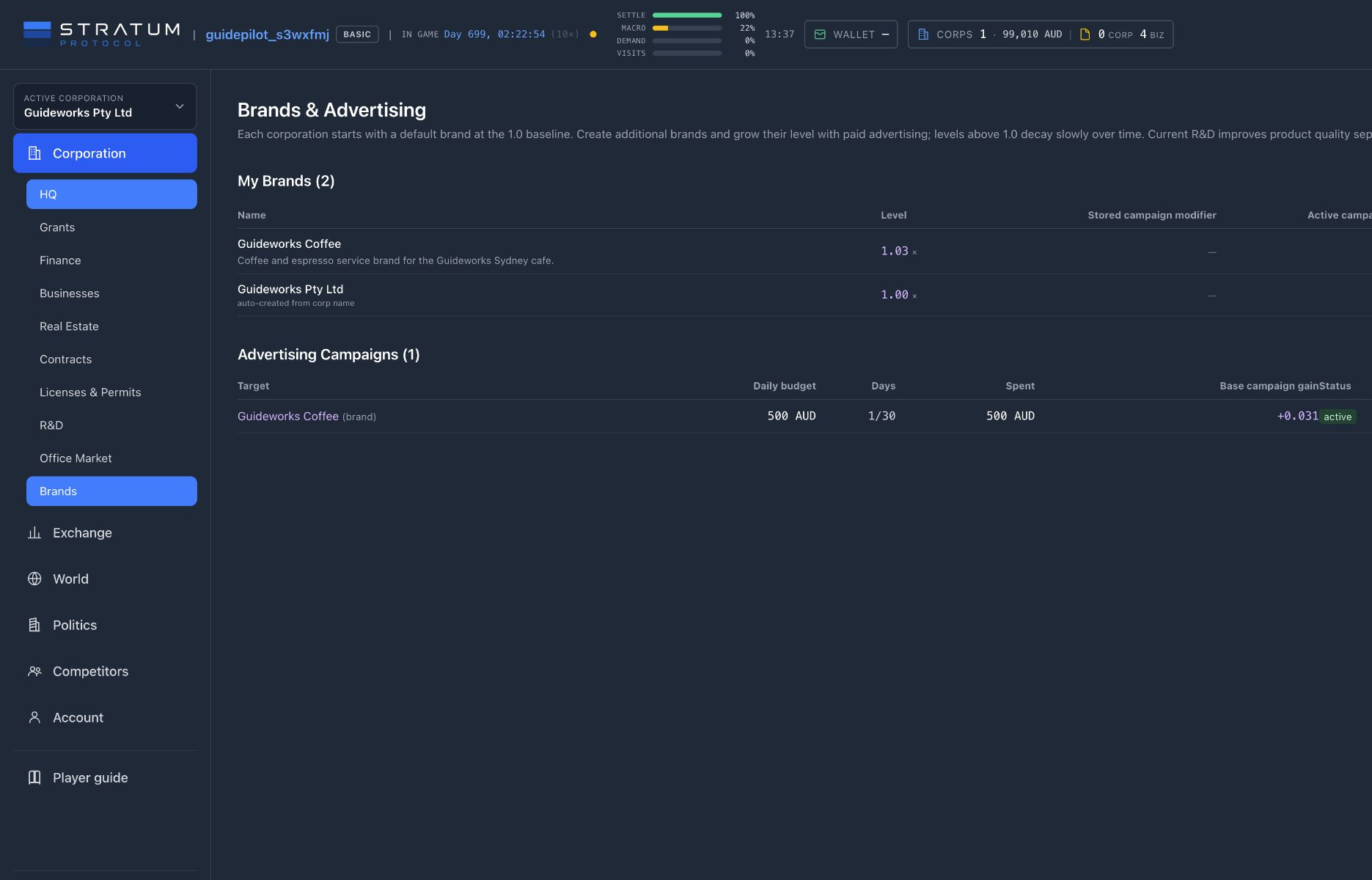
A campaign is a daily spending commitment
Choose a brand, set a positive daily budget, and choose a duration of one to ninety game days. The interface offers convenient 7-, 14-, 30-, and 60-day presets, but the governing limit is ninety. Once per game day, an active campaign charges its daily budget, adds that day’s brand gain, records total spend and progress, and ends after the final charged day. Cancelling stops the remaining schedule; it does not refund days already charged.
100/day
about +0.023/day
1,000/day
about +0.035/day
10,000/day
about +0.046/day
Those examples reveal the central rule: gain is logarithmic in the daily budget. Multiplying spend by ten adds only a similar increment to the gain; it does not multiply the result by ten. Duration and budget therefore solve different problems. A longer modest campaign buys more charged days, while a larger daily budget buys a stronger daily step with increasingly poor marginal returns. Estimate total planned spend as daily budget × duration, then compare that cost with the extra gross margin the brand must earn to break even.
Campaigns can push the corporation negative
The campaign tick treats advertising as a paid commitment and records the charge even when available cash is insufficient. A campaign can therefore contribute to a negative domestic balance and the wider insolvency clock. Keep payroll, rent, freight, loan payments, and production inputs funded before committing the apparent spare cash to advertising.
Excess level decays toward 1.0
Once per game day, the game reduces only the portion of brand level above baseline. The default global setting is 0.5% of that excess per day: a 2.0 brand has 1.0 excess, so the next decay step removes about 0.005, not 0.5 points. The rate is configurable and the level never decays below 1.0. There is no fixed upper cap in the current brand-level model, but logarithmic campaign gains and continuing decay make each additional step more expensive to build and maintain.
Research and advertising are separate levers
Current applied product R&D improves product quality. It does not produce a new brand-awareness or campaign bonus. Existing legacy bonuses still apply, but current R&D does not create new advertising bonuses. Budget advertising from its own expected return and treat quality research as a separate investment.
Measure a brand where it earns: keep the product, store, price, and city comparable; run a bounded campaign; then watch conversion, units sold, contribution margin, and market share rather than level alone. If stockouts, queues, or weak pricing are the binding constraint, fix them first. Awareness can help a sound offer win preference, but it cannot sell inventory that never arrived.
Common mistake: buying a score instead of a return
A higher level is not revenue. Define the product, city, price, campaign cost, and margin target before launch. Stop or resize a campaign when the incremental sales cannot repay the daily charge and the future maintenance spend implied by decay.
Business marketing & market research
Run local campaigns and commission product or segment research.
Supported customer-facing businesses have a Marketing workspace for two different jobs. Local business campaigns promote a store, restaurant, or hotel now. Market research buys temporary visibility into sellable shelf products and market segments before you change price, stock, or capacity. It does not analyze hotel rooms or service orders. Neither system manufactures demand, inventory, or profit: one helps a sound business reach customers, while the other helps you diagnose whether a product offer is sound in the first place.
Market research explains the field
Commission a study for one product or for a complete retail segment. Once the work is ready, it compares recorded player sales with modeled demand and reveals pricing references, your corporation’s share of player sales, and visible competitors for a limited period. NPC purchases are not presented as player sales.
Local campaigns compete for attention
A local campaign temporarily improves that establishment’s appeal when customers choose among comparable stores, restaurants, or hotels. It reallocates a fixed customer pool; it does not increase the city’s underlying demand wave.
A local business campaign is separate from the corporation-wide campaigns described in Brands & advertising. Brand campaigns build a product brand over time under their own duration and funding rules; a local campaign temporarily changes the appeal of one establishment and stops when that corporation can no longer fund its next daily charge.
The Market Price column begins with Analyze
A retailer always knows its own stock, cost, price, and completed sales. Detailed local-market intelligence is different: until a valid study exists, the Market Price position shows Analyze. Following it opens Marketing with that product selected. The study costs the corporation’s local currency and occupies an HQ analyst slot while it runs. Its completion and expiry use game time, so changing world speed does not change the promised amount of work.
Product studies and segment studies solve different problems
One product
The quickest and least expensive answer when you are deciding how to price or replenish one line item. It unlocks only that resource.
A complete market segment
A multi-product segment takes longer and costs more than one product study, but its bundled price is lower than commissioning those products separately. A segment with only one eligible product has no bundle discount. Fresh product reports count toward the bundle, so an upgrade charges only the uncovered products. Coverage is fixed when the study starts, so later catalog edits do not silently change what you purchased.
Retail inventory is grouped into stable commercial segments—such as groceries, electronics, automotive, fuel, home improvement, and apparel—rather than physical storage classes or production categories. Search narrows the visible products; segment filters refine the same result set. Use a segment study to compare opportunities, then a later product study to refresh the specific line you are about to change.
HQ staffing determines concurrent work
Every filled Business Analyst position in Headquarters can supervise one running study. With no staffed analyst, the corporation has no research capacity; hire through HQ before commissioning work. Pro does not reveal better data, lower the in-game price, or shorten a study. It lets each staffed analyst supervise two studies at once, reducing queue management as a corporation grows. The Marketing capacity indicator shows analysts, running studies, and the current limit before you spend anything. A completed report remains available until it expires without occupying a running-study slot.
What the Pro concurrency benefit does—and does not do
Basic and Pro corporations buy the same report, at the same local-currency cost, with the same study time and freshness. Pro changes only how many already-staffed analyst assignments may run together. It never creates capacity without an employed analyst.
What local campaigns change
Choose a supported duration and a daily budget. Spending has diminishing returns, is evaluated against the current Business Analyst wage benchmark, and cannot be split into unlimited overlapping campaigns for the same business. A staffed Chief Marketing Officer strengthens the campaign’s incremental appeal, not the city’s customer pool. If the business is out of stock, closed, unaffordable, badly staffed, or capacity-constrained, more attention can still produce little or no return.
-
1
Diagnose
Read your own stock, sales, queues, staffing, and margin before paying for a broader answer.
-
2
Analyze
Choose one product for a focused decision or a segment when several related lines are in question.
-
3
Act and measure
Change one lever, then compare units, contribution margin, conversion, and share while the report is fresh.
Research expires because the market moves
Competitors reprice, inventories empty, shipments arrive, and demand waves advance. An old report's exact intelligence locks when freshness ends. Commission a new study rather than treating a previous result as a permanent price oracle.
Upgrades, property & acquisitions
Install upgrades, add capacity, manage rental property, and inspect a business before acquisition.
Upgrades improve an existing site, additional lines add operating capacity, property earns rent from tenants, and a business listing transfers an operating project. Choose among them based on the site’s current constraint.
Upgrades are physical installations
An upgrade order reserves a compatible small or large slot, but its effect does not begin immediately. One physical upgrade item must be delivered to the establishment; the install process consumes it, takes time, and applies the modifier only when the installation becomes active. A small item can use a large slot, but a large item cannot fit a small slot.
Multiple upgrades affecting the same system compound rather than simply adding their label percentages. Removing one disables its effect immediately while the slot remains occupied through removal. Some schemes return a reusable item and some do not, and a storage upgrade cannot be removed if the resulting capacity would strand inventory.
Each line adds one type of capacity
An additional line is still a construction project: it needs a reduced material package, provisioning, and a builder, but not another parcel or Business License. A factory line adds another concurrent production task, a Construction Yard line adds another simultaneous build slot, and a Distribution Center line adds another depot. Every installed production line at a producing site also adds the blueprint’s on-site base storage module; build slots and depots do not multiply their building’s storage. Extra land area can cap how far a site expands, and production expansion raises required staffing—review the desired hiring counts after installation.
University faculties are another parent-bound expansion. Each uses a faculty slot and the familiar supply-and-build sequence, requires no separate land or Business License, and folds its tuition, seats, and staffing needs into the university when complete.
Property is an operating business too
Residential units use owner-set rents and are filled automatically from local housing demand, with affordable private housing considered before public fallback. Wear reduces collected rent, so occupancy without maintenance is not the same as healthy yield. Office buildings rent usable capacity at a daily rate; an unpaid tenant can eventually default and release the space.
Compare an acquisition with rebuilding the site
An existing operation can put a built site and its project-linked facilities under your control faster than starting again, but the asking price is not the whole comparison. Value the time and cost to reproduce it against the location, verified operating condition, demand, and any records that still need reconciliation. The Deals Market chapter covers listing, bidding, disclosure, and buyer-side handover risk; the Shutdown & exits chapter covers the seller’s alternatives and consequences.
Upgrade
Best when one proven site needs efficiency or capacity.
Property
Adds recurring rent with occupancy and maintenance exposure.
Acquire or sell
Changes control faster than reconstructing a site, but requires deeper diligence and handover work.
Common mistake: adding capacity before finding the constraint
Another line adds throughput and base storage, but it cannot solve missing inputs, weak demand, or an empty HQ. If storage alone is binding, compare a whole line with a targeted storage upgrade or warehouse before paying for capacity you will not use.
Physical capacity is only one kind of advantage. When the proven constraint is product quality or customer preference rather than space, throughput, or property, research and brand investment from the earlier R&D and Brands chapters are the alternatives to compare.
Shutdown, move-out & business exits
Close, move, or sell a business, including severance, inventory, lease, and government buyout effects.
A completed establishment can be sold to another corporation, shut down, or offered to the government. If its land lease ends first, the building enters Moving Out with a demolition deadline. Review cash, staff, inventory, the land agreement, and timing before confirming an irreversible action.
Private sale
Preserve the operation and let the market set a price, but wait for bidding and finalization.
Shutdown
Dispose of stock, settle staff and lease choices, then demolish immediately.
Government buyout
Accept a discounted material-cost quote; settlement may queue behind public funding or storage gates.
Shutdown previews the full consequence
Open an operating establishment and choose Shut down. The review names every active employee, remaining inventory line, available destination warehouse, and active land rental. Each employee is dismissed with one game day of current salary as severance. The corporation must be able to cover that amount before closure can proceed. An active private sale listing or pending government buyout must be resolved first.
Inventory has two choices. Sell on the exchange values every inventory line at the current single best-bid price, removes the whole line, and credits that quoted value; it does not walk the order book or consume the displayed bid quantity. The preview is an estimate, and items with no bid are forfeited. Ship to a warehouse requires one of your warehouses in the corporation’s country and charges freight at the selected or best-value carrier’s rate. Shipping charges freight and requires enough space at the destination; it is not a free internal transfer.
If the building occupies rented land, you may keep the agreement for a future project or rescind it now. Keeping it preserves the parcel but rent continues until expiry or later termination. Rescinding applies any early-termination breach clauses against the agreement’s contract value, and the corporation must be able to pay the penalty. After the reviewed choices execute, the building is demolished. Shutdown is not a pause and should not be expected to return construction materials or a consumed Business License.
Moving out is a seven-day rescue window
When a land rental ends while a project remains on it, the Buildings page moves that project into Moving Out and shows its auto-demolition deadline. The grace period is seven game days. Before it expires, ship inventory to a warehouse, use the best-bid liquidation valuation described above, or demolish it yourself. At the deadline the building and any inventory left inside are lost. This flow protects the landowner’s parcel; it does not promise compensation for the tenant’s building.
Government value is a floor, not an appraisal
The Overview’s Sell to government panel is a last-resort route for a completed building in a city with a municipality. Its quote is a percentage of tracked construction-material cost—not revenue, profit, land value, installed business goodwill, or a private-market comparable. The first settled buyout for a corporation uses 50%; each later one steps down by five percentage points to a 25% floor. The percentage and payout are fixed when the request is submitted.
A funded municipality can settle immediately. Otherwise the request stays in a visible queue and is retried on world ticks; you may withdraw a pending request, but reapplying returns to the back. Settlement also needs a same-country corporate warehouse with enough free space for current inventory and, when applicable, expected salvage. A building on government-leased land transfers to municipal ownership. Other buildings are deconstructed, with partial, variable salvage deposited alongside the inventory. Read the quoted outcome rather than assuming every buyout ends the same way.
Use a business sale when continuity has value
A completed establishment can instead be listed in Deals Market as a tender or auction. Listing fees are charged up front, bidders post deposits, and a selected or winning bidder must finalize before ownership changes. Until that happens, the seller still operates and funds the business. After completion, reconcile inventory still recorded to the seller and any separate land lease rather than assuming the project transfer closes every surrounding record. The Deals Market chapter explains the listing modes, limited disclosure, and buyer-side handover risk.
Resolve commitments before an exit
Stop creating new commitments, cancel or complete open listings and shipments where appropriate, price inventory, and reserve severance and lease penalties. Compare the amount on the confirmation screen with forfeited stock, freight, staffing costs, and time before choosing a route.
Loans, liquidity, tax & survival
Separate profit from cash and reserve each currency needed for debt, tax, payroll, rent, inputs, and repairs.
A business can show revenue while losing money, show profit while running short of cash, or own valuable assets while being unable to pay today’s bill. Under HQ → Financials, you can view a cumulative income statement and the current balance sheet. Use Transactions and the relevant contract or project screens to reconstruct cash timing; there is not a separate cash-flow statement in the current interface.
Profit
Revenue minus operating costs and recognized charges. Useful for deciding whether the model works.
Available cash
What the current currency balances can settle now. Confirm movement in Transactions and the originating record.
Committed cash
Cash tied up in stock, exchange escrow, projects, and deliveries before the next customer payment.
A first site demonstrates why the distinction matters. Rent can secure the parcel quickly, but the corporation still needs sequential cash for the lease start, Business License, order-book depth, freight, builder quote, opening payroll, and operating stock. Public Works, system carriers, and any remaining bootstrap exchange orders may provide options; none guarantees that those options are cheap, immediate, or affordable.
Currency risk is operational risk
A corporation can hold several currencies and use the foreign-exchange market to trade between them. Bills still settle in their specified currency. A large positive balance in one does not cure a negative balance in another until you convert or transfer funds. An ordinary corporation that remains negative in any currency for seven consecutive game days can be liquidated, so do not ignore a small stranded deficit.
Distress has an earlier intervention point
Two independent clocks protect different parts of the balance sheet. The corporation’s domestic-currency balance drives the early warning shown in HQ: a negative domestic balance first marks the company Distressed. After three game days it enters Soft bankruptcy and its inbound and outbound automations pause. Separately, the seven-day liquidation clock watches for a negative balance in any currency. Fixing the domestic balance can restore the HQ state while a deficit in another currency keeps that second clock running.
In soft bankruptcy, the owner—not an ordinary officer—can choose Restructure debts or Dissolve corp. Restructuring defaults active loans and pending liabilities, grants a 1,000-unit domestic recovery stipend, and returns the corporation to solvent status. The bankruptcy episode remains on its credit record and automations stay paused until you re-enable them. Restructuring does not itself reset the separate any-currency liquidation clock; only curing every negative currency balance does that. Dissolution instead begins an irreversible wind-down, liquidating inventory and settling claims before any remainder reaches shareholders. Read both confirmation screens; neither is a free reset.
Debt buys time and adds a daily commitment
Loan availability and terms depend on operating history, cumulative revenue, profitable days or collateral, assets and existing debt, the bank’s liquidity, and recent defaults across the portfolio. Principal and interest are paid on a daily schedule. Five consecutive missed payments put a loan into default; resuming a scheduled payment can restore it before liquidation, while remaining in default for another seven game days can trigger liquidation.
Find rates requests live bank quotes for the amount and term shown. A quote is not a permanent credit line: it expires after roughly five real minutes and can disappear if conditions change. Compare the lender, rate, daily payment, and total repayment before accepting. The Loans view then separates current from paid obligations and supports early payoff when the corporation has enough cash.
Match the financing term to the cash cycle
Debt is useful when a predictable future cash flow can service it. Borrowing for a project that still needs unknown market inputs, a long builder queue, uncertain hiring, and demand discovery stacks several risks under a fixed daily payment.
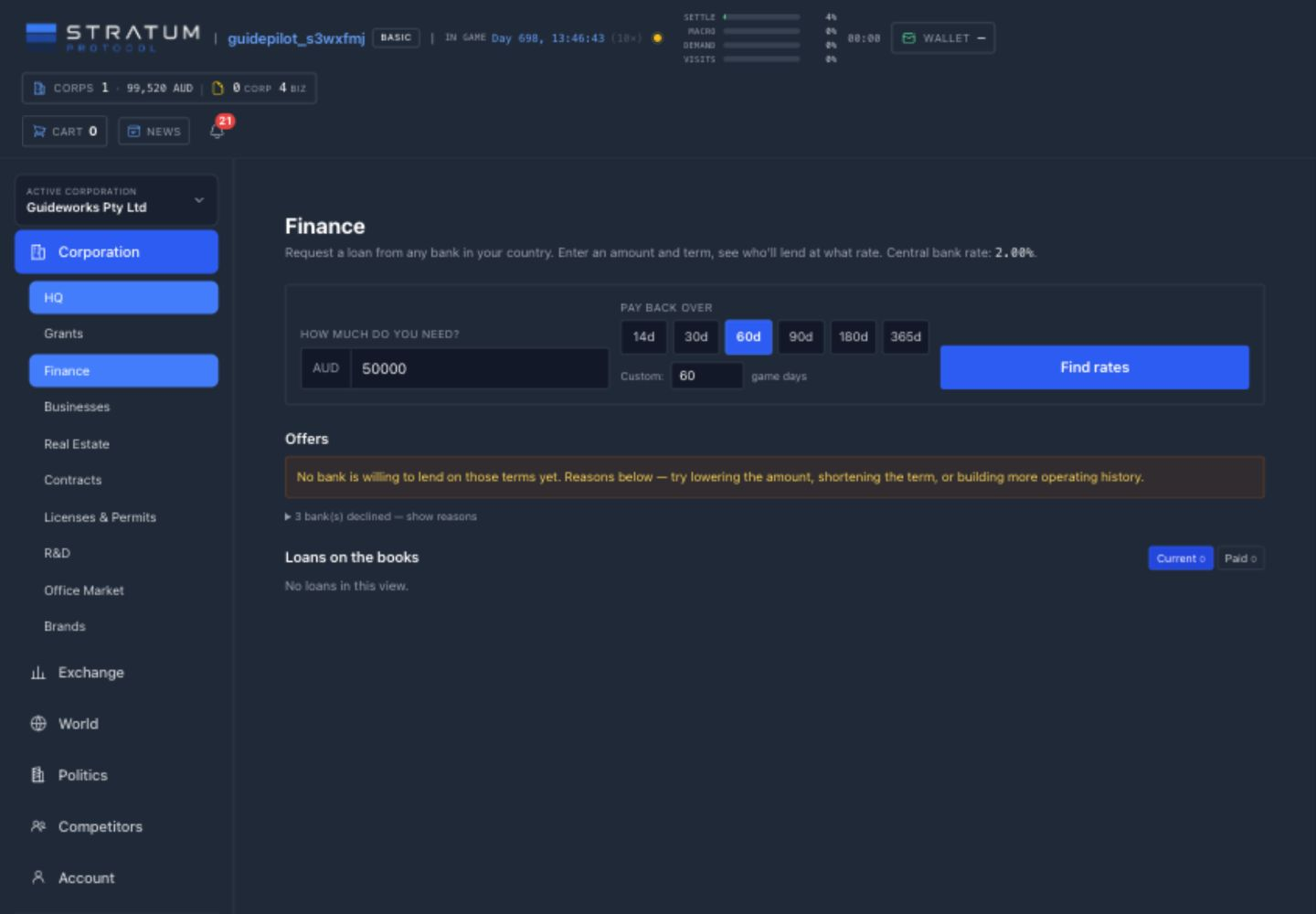
Taxes still belong in the liquidity forecast
Sales and service levies apply to gross customer revenue, property charges recur, and production books a levy when a run completes. Payroll tax uses the same wage bill but creates two clearly identified charges: a national component for the country treasury and a municipal component for the workplace city. HQ staff are not locationless—the municipal part of HQ payroll belongs to the HQ city. There is no third, regional payroll layer.
Corporate tax is reconciled every seven game days on modeled net profit. Its national component applies to the corporation’s taxable profit as a whole. The municipal component partitions that profit across the cities containing completed operating businesses, so expanding into several cities does not tax the full profit several times. The HQ office is excluded from this corporate allocation: it hosts corporate staff, but is not treated as a revenue-generating business merely because it is the HQ. There is no regional corporate-tax layer. Prior losses can carry forward as credits against later assessments; a loss credit reduces future tax and is not a cash refund.
Splitting the layers did not raise the original combined defaults. Payroll remains 12% in total—9% national plus 3% municipal—and corporate remains 20%—15% national plus 5% municipal. National policy and a city’s municipal schedule can change those components later, so the live combined burden may move. Your reserve should still cover rent, payroll, inputs, freight, maintenance, both tax components, and debt service before you count the remainder as expansion capital.
Common mistake: using every positive balance for expansion
Before investing, reserve cash for tomorrow’s payroll, leases, escrowed orders, the next tax cycle, and repairs. Forecast the next several game days separately for each currency.
Foreign exchange and public bonds have their own market chapters because their order books, settlement rules, and risks differ from a bank loan. Government and tax chapters then explain which public actors can change the environment behind these numbers.
Foreign exchange
Trade currency for yourself or a corporation; track the order book, escrow, settlement, and exposure.
Foreign exchange turns one currency balance into another through a live player order book. Use it when a corporation must settle a bill outside its home currency, when a personal Wallet needs a different currency before capitalization, or when you choose to accept exchange-rate risk. It is not an automatic conversion layer: a positive balance in one currency cannot pay an obligation denominated in another until a trade fills.
Read the pair from left to right
In USD/AUD, USD is the base currency and AUD is the quote currency. A price of 1.1000 means one USD costs 1.1000 AUD. Quantity is always entered in base currency. Therefore Buy USD spends AUD and receives USD, while Sell USD delivers USD and receives AUD. Read the form’s “quote per 1 base” label before confirming; reversing the pair reverses the meaning. Each direction has its own book, so liquidity shown for USD/AUD should not be assumed to exist automatically in AUD/USD.
The Foreign Exchange directory lists last price, change over the preceding real-time twenty-four hours, best bid, best ask, and base-currency volume for every direction. Its Involving filter is a browsing aid: it narrows the table to pairs containing the chosen currency but does not choose who pays. Open a pair to inspect actual depth before treating the headline price as executable.
Trade as Self
Orders use the player’s Wallet balances. Each resulting currency leg appears in the personal transaction history, and any currency received remains personal until you transfer it to a corporation.
Trade as a corporation
Orders use that corporation’s balances and require finance authority there. Fills appear in its Transactions records. Selecting a corporation does not draw on the player Wallet or another corporation.
Bids, asks, and the spread
Bids are resting orders to buy the base currency; the highest bid is the strongest current buyer. Asks are resting orders to sell the base currency; the lowest ask is the cheapest current seller. The gap between them is the spread. Each row pairs a price with only the remaining base quantity on that order entry. A large order can consume several prices and settle at several prices, so estimate the full quote-currency cost from book depth rather than multiplying the whole quantity by the best ask.
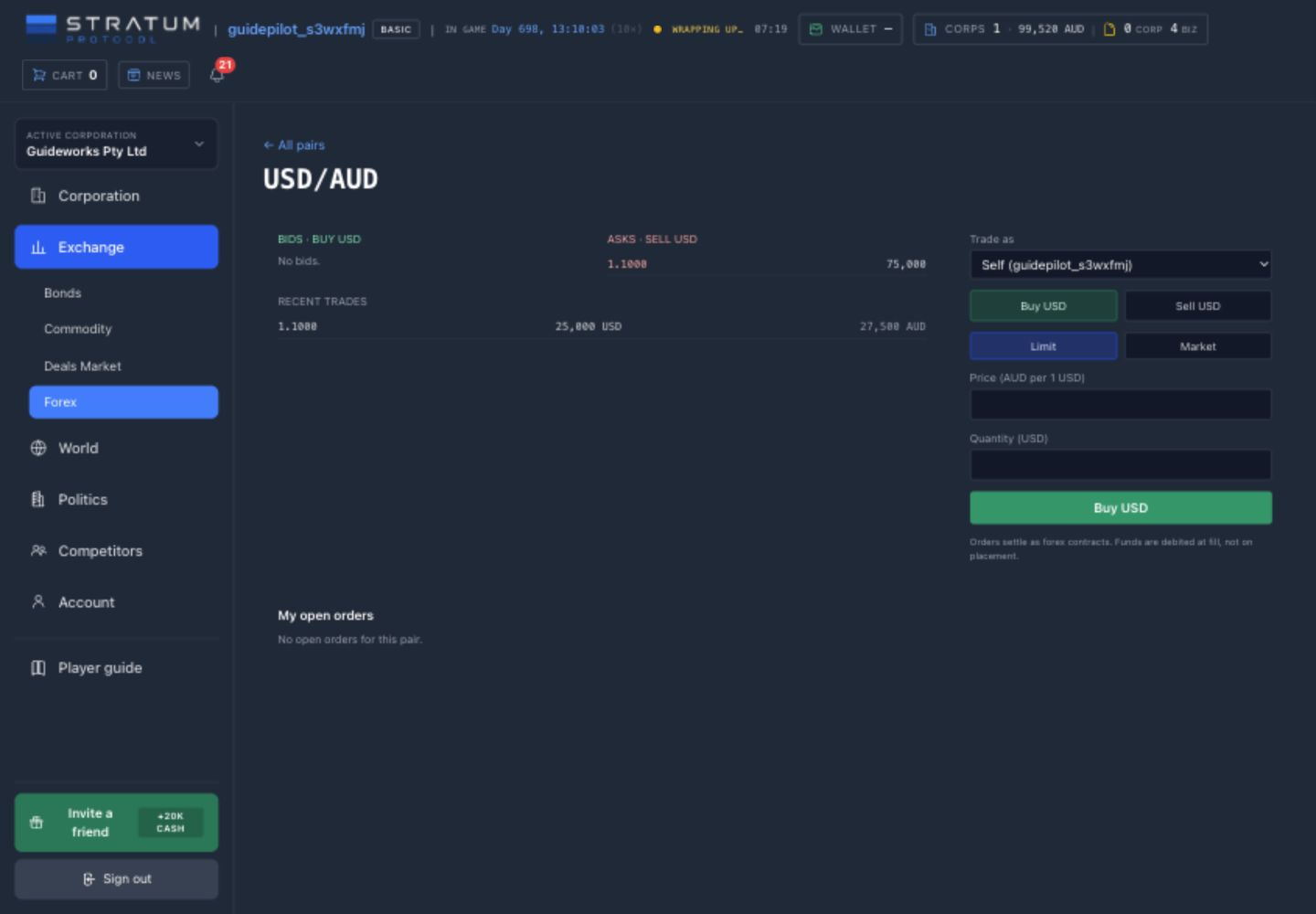
A limit order supplies both quantity and the worst price you will accept. It crosses compatible resting orders immediately, then any unfilled remainder stays open at your limit; a partial fill remains visible under My open orders. A market order crosses available opposite orders immediately without a limit price. If the book cannot fill the entire quantity, the filled portion stands and the remainder is cancelled—it never rests on the book. With no opposite liquidity, a market order is rejected.
Know what is reserved
A limit buy locks its maximum quote-currency spend in escrow when placed. Fills pay sellers from that escrow, and cancellation or completion refunds whatever remains. Market buys execute immediately and do not create resting escrow. Sell orders instead validate the actor’s base-currency balance when placed; base currency is not escrowed. Keep that balance available while a sell limit rests. For a market buy, keep enough quote currency for the full depth-weighted sweep rather than only best ask × quantity, and remember that limit-buy escrow has reduced spendable cash even though the trade has not fully filled.
How a fill is recorded
Every fill creates a settled Forex Contract at the resting order’s price. Quote currency moves from buyer to seller, and base currency moves from seller to buyer. Both transfers appear in the relevant personal Wallet or corporation Transactions ledger, labeled as forex; the pair’s recent-trades list shows the price, base quantity, and quote amount. Cancelling an open order stops only its remainder. Completed fills and their ledger entries are not reversed.
Treat conversion as part of the cash plan
Thin books create slippage, limit orders can wait, and a currency can move while freight, construction, payroll, tax, or debt comes due. Convert against a known obligation with a reserve for price movement; do not expose tomorrow’s required cash merely because today’s recent-trade price looks attractive. The Loans, liquidity, tax & survival chapter explains why each currency must remain solvent on its own.
Public bonds & default risk
Compare public bonds by issuer, currency, coupon, repayment schedule, treasury, and default risk.
The Bonds Market brings state debt and player-corporation debt together without pretending they work the same way. Use Market to find offers, Holdings to follow lots owned by the selected corporation, and Issued to manage that corporation’s own offers. A bond is a debt obligation—not a deposit, a share in the issuer, or a guaranteed return.
Companies can raise capital from other players
A corporation needs at least the equivalent of USD 1 million in revenue over the last 14 closed game days before it can issue. Its open offers and outstanding bond debt cannot exceed one third of its total assets after currencies are normalized to the displayed USD reference valuation. The page still shows revenue and assets in their recorded domestic currency, with the period or valuation day, so you can see what the eligibility result was built from.
Posting costs 2% of the amount sought, paid immediately in the chosen bond currency and never refunded. The issuer chooses the currency, annual interest, interest-payment schedule, and maturity term. A corporate offer has no deadline: it stays open until it sells out or the issuer cancels the unsold remainder. A cancellation never unwinds principal that investors already bought.
Immediate funding
Every corporate-bond purchase transfers its principal to the issuer at once.
Independent lots
Each purchase gets its own interest schedule and maturity, anchored to that purchase’s game day.
Balloon principal
Interest is paid on the chosen schedule; the lot’s outstanding principal is due at maturity.
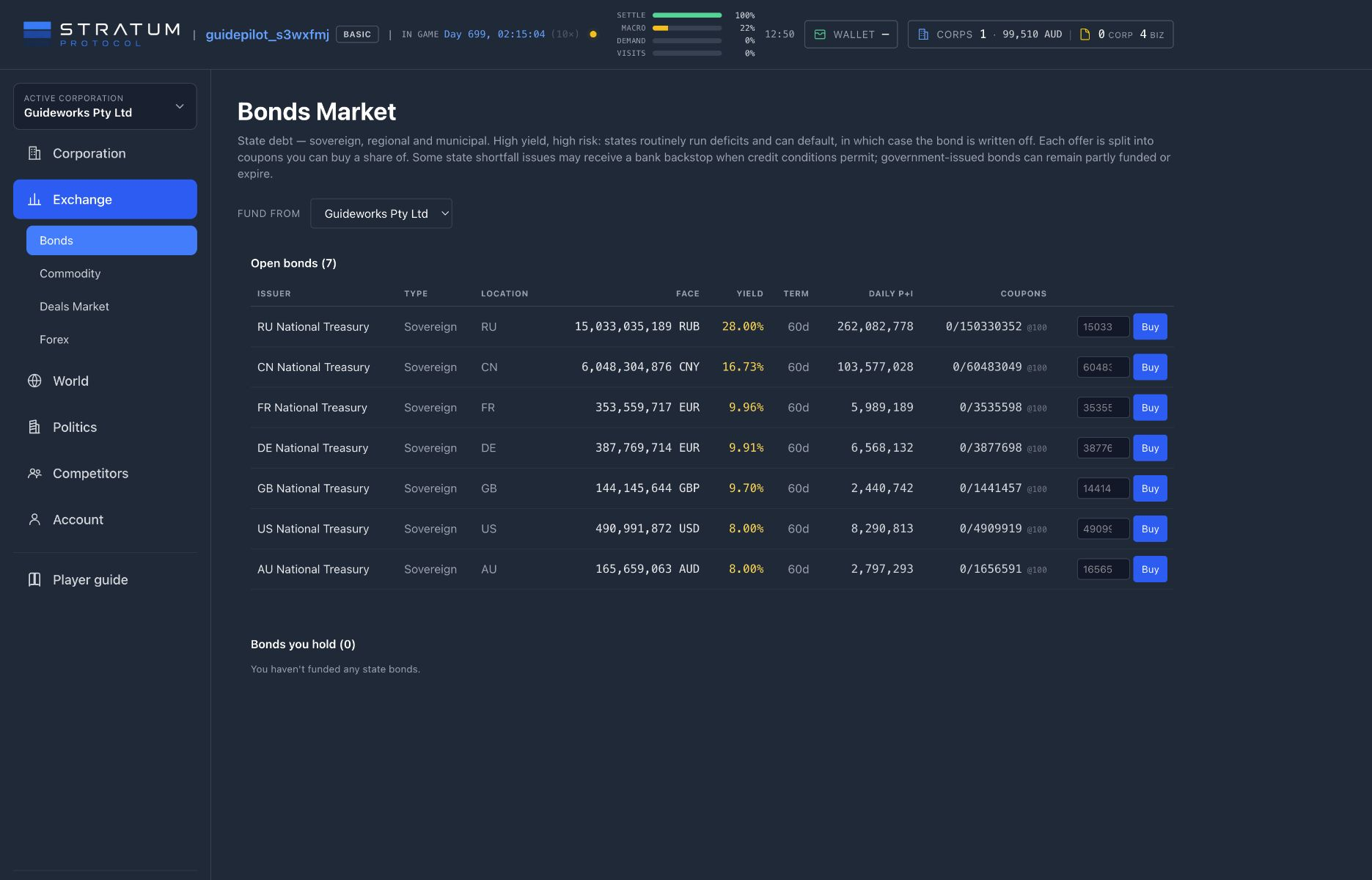
Before buying a corporate bond, review the issuer’s headquarters, revenue over the last 14 closed game days, recorded total assets, and recorded delinquency, bankruptcy, and default events. Enter an explicit investment amount and review the total cost and the selected corporation’s resulting balance before confirming. A blank amount never means “buy all.” There is no player-facing secondary market, so plan to hold each lot through repayment, recovery, or loss. If its currency differs from the currency your corporation spends, also account for the conversion cost and exchange-rate exposure described in Foreign exchange.
State bonds keep their own repayment model
State offers are divided into fixed coupons and use the published funding window. Once a state bond activates, principal and interest amortize daily rather than leaving all principal until maturity. Some automatic state-shortfall issues may receive a conditional domestic-bank backstop; player-governed state issues do not. The market labels the issuer and repayment model clearly so a state coupon is not mistaken for a corporate lot.
Missed corporate interest starts a visible clock
A corporation that misses a scheduled interest payment enters default. Holdings and issued offers show the missed-payment status, next payment, maturity, and recovery timing. If the corporation remains in default for 14 game days, debt recovery begins. Important offer, payment, default, maturity, cancellation, and recovery events also generate in-game and email reminders for the affected players.
Underwrite the issuer, not the headline rate
A high annual rate compensates for risk; it does not erase it. Compare the issuer’s disclosed operating scale and credit history with the size, currency, payment schedule, and maturity of the obligation. Then check your own corporation’s liquidity: buying a bond converts cash needed for payroll, leases, freight, inputs, tax, and repairs into a term asset. The Government, taxes & public works chapter explains the public finances behind state issuers.
Parties, campaigns & elections
Create and fund a party, staff branches and projects, build support, and contest national elections.
Finance showed taxes and public bonds from the operator’s side. Politics is the organization that can change some of those rules. Open Politics → My parties to manage an organization, Parties to compare national standings and support one, and Government when a party you manage holds an active mandate.
01 · ORGANIZE
Found and fund a party, open branches, recruit functionaries, and invite cofounders.
02 · CAMPAIGN
Draft projects, assign a suitable team, deliver resources, and build support.
03 · GOVERN
Win one mandate and use its defined tax, bond, permit, construction, and logistics powers.
The party is separate from its sponsor
To found a party in a country, you need an active private corporation there. Choose its name, description, color, and alignment—socialist, green, liberal, centrist, conservative, nationalist, or libertarian—and optionally seed its treasury from the sponsoring corporation. The new party becomes its own legal and financial actor with a separate treasury and stockpile. Later donations can come from a player or an authorized corporation; the party never silently treats a corporate balance as its own.
The founder can invite up to five active or pending cofounders. Once accepted, a cofounder can manage the same party projects and exercise the same government powers as the founder while the role remains active. That is broad authority, so treat an invitation as shared control rather than a ceremonial title.
Branches and functionaries turn money into organization
A municipal branch costs 5,000 in local currency and is required before the party can run municipal projects or contest that city. Recruited functionaries leave the general labor pool, join the party payroll, and can work on one party project at a time. Their contribution combines competence with ideological fit: a matching alignment contributes fully, a centrist relationship contributes partially, and a different non-centrist alignment contributes less. Build a team for both headcount and fit rather than hiring on salary alone.
Protect the daily payroll
Functionaries are paid from the party treasury each game day. If the treasury cannot cover the whole payroll, the team accrues unpaid days instead of partially paying a few people; a functionary is dismissed on the second unpaid day. Campaign cash and payroll reserve are therefore competing uses of the same treasury.
A campaign project has a physical workflow
1
Draft
Choose a national or municipal template and target.
2
Staff
Assign at least the required functionaries.
3
Supply
Deliver every listed resource into party stock.
4
Launch
Pay the cash cost, consume stock, and wait for completion.
Drafting commits no cash and can be cancelled while it is still pending. Launch requires the staff, party cash, and any physical resources to be ready at the same time; stock still in transit does not count. Supplying from one of your companies contributes that company’s goods while the party pays the freight. Using the project’s market-supply action instead makes the founding corporation buy the goods and pay their freight. The party then separately pays the project’s launch cost, so check the payer shown by each action rather than assuming every campaign expense comes from one balance.
On completion, a project awards popularity throughout the country. The target receives the strongest effect, distance reduces its spread, and local population changes the magnitude; municipal projects are more geographically concentrated than national ones. Popularity then decays each game day. A large campaign is therefore temporary political capital, not a permanent unlock.
Standings combine projects and endorsements
Every contest first turns each party’s project popularity into its share of all project popularity and its player endorsements into its share of all endorsements. The displayed combined standing is then 40% project-popularity share and 60% endorsement share. Because these are shares within the contest, the same raw gain matters differently in a quiet race and a crowded one.
On the Parties screen, a player can hold one national endorsement per country. Supporting a different party moves it; clearing support removes it, and otherwise it persists across election cycles. The current player-facing control is national. Municipal contests are scoped to a city and only parties with a branch there can stand, but municipal endorsements are not currently exposed as a player-facing control.
One contest awards one mandate
Elections normally run every thirty game days. A national contest considers the ten highest-ranked parties by combined standing; a municipal contest considers parties with a branch in that city. Within that eligible field, the highest-ranked party with positive combined support wins the mandate until the next election. There is no proportional seat allocation or separate runoff. If every eligible party has zero combined support, the office remains vacant.
Winning does not merge the institutions
The sponsoring corporation, political party, and elected government are separate actors. An election awards one scoped mandate; it does not turn party donations into government revenue or grant public control over ordinary corporation finance. The next article follows that mandate into its treasury, tax, bond, permit, construction, logistics, and audit tools.
Political parties require branches, wages, project materials, freight, and popularity spending. Keep an operating business able to fund those costs.
Government, taxes & public works
Manage public treasuries, taxes, bonds, permits, construction, logistics, and audits during a mandate.
Government begins after politics succeeds. A political party organizes campaigns and holds its own treasury; an election can award that party a time-bounded national or municipal mandate; the mandate authorizes the party’s founder and active co-managers to operate a separate public treasury. These are three different records. Winning office does not merge party funds, a sponsoring corporation’s cash, or government revenue.
Open Politics → Government to see the active mandates held by parties you manage. Each card identifies its scope, jurisdiction, term end, and government balance. Select one before making policy: a national treasury and a city treasury can coexist, have separate cash and ledgers, and grant different powers. When the mandate ends, the management authority ends with it.
Six workspaces, one selected treasury
- Treasury
- Inspect balances, today’s income and expenditure, debt headroom, and issued bonds; set an amount and rate for a new public issue.
- Taxes
- Edit only the categories exposed for the selected national or municipal mandate, with rates constrained to the displayed zero-to-sixty-percent range.
- Buildings
- Commission eligible civic, education, housing, or Distribution Center projects and run their supply and construction lifecycle.
- Permits
- Set future extraction-permit count and reserve price by mineral region, or hold selected weekly auctions.
- Logistics
- Operate the public carrier’s rate card and inspect deliveries, on-time performance, capacity, fuel, depots, and wear.
- Transactions
- Audit cash entering and leaving this government, with date, currency, amount, and counterparty, without mixing it into party or private ledgers.
National and municipal components—no regional layer
The schedule separates what a country collects from what a city collects. A national mandate controls the country’s national payroll and corporate components, personal income, and the country defaults used by municipal tax categories. A municipal mandate can replace the local sales, payroll, annual property, corporate, production, and service components for its city. A city rate changes only that municipal component; it does not replace the national payroll or corporate charge. There is no regional tax layer between them. World → Tax rates is the operator’s public reference, while editing belongs inside the selected mandate’s Taxes workspace.
Payroll follows the workplace: every wage bill can produce a national charge and a municipal charge, and HQ payroll is assigned to the HQ city. Corporate tax is reconciled weekly. Its national component applies to the corporation’s taxable net profit, while its municipal component divides that base across cities according to completed operating businesses. HQ is excluded from the municipal corporate footprint, and the allocation partitions the base rather than duplicating the full profit in every city.
The layered presentation does not itself increase the original defaults. Payroll remains 12% when 9% national and 3% municipal are combined; corporate remains 20% when 15% national and 5% municipal are combined. A government can change the component under its mandate, so operators should read the current national and municipal values together rather than assume those defaults are permanent.
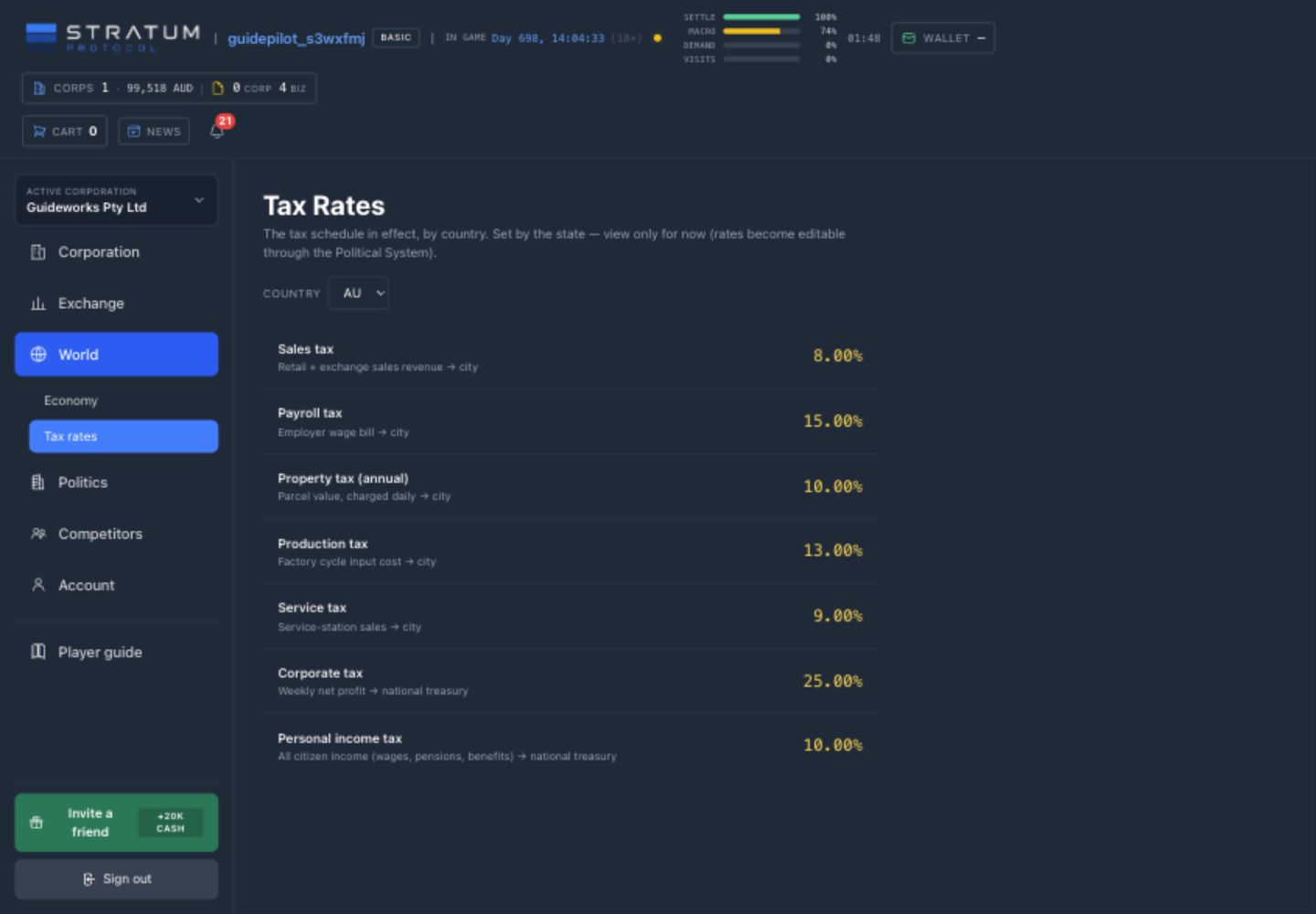
Rate changes affect supporters and rivals alike, and collections enter the relevant public treasury rather than the ruling party. Treasury also houses bond issuance. A government chooses its requested face amount and coupon rate within debt headroom derived from recent revenue and outstanding debt. These mandate-issued bonds receive no bank backstop: after their five-game-day market window, sold coupons can activate as a smaller issue and an entirely unfunded offer expires. See Public bonds & default risk before treating borrowing headroom as spendable revenue.
Public construction requires materials and labor
Government construction is exempt from a land parcel and a player Business License, but not from the material and labor chain. The selected treasury starts a planned project, supplies the blueprint’s ordinary resources, pays freight, and hires a builder through the same construction lifecycle used by private projects. A national government chooses a host city in its country; a municipality builds in its own city. Civic works can improve prosperity, while schools, housing, and a Distribution Center provide their normal physical functions. Completing a Distribution Center also expands the government’s public carrier.
Logistics then exposes that carrier rather than granting free movement. The government sets base, weight-distance, handling, and volume-distance rates; customers additionally pay the fuel surcharge produced by market gasoline and shared vehicle use. Capacity, fuel, depot condition, and route performance remain constraints. Public ownership changes who receives the freight margin, not the physics of delivery.
Permit policy changes supply, not winners
Extraction permits float only in mineral-bearing regions. National control reaches eligible regions throughout the country; a municipal mandate reaches the region containing its city. The Permits workspace can replace the default number offered, set a non-negative reserve price, and skip individual upcoming game weeks. It does not choose a winning corporation. Once an auction opens, eligible corporations bid through their own Licenses & Permits page; the highest valid bid wins at close and the winning funds flow to the municipal treasury assigned to that permit area when one is available. This does not create a separate elected regional tier. A won permit must still be used in its game week.
Name the payer before committing
Party payroll and campaigns use the party treasury. Private expansion uses corporation cash. Taxes, public construction, carrier operation, and public debt use the selected government treasury. The mandate grants only its listed public powers; it does not grant ordinary access to government-corporation finance, roles, or dividends. Confirm scope, remaining term, treasury balance, and ledger before promising a project or policy.
Community standards & moderation
Rules for reports, moderation decisions, suspensions, appeals, and evidence retention.
Stratum Protocol is a shared world: usernames, corporation and brand names, party descriptions, officer titles, deal listings, and office listings are all written by players and read by players. These standards explain what crosses the line, what you can do about it, and exactly what happens after you act.
Reporting content
Wherever authored content appears, a report control lets you flag it as offensive, harassment, spam or a scam, impersonation, or an inappropriate name. The server records the reported content exactly as it stood when you filed — a later edit cannot rewrite what the moderator reviews — and your report is private: the reported player is never told who filed it. You can also block another player, which hides their content from your personalized views and prevents new contact in both directions; existing signed agreements stay valid.
How moderation decides
A human moderator reviews every report and takes one of a small set of documented actions: dismiss (no violation), a formal warning, removal of the offending text (replaced with a neutral placeholder), or — for serious or repeated violations — account suspension. Every action is permanently recorded. Our goal is a first response within 72 hours of a report being filed.
A suspended player cannot sign in or act, but their corporations are not destroyed: co-owners keep their own access, the business keeps operating in the simulation, and automatic insolvency clocks are paused while no co-owner can respond — a moderation decision is never a hidden economic death sentence.
Appeals
If an action was taken against your content or account, you may file one appeal per action within 14 days. A different moderator reviews it. An accepted suspension appeal restores your access immediately; an accepted content removal restores the original text when it is still safe to do so. The appeal decision and its reasoning are recorded alongside the original action.
What we keep, and for how long
While a case or appeal is open, its evidence is kept in full. After a case is resolved and the appeal window has passed, the quoted content snapshot is deleted within 90 days of resolution. The fact that a report existed and what action was taken — without the quoted content — is retained permanently as an audit record. Note that permanent public records (the Newswire and the financial ledger) are never rewritten, so a renamed entity can still appear under its old name in old stories.
The short version
Build, trade, and compete as hard as you like — the simulation is the game. Names, titles, and listings that target real people, deceive, or spam are the one thing we remove, and everything we do about it is recorded, appealable, and bounded in time.
What to do next
Compare production, logistics, property, R&D, brands, contracts, finance, and politics before expanding.
Before expanding, check that inputs arrive on time, payroll clears, equipment stays repaired, prices cover costs, and the corporation keeps a cash reserve. Revenue alone does not show whether the business can support another site.
Automation can maintain stock targets and schedule repairs after you have set working rules. It does not choose markets or investments for you.
Choose what to build next
Troubleshooting checklist
-
1
Availability
Are the required goods, ingredients, vehicles, slots, permits, staff, and storage physically present where the system needs them?
-
2
Operation
Are critical roles filled, efficiency positive, equipment active, lines healthy, queues moving, and HQ adequately staffed?
-
3
Demand
Is the product enabled and visible in the right city at a price and quality customers will accept?
-
4
Costs
Does the price cover delivered input cost, wages, rent, freight, tax, maintenance, and financing?
-
5
Liquidity
Can every near-term obligation settle in the correct currency while inventory and projects remain tied up?
Test one change at a time
Wait for the relevant game update, then compare the result before changing something else.